D15330.06 SX10 Administrator Guide CE9.1, JUNE 2017. www.cisco.com — Copyright © 2017 Cisco Systems, Inc. All rights reserved.
57
Cisco TelePresence SX10 Quick Set Administrator Guide
Factory reset using the reset button
We recommend that you back up the log files and configuration of
the video system before you continue with the factory reset.
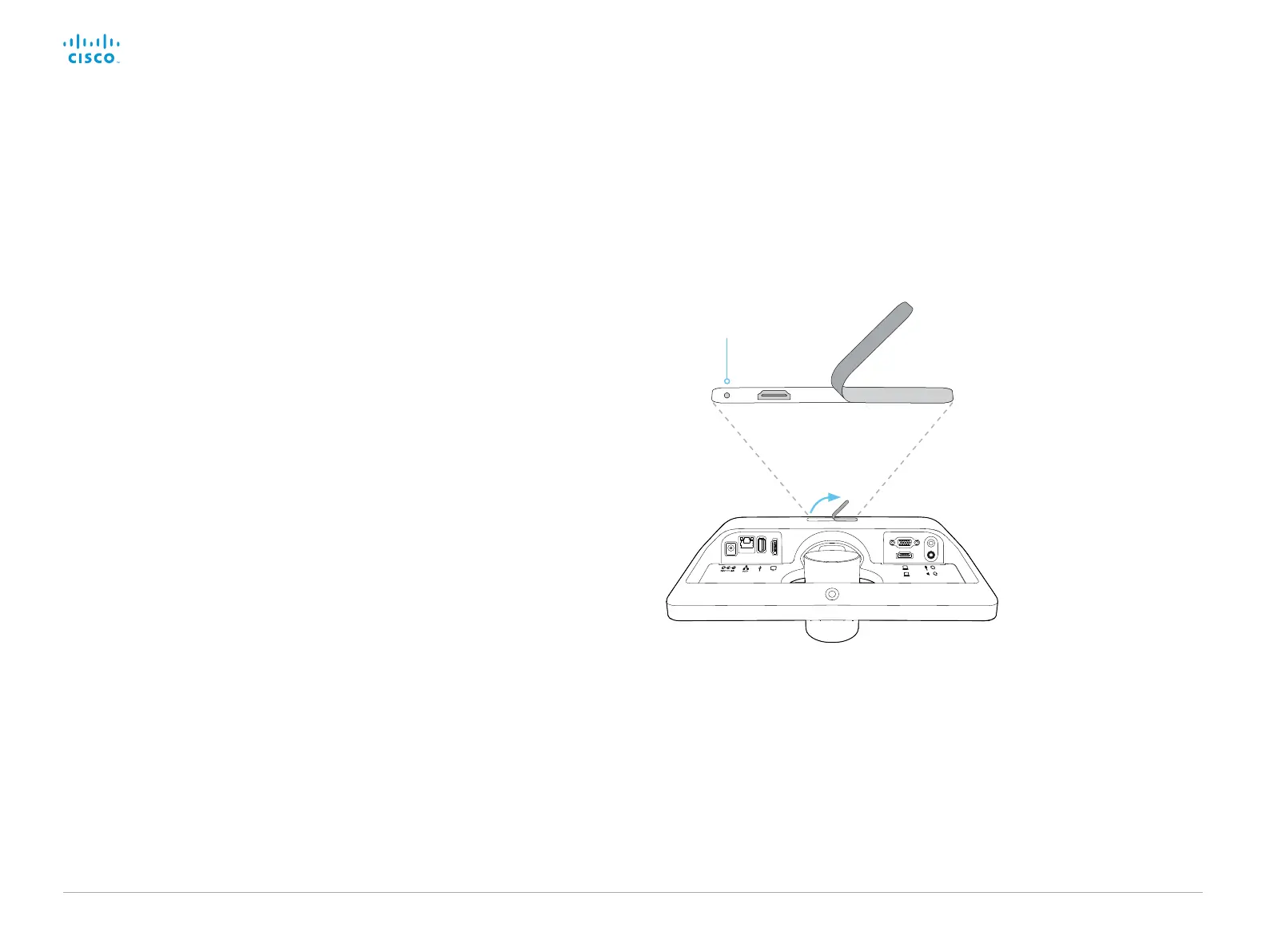
1. Lift the rubber flap on the back of the unit to uncover the reset
button (pin hole).
2. Use the tip of a pen (or similar) to press and hold the recessed
reset button until the screen turns black (approximately 10
seconds). Then release the button.
3. Wait while the video system reverts to the default factory
settings. When finished, the video system restarts
automatically. This may take a few minutes.
When the system has been successfully reset to factory
settings, the Setup assistant starts with the Welcome screen.
Factory reset the video system (page 3 of 3)
Reset button (pin hole)
The recessed button can
be quite difficult to use.
You should feel the button
go down when pushed.
Lift the rubber flap
to uncover the reset
button (pin hole).














 To Next Page