40
Instruments
System that gives you information on the current journey (range, fuel consumption…).
Trip computer
Display of information
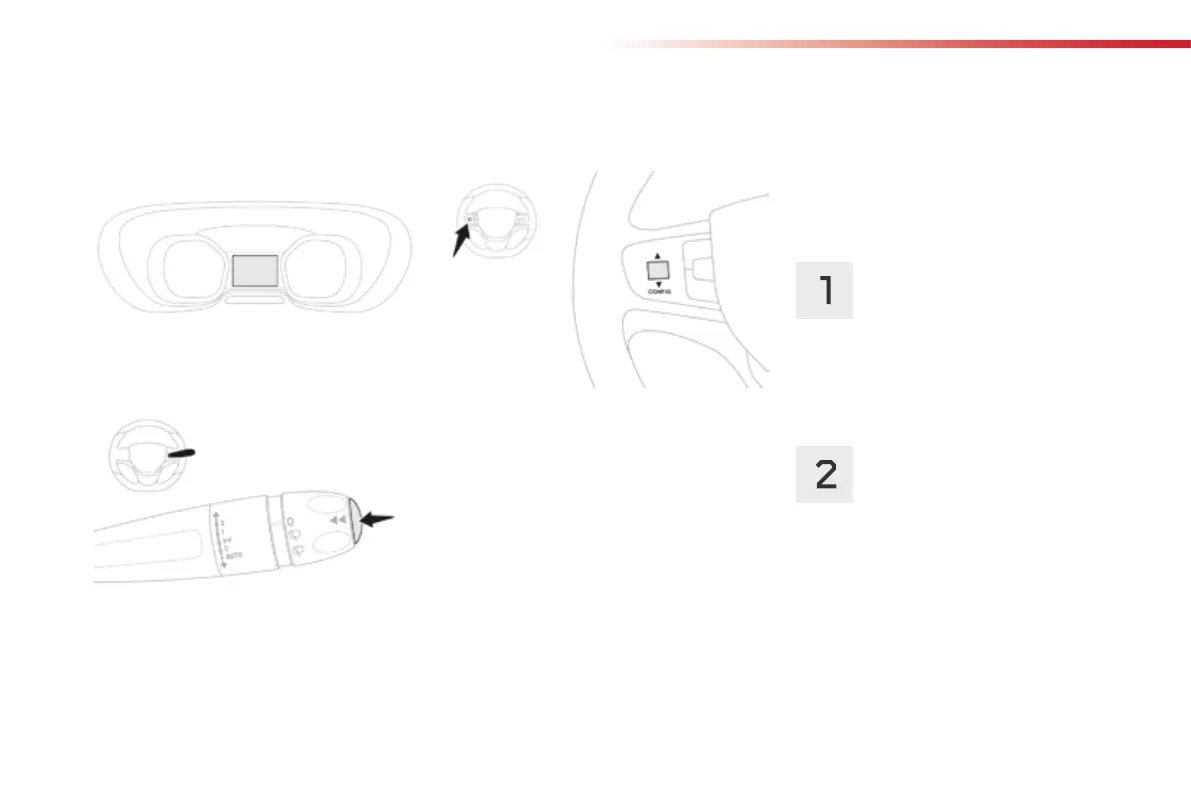
F Press the button on the end of the wiper
control stalk to display the different trip
computer tabs in turn.
F
Or, depending on equipment, press the
thumbwheel on the steering wheel.
- The current information with:
●
the range,
●
the current fuel consumption,
●
the Stop & Start time counter.
Trips "1" and "2" are independent but their use
is identical.
For example, trip "1" can be used for daily
figures, and trip "2" for monthly figures.
- Trip "2" with:
●
the average speed,
●
the average fuel consumption,
●
the distance travelled,
for the second trip.
- Trip "1" with:
●
the average speed,
●
the average fuel consumption,
●
the distance travelled,
for the first trip.
Depending on equipment, a 2
nd
trip is available.



 To Next Page