107
.
1
2
3
4
5
Audio and Telematics
Transversal-Citroen_en_Chap02_RCC-2-2-0_ed01-2016
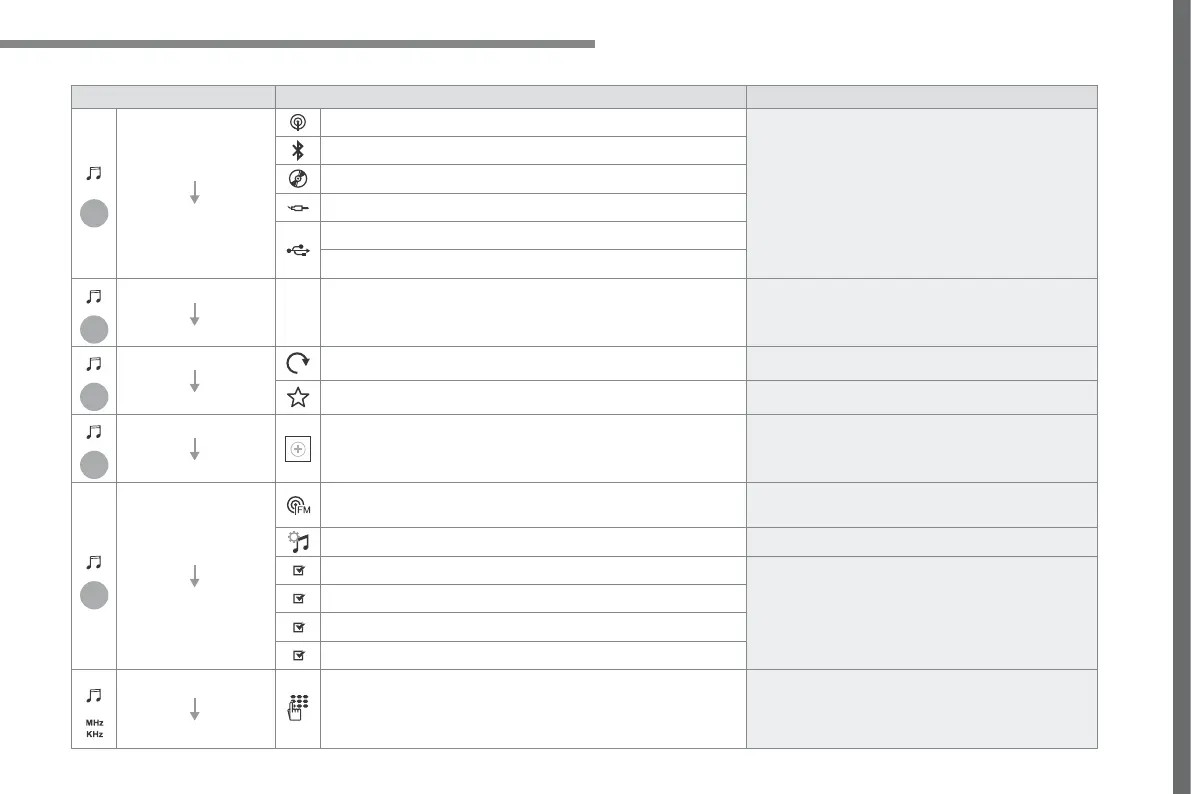
Level 1 Level 2 Comments
Radio Media
SOURCES
Radio
Select change of source.
Bluetooth
CD
AUX
USB
iPod
Radio Media
Frequency
FM / DAB / AM Display the current radio station.
Radio Media
List
Update the list according to the stations received.
Preset Make a short press to preset the station.
Radio Media
Preset
Select a preset station or preset a station.
Radio Media
OPTIONS
AM band / DAB band / FM band Press the Band button to change waveband.
Audio settings Configure the audio settings.
News
Activate or deactivate the options.
TA
RDS
FM-DAB Follow-up
Radio Media
87.5 MHz
Enter a frequency of the FM and AM bands on the
virtual keypad.



 To Next Page