2 – 7
1) Mode selection switch
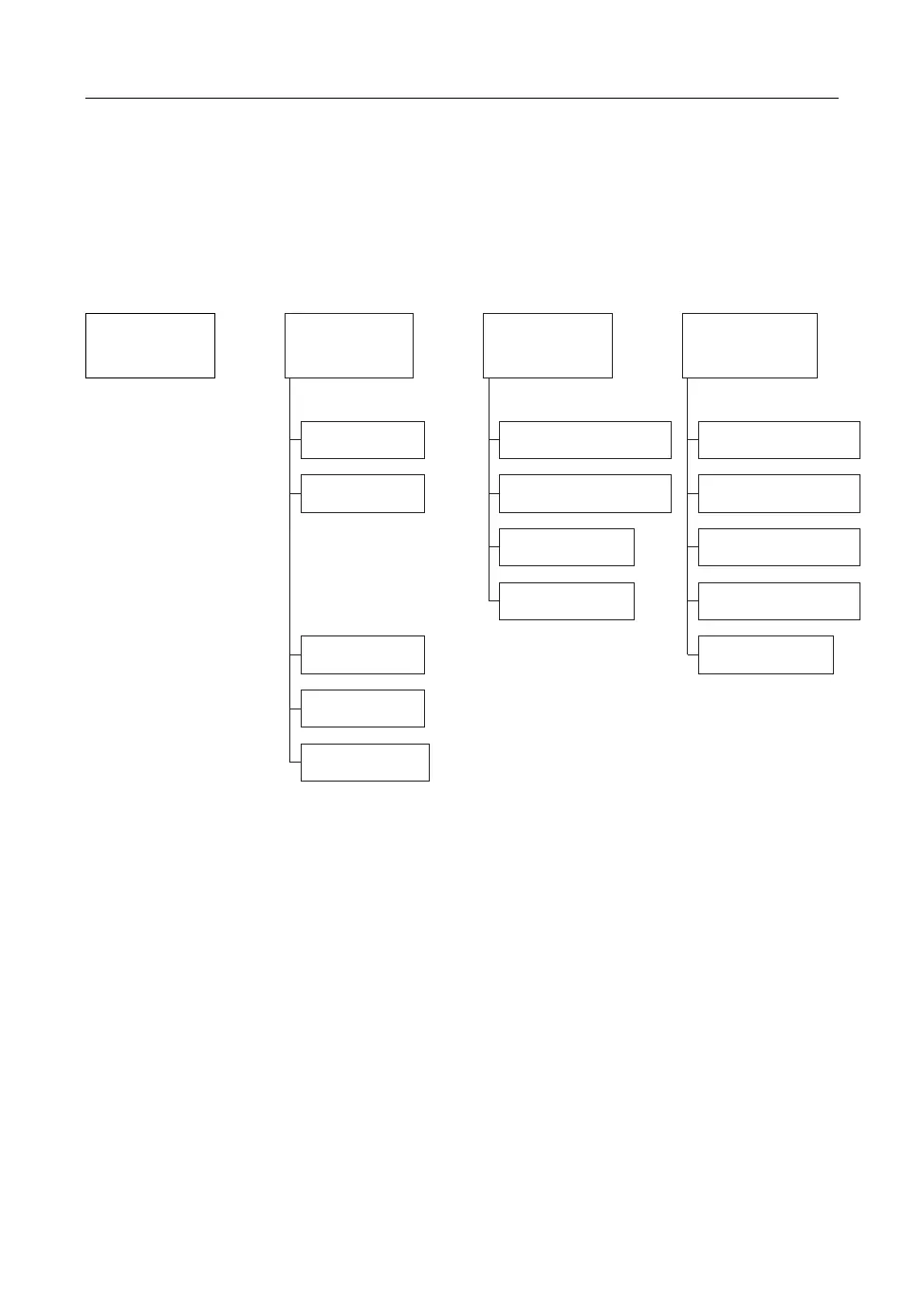
The switch is to shift onto the LCD screen which operator desires. The
mode switch usage is as follows. Each time the mode switch is pressed,
the mode moves to the arrow directions as shown below.
As shown in the above, all LCD screens except “Model name READY OK”
have their lower level modes. Press “ENTER” switch in the pertinent mode
to move into the lower level mode. To move into the lower level mode,
press the mode switch again. To move into the higher level mode, press
“ENTER” in “EXIT(ENTER)” mode at the bottom of screen. If another lower
level mode exists in the lower level mode, use “ENTER” switch like the
above procedure to move, and press “ENTER” switch in “EXIT(ENTER)”
mode to move into the higher level mode.
13. DRIVING AND OPERATING
MODEL NAME
READY OK
(MODE)
®
(MODE)
®
(MODE)
®
ERROR
DISPLAY?
(ENTER) (ENTER) (ENTER)
DISTANCE
DISPLAY?
PARAMETER
DISPLAY?
1 : ERROR
2 : ERROR
·
·
·
10 : ERROR
NO ERROR
EXIT(ENTER)
TOTAL DISTANCE
TEMP DISTANCE
TEMP RESET
EXIT(ENTER)
SENSOR INPUTS
DIGITAL INPUTS
CONTACTOR REQUESTS
SYSTEM PARAMETERS
EXIT(ENTER)


 To Next Page