3 – 14
24.2 HOW TO ADJUST THE BRAKE
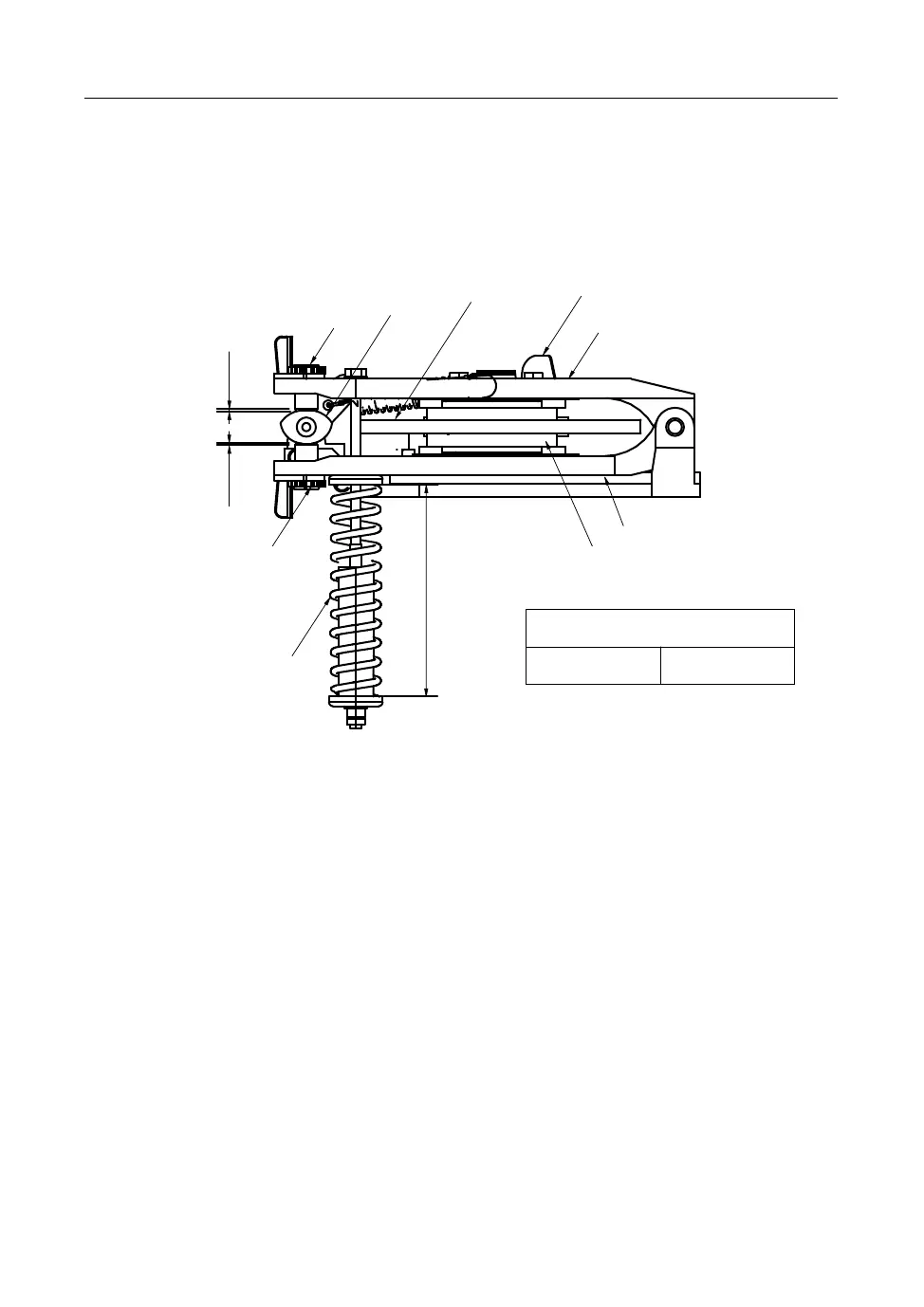
If the functions of the brake is bad, adjust the items in following picture.
<How to adjust>
a Adjust the gap between the adjusting bolt and the cam to be 1.5mm
b Adjust to meet the indicated numbers in the above table by loosening the
nuts for adjusting brake spring.
* Check if the lever is set horizontally with the cam.
c The pad wear indicator is attached in this machine.If the pad is worn, the
indicator contacts with the disk and starts to make metal contacting sound.
At this time, replace it with a new one.
24. GUIDE TO REPLACE AND REPAIR PARTS
1.0mm
1.0mm
A
FX941
Adjusting bolt
Cam
Desk
Indicator
Lever
Adjusting bolt
Spring
Lever
Brake pad
Adjusting spring (A)
CER10–25 115mm


 To Next Page