Section 3. Operator Compartment and Controls
3.7
Tilt Control
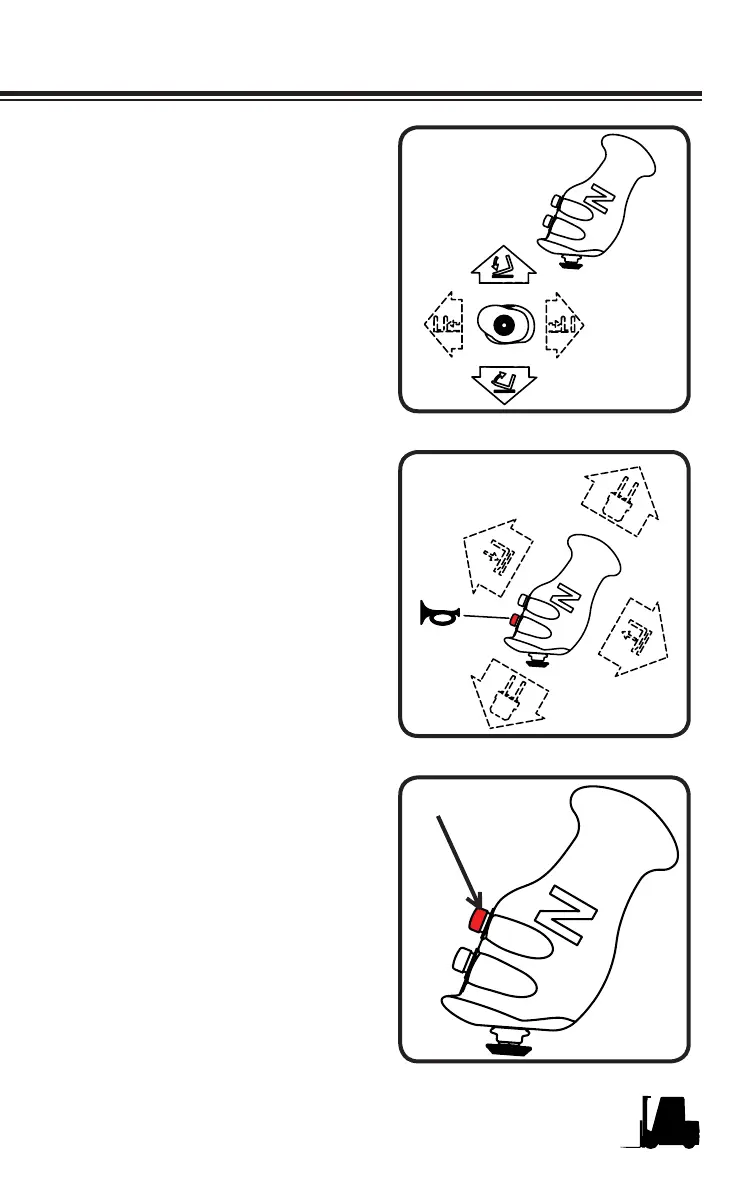
The multi function control handle is
equipped with a 4 way mini joystick
that is operated with the thumb
when the hand is on the multi
function control handle. To tilt the
forks forward move the mini joystick
upward as noted in the illustration.
To tilt the upright back move the
mini joystick downward.
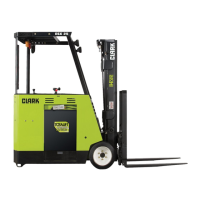
Multi-Function Handle
Horn Button
The horn button is located conve-
niently on the front face of the multi
function control handle where your
index fi nger typically rests. The
horn should be sounded before
entering all intersections to help
reduce the likelihood of a collision
with other lift trucks or pedestrians.
This is for your safety and the
safety of others. The key switch
must be turned ON before the horn
will operate.
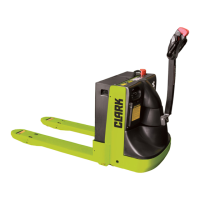
Function Change Button
The function change button is lo-
cated to the right of the horn button
where the middle fi nger typically
rests. When this function change
button is depressed and held, it
controls the Fork Level function
and the Auxiliary Valve 2 function
(if equipped)



 To Next Page