Section 3. Operator Compartment and Controls
3.9
Hydraulic Control Levers
Auxiliary Valve 2 Control (Op-
tional)
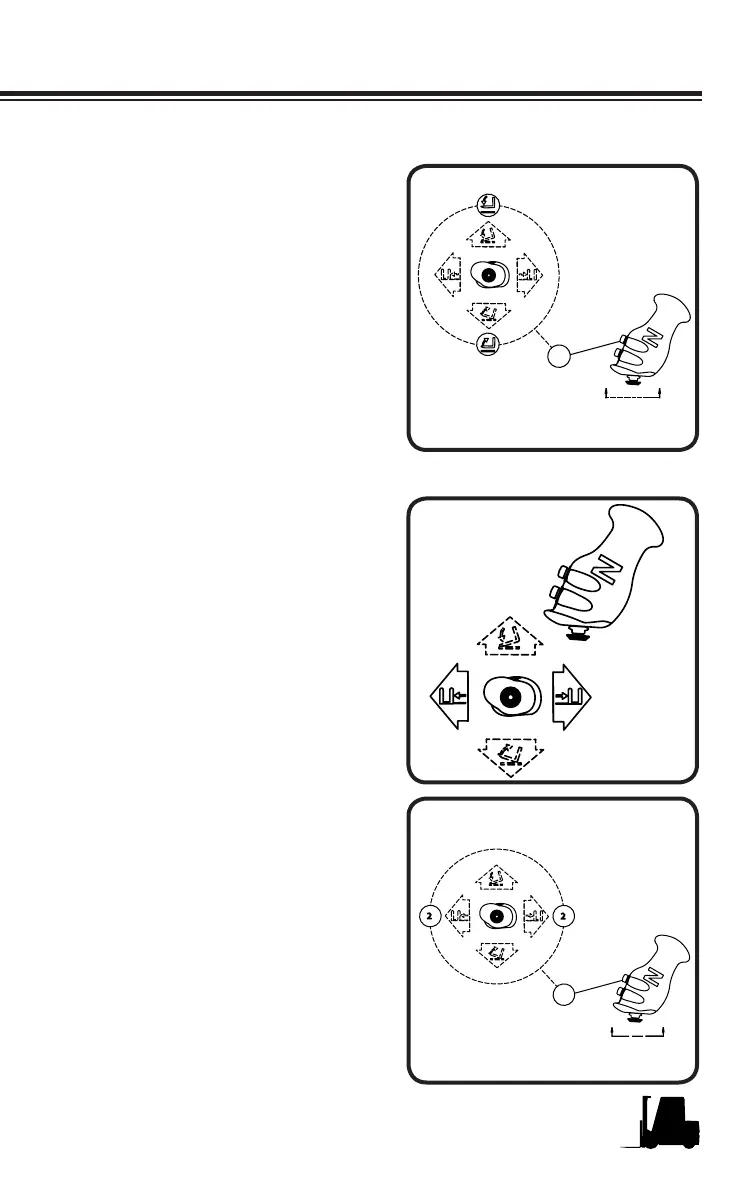
If your truck is equipped with an
optional hydraulic attachment, the
operator's thumb on the 4 way mini
joystick can activate the second
function by moving the mini joy-
stick forwards or backwards while
depressing the function change
button.
Auxiliary Valve 1 Control (Op-
tional)
The operator's thumb on the 4 way
mini joystick can activate this opera-
tion by moving the joystick forwards
or backwards. (Example: If Aux 1
is used for sideshifter, moving the
joystick forwards will sideshift the
forks to the left. Moving the joystick
backwards will sideshift the forks
to the right.
Fork Level
The Fork Level function operates
by holding the function change but-
ton in, located on the multi function
control lever, and using your thumb
to operate the mini joystick up or
down. While holding the function
change button depressed, the tilt
will stop when the upright is ap-
proximately vertical (forks level).
This function will work while tilting
forward and backward. The fork
level position can be calibrated by
a trained service technician and
should be done anytime the up-
right is not returning to the vertical
position.



 To Next Page