5.4
Using the Diagnostic Display
Your truck has a Diagnostic Display. "88888" should display on the digital
readout for about one second after you turn the key switch to ON. This
indicates that the digital readout is OK. After one second, either the hour
glass symbol or the wrench symbol should come on.
If the hour glass symbol comes on, the digital readout shows the truck
operating hours. If the wrench symbol comes on, an alarm code appears
on the digital readout. The alarm code may indicate an easily correct-
able "operator fault" or it may indicate that you need to have the truck
serviced.
The battery state of charge scale is divided into 10 segments indicating
every 10% of battery charge. When the gauge registers 10% (one LED),
the lift, tilt, and auxiliary functions become inoperable and the truck's
travel speed is greatly reduced. At this point the battery will be 80%
discharged. Charge or replace the battery immediately.
If you see an alarm code, use the table below as a guide. The codes
listed below are usually the operator alarm codes (faults). Any other
code is a service code.
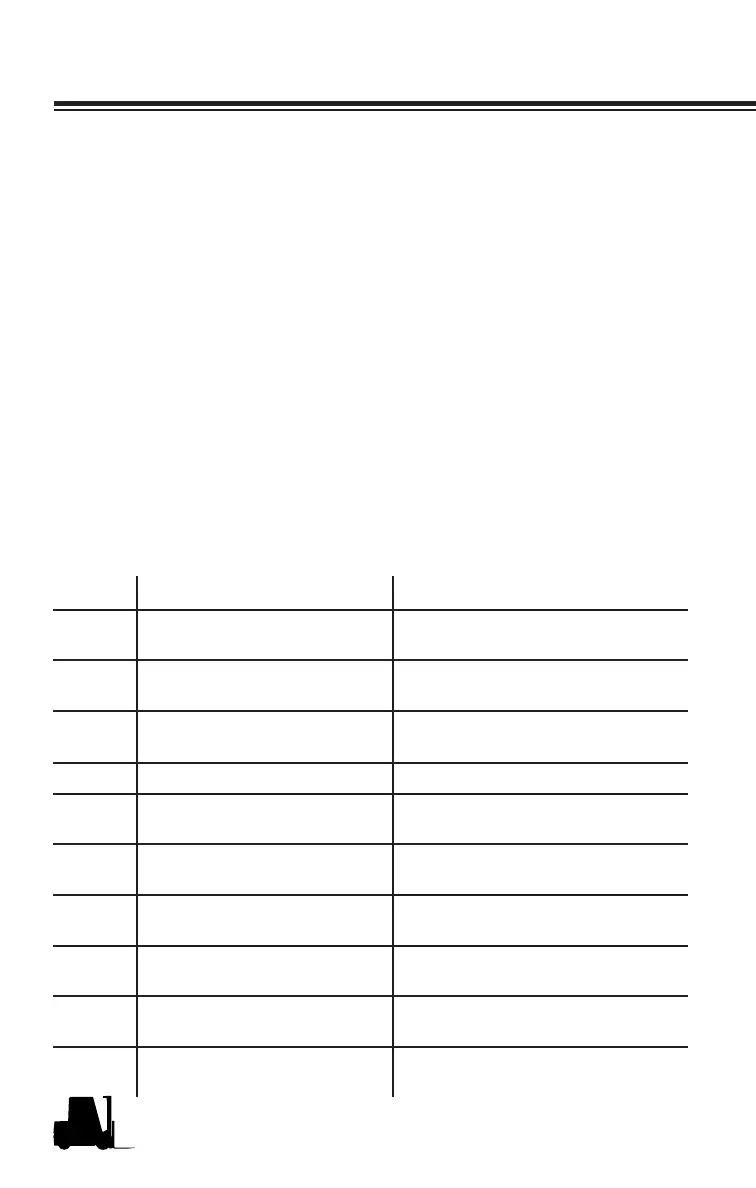
Code Condition Likely Corrective Action
AL001 Parking brake switch open Release parking brake by de-
pressing brake pedal.
AL079 Incorrect Start (SRO) Put direction control in NEUTRAL
before starting.
AL036 Incorrect Parking Brake
Usage
Use Plugging Function to stop the
truck unless in an emergency.
AL066 Lift Lockout Charge or Replace Battery
AL077 Maintenance Hours
Reached
Call Service Technician for PM
Service.
AL205 Incorrect Start (SRO) Hydraulic function lever not in
Neutral.
AL217 Wrong Battery Voltage Check battery for Proper Volt-
age.
AL245 Wrong Battery Voltage Check battery for Proper Volt-
age.
AL248 Parking Brake Self Test Call Service Technician. Do not
operate truck.
Other Truck needs service Call Service Technician. Do not
operate truck.
Using the Diagnostic Display



 To Next Page