Daily Alarm 1 and Daily Alarm 2
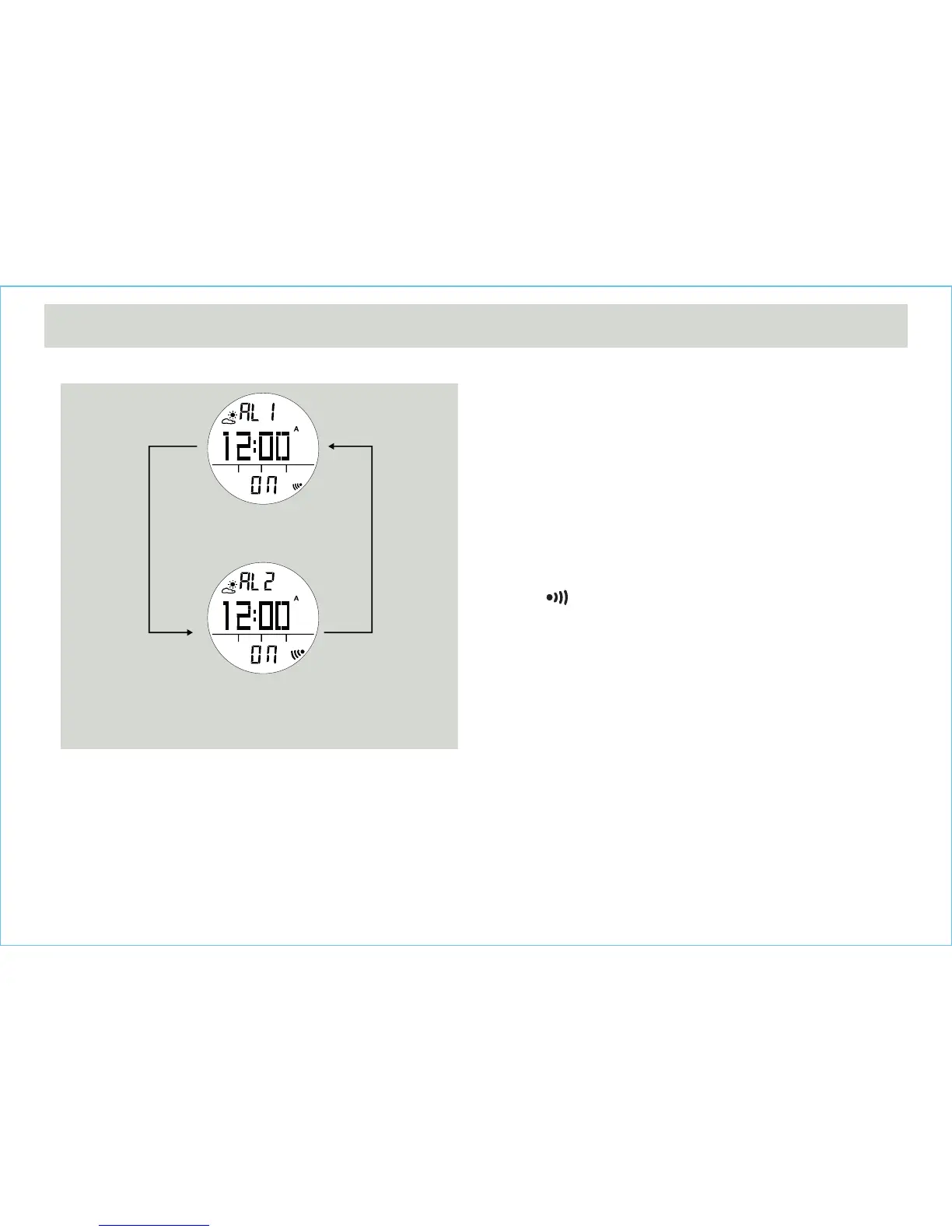
• The Watch includes two daily alarms: Daily Alarm 1 and
Daily Alarm 2. The Daily Alarm 1 and Daily Alarm 2 are
working independently.
• Press the [S/S] button to switch among the Daily
Alarm 1 and Daily Alarm 2 following the adjacent
diagram.
How to Turn ON/OFF the Daily Alarm
• To turn ON/OFF the Daily Alarm 1 (2), press the [L/R]
button in Daily Alarm 1 (2) Display.
• When the Daily Alarm 1 (2) is ON, the alarm indicator
' ' will appear.
• If the alarm indicator appears, the Watch will sound at
the preset alarm time every day. When the alarm
sounds, press any button to stop the beep.
5.0 Daily Alarm Mode - Daily Alarm 1, Daily Alarm 2
Daily Alarm 1 Display
[S/S]
[S/S]
Daily Alarm Mode
Daily Alarm 2 Display



 To Next Page