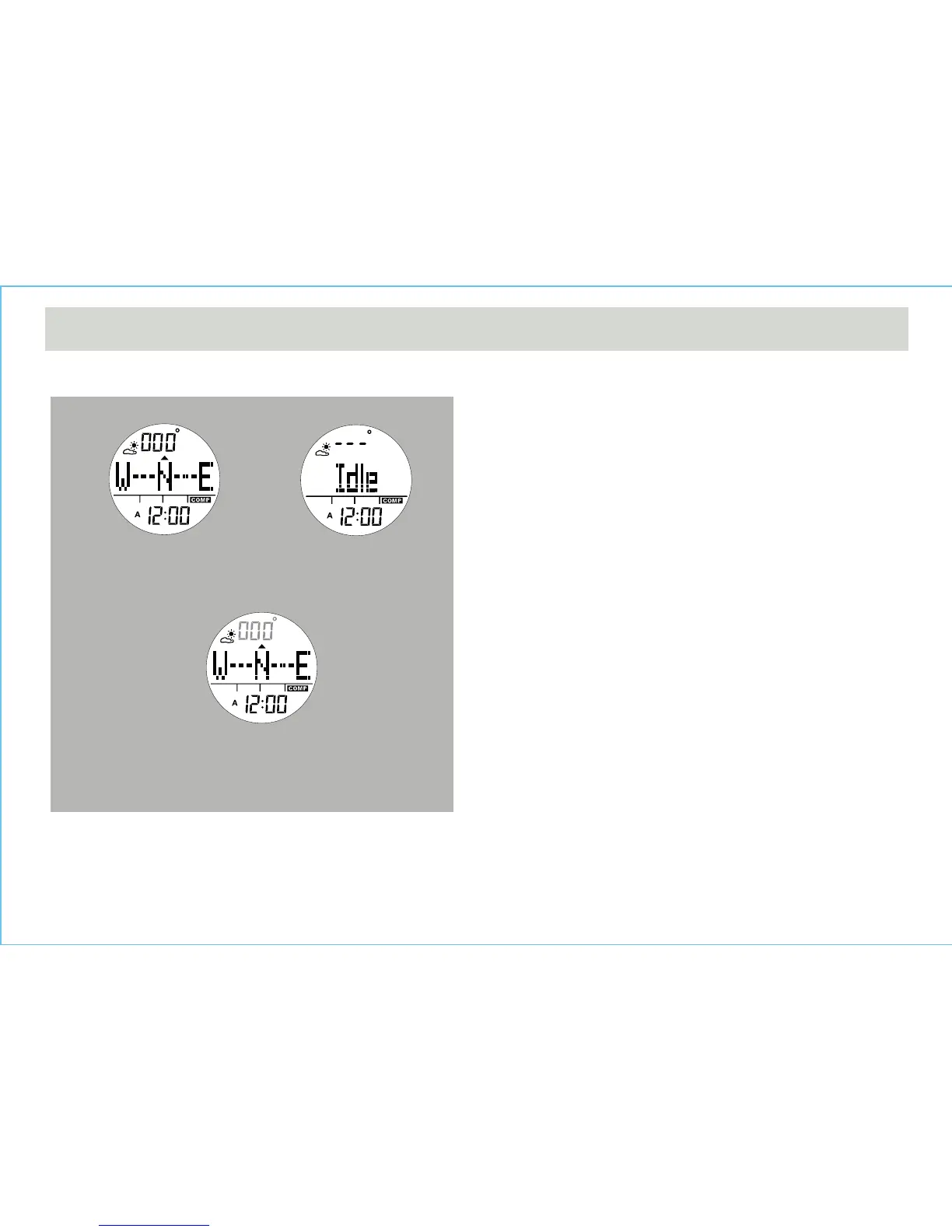
12.2 Compass Mode - Compass Mode
Compass Mode
Idle DisplayNormal Display
Distortion display
Compass Mode
• In the Compass Mode, the top row of the display shows
the bearing direction.
• The middle row of the display shows the compass
direction.
• The bottom row of the display shows the current time in
hour and minute.
• The pointer encircled the display shows the direction of
magnetic North analogically.
IDLE Mode
• If no key is pressed for about 1 minute, the watch will go
to the IDLE Mode automatically. To activate the
compass again, press any button.
Distortion
• If distortion is detected, the bearing direction will flash.
• Please refer to the coming section "Calibrating the
Compass" to restore the compass to normal operation
when distortion is detected.


 To Next Page