Weather Forecast Feature
• A special feature of the Watch is the coming weather
predicting function. It works by analyzing the changes of
the past air pressure.
How to Indicate the Coming Weather
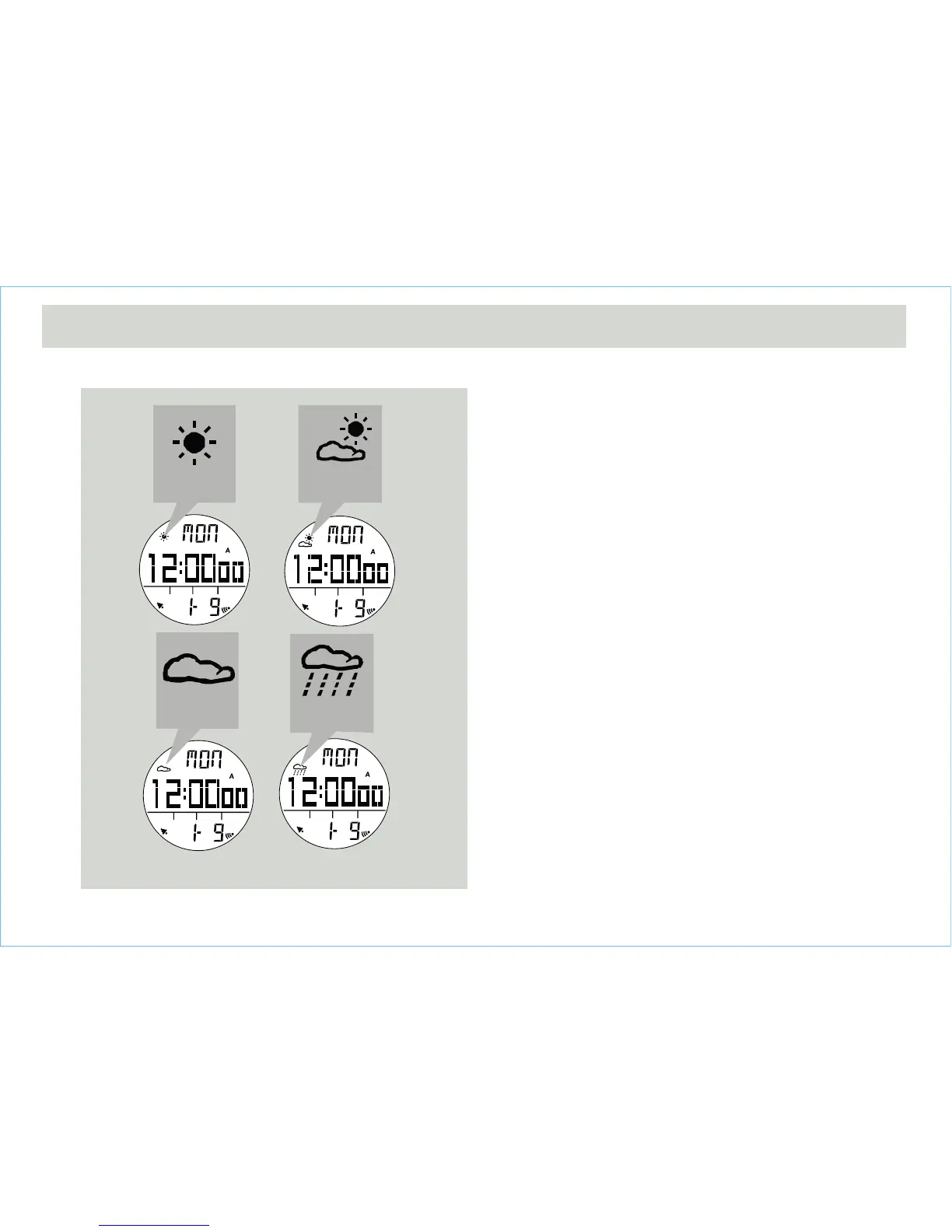
• The Watch provides 4 different symbols to indicate the
forecast weather, which are:
• Sunny
• Cloudy with Sun
• Cloudy
• Raining
IMPORTANT: Since the Watch predicts the coming
weather by using the data of the changes in the air
pressure, a higher accuracy may result when the user
stays at the same altitude for at least 24 hours.
IMPORTANT: The Watch predicts the weather by
adopting general weather prediction principles, it is NOT
capable to reflect the dramatic changes of weather
within a very short period of time.
4.1 Current Time Mode - Weather Forecast Feature
Weather Forecast Symbols
Raining
Cloudy
Cloudy
with sun
Sunny


 To Next Page