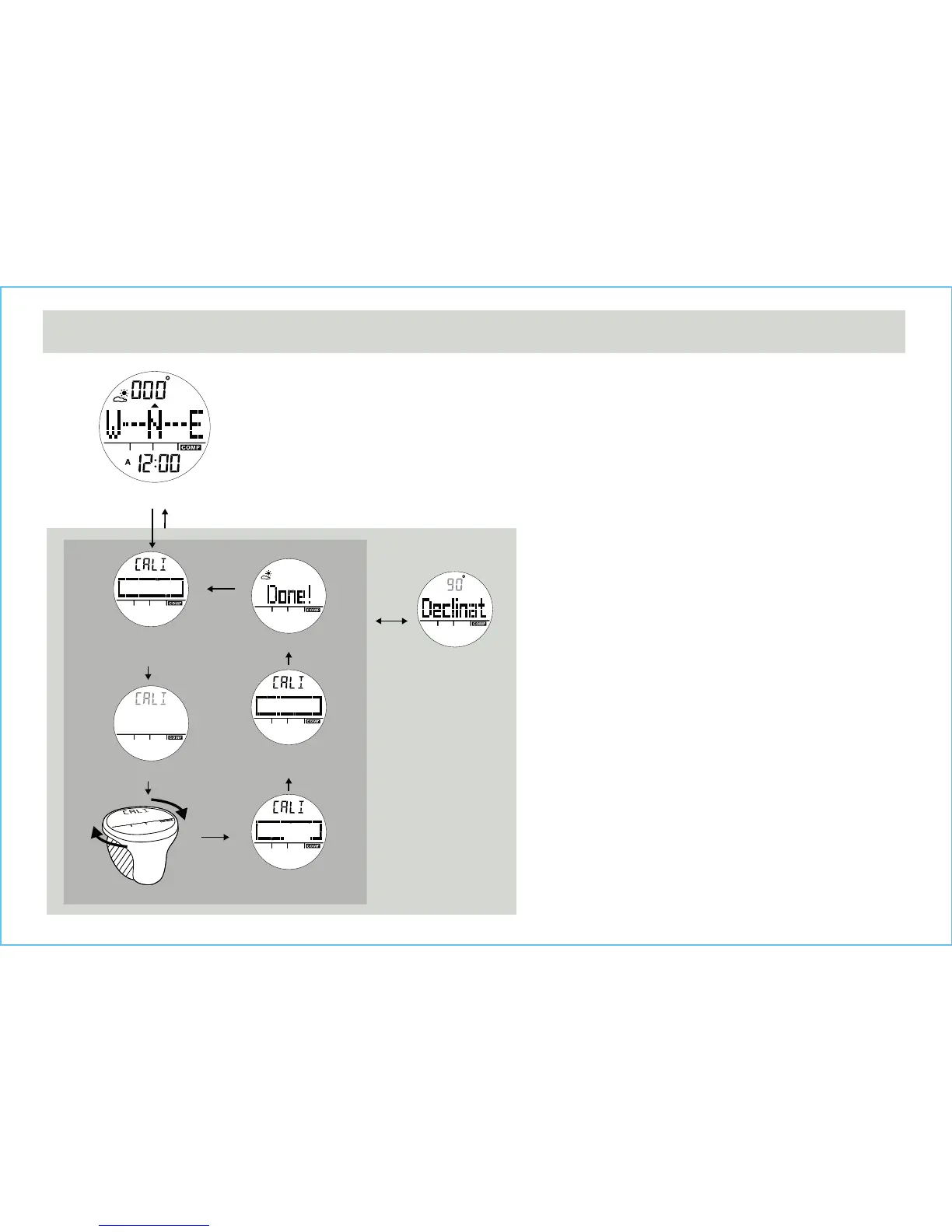
12.8 Calibrating the compass - Compass Rotation Calibration Mode
Magnetic
Declination Display
Compass
Calibration
Rotation Calibration
Rotation Calibration
Rotate the watch
Start Display
Rotation Calibration
Complete
Done Display
Rotation Calibration
Turning Display
hold [M] hold [M]
[M]
Compass Mode
[S/S]
Rotation Calibration Display
• To select the Rotation Calibration Display, hold the [M]
button in the Compass Mode.
• To start rotation calibration, press [S/S] button once.
• Start turning the watch (keep your watch horizontally) in
the same direction.
• Rotote the watch until the rectangular pattern is filled.
• The word “Done!” will be shown when finishes.


 To Next Page