EasyManua.ls Logo

Clear-Com HME DX210 - User Manual

Clear-Com HME DX210
43 pages
Print Icon
To Next Page IconTo Next Page
Loading...
Clear-Com
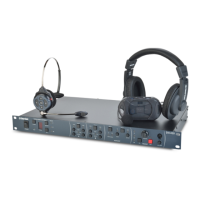
HME DX210
Dual-Channel Wireless Intercom
Operating Instructions
400G751 Rev: B 1/27/17

Questions and Answers

  • D
    Debra ChenSep 2, 2025
    What to do if I see a red light on my Clear-Com HME DX210 Intercom System base station power switch?
    • C
      carolynscottSep 2, 2025
      Make sure that the power cords are correctly connected to the base station, the power supply, and the electrical outlet.
  • S
    Stacy CohenAug 31, 2025
    Why does my Clear-Com HME DX210 make a loud squeal when I talk on the 2-wire intercom?
    • A
      Angela GallowayAug 31, 2025
      This issue can arise if two or more base stations are daisy-chained without the appropriate channel being terminated. To resolve this, set the termination by positioning JP5 (IC1) and/or JP6 (IC2) to the ON position, but only in one of the base stations. Refer to Appendix C, page 23 for jumper (JP) locations.
  • E
    Erica BryanAug 29, 2025
    What to do if I hear 'out of range' and the beltpack power lights don't turn green on my Clear-Com Intercom System?
    • K
      Kelly HayesAug 29, 2025
      First, ensure that your base station is powered on. Try turning the Beltpack and base station power off and on again. Also, consider that you might be too far from the base station, as the effective range can vary depending on the location's layout.
  • H
    Haley AllisonAug 27, 2025
    What to do if people on the 4-wire intercom cannot hear me on my Clear-Com HME DX210 Intercom System?
    • K
      Kimberly TurnerAug 27, 2025
      Ensure that all cables are securely connected and that the 4-wire intercom is powered on. If you're using a local headset, check that the desired IC setting is selected in the HEADSET section of the base station's front panel. If using a Beltpack or All-In-One Headset, press the appropriate IC button.
  • J
    Jeremy DavisAug 27, 2025
    What to do if others cannot hear me when I talk on my Clear-Com Intercom System?
    • A
      Ashley DavisAug 27, 2025
      First, check that your headset is securely connected to the Beltpack or base station. Then, make sure you are pressing the IC1, IC2, or ISO button on the Beltpack, or the TALK button on the base station. Also, confirm that the correct IC1, IC2, or ISO setting is selected in the HEADSET section of the base station's front panel.
  • M
    Mary GonzalezAug 25, 2025
    What to do if Clear-Com Intercom System Belt Pack power lights don't turn green?
    • B
      Benjamin ClarkAug 25, 2025
      Ensure your base station power is on. Try turning the Belt Pack and base station power off and on again. Also, consider that you might be too far from the base station, as the range can vary depending on the location's layout.
  • A
    Austin HillAug 22, 2025
    How to fix if people on the 4-wire intercom cannot hear me on Clear-Com Intercom System?
    • C
      Charlotte MorrisAug 22, 2025
      Make sure the cables are securely connected and the 4-wire intercom is powered on. If you are using a local headset, ensure that the desired IC setting is selected in the HEADSET section of the base station front panel. If you are using a Belt Pack or All-In-One Headset, press the desired IC button.

Summary

System Overview

Base Station Front Panel

Details the controls and indicators on the front panel of the BS210 base station.

System Setup

Battery Charging

Instructions for connecting power supplies and charging batteries for the system components.

Basic Base Station Setup

Guides on connecting antennas, power, and setting the operating mode for the base station.

Beltpack and All-in-One Headset Setup and Registration

Covers the initial setup and registration process for beltpacks and headsets with the base station.

Interfacing with 2-Wire or 4-Wire Intercoms

Instructions for connecting the system to external 2-wire and 4-wire intercom systems.

System Operation

Base Station Operation

Covers base station controls, digital radio functions, indicator lights, and local headset connectivity.

Beltpack and All-In-One Headset Operation

Details operation for beltpacks and headsets, including power, modes, volume, gain, side tone, and battery changes.

Troubleshooting

Appendix C: Jumper Settings

Appendix D: Multiple Base Station Registration

Appendix E: Interference Avoidance through Spectrum Friendly

Appendix F: Adaptive Frequency Hopping

Clear-Com HME DX210 Specifications

General IconGeneral
System TypeDigital Wireless Intercom
Frequency Range2.4 GHz ISM Band
Number of UsersUp to 10
Operating RangeUp to 300 feet (100 meters) in open space
Audio CodecDigital Audio
Headset Connector4-pin XLR
Base Station Power100-240V AC, 50/60 Hz
Audio InputXLR
Audio OutputXLR
Power SupplyAC Adapter

Related product manuals