62
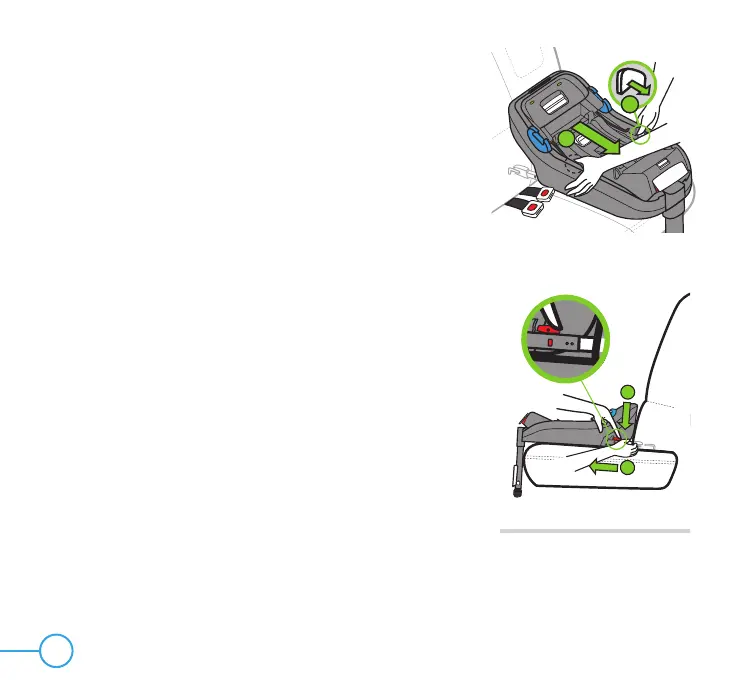
Figure 52
1
1
2
Figure 53
Step 2
Extend LATCH Connectors by pressing and holding both
LATCH Adjustment Buttons (1), and then pulling the Base
toward you (2), as shown in Figure 52.
Step 3
Release the LATCH Connector by pressing down (1)
and sliding back (2) the red LATCH Release Button, as
shown in Figure 53. When the Connector releases, the
indicators will turn from green (locked) to red (unlocked).
Repeat on opposite side of Base.
1
2



 To Next Page