96
Removing/Installing Carrier Cover
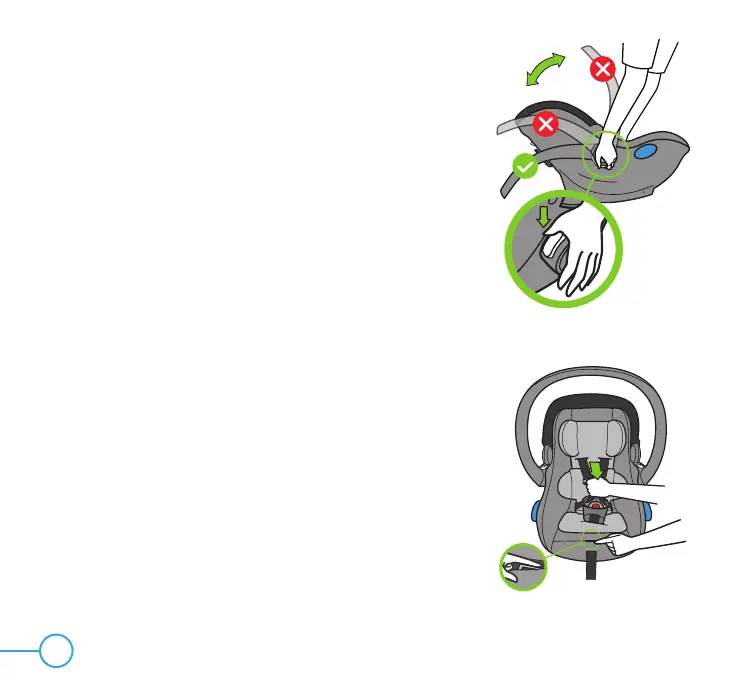
TO REMOVE CARRIER COVER
Step 1
Ensure that Canopy is in the closed position.
Adjust Carry Handle to the ground position by pressing
both Carry Handle Adjustment Buttons and rotating the
Carry Handle until it locks into Position 3, as showing
in Figure 89.
Step 2
Loosen Harness by pressing down on the Harness
Adjuster Tab and pulling out on Shoulder Harness
Straps, as shown in Figure 90.
NOTE: Check which Shoulder Harness Slots the
Shoulder Harness Straps are routed through, so they
can be rethreaded through the same Slots when
rethreading.
Figure 90
Figure 89


 To Next Page