71
WARNING
• NEVER extend the Load Leg further than needed to turn the Load
Leg Pressure Indicator from red to green.
• Only use Load Leg when the Indicator is green.
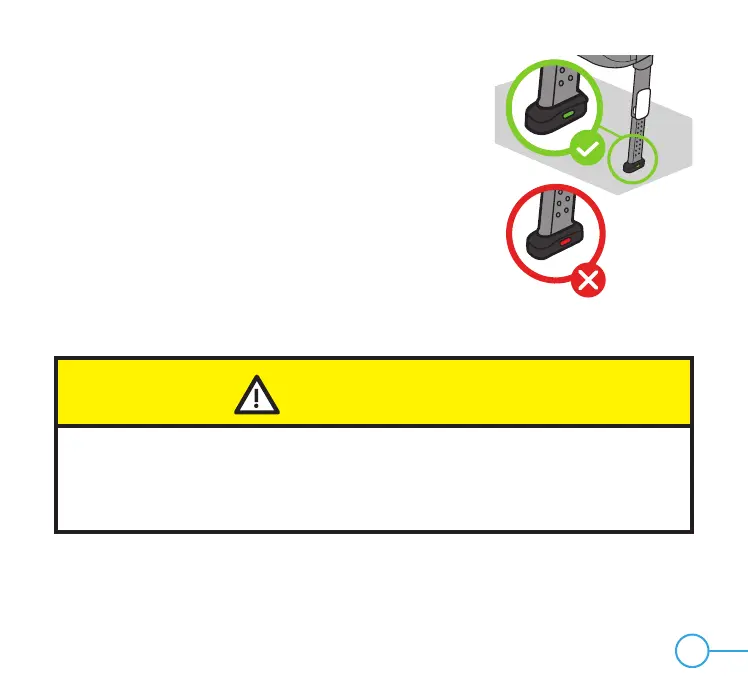
Figure 66
• Release Adjustment Handle and push down on Load
Leg to lock into position.
• Confirm that Load Leg Pressure Indicator has turned
from red to green, as shown in Figure 66. If Indicator
remains red after the Load Leg has been locked into
position, extend Load Leg one position further to
increase the contact between the vehicle floor and the
Load Leg.


 To Next Page