22
MA_QN_MP
Operation
2.3 Save and load job
Individual, user-defined parameter settings (jobs) can be saved and loaded
with a job number. The Master Plus operation has 994 storage spaces and 5
rapid memories for jobs.
2.3.1 Rapid memory access
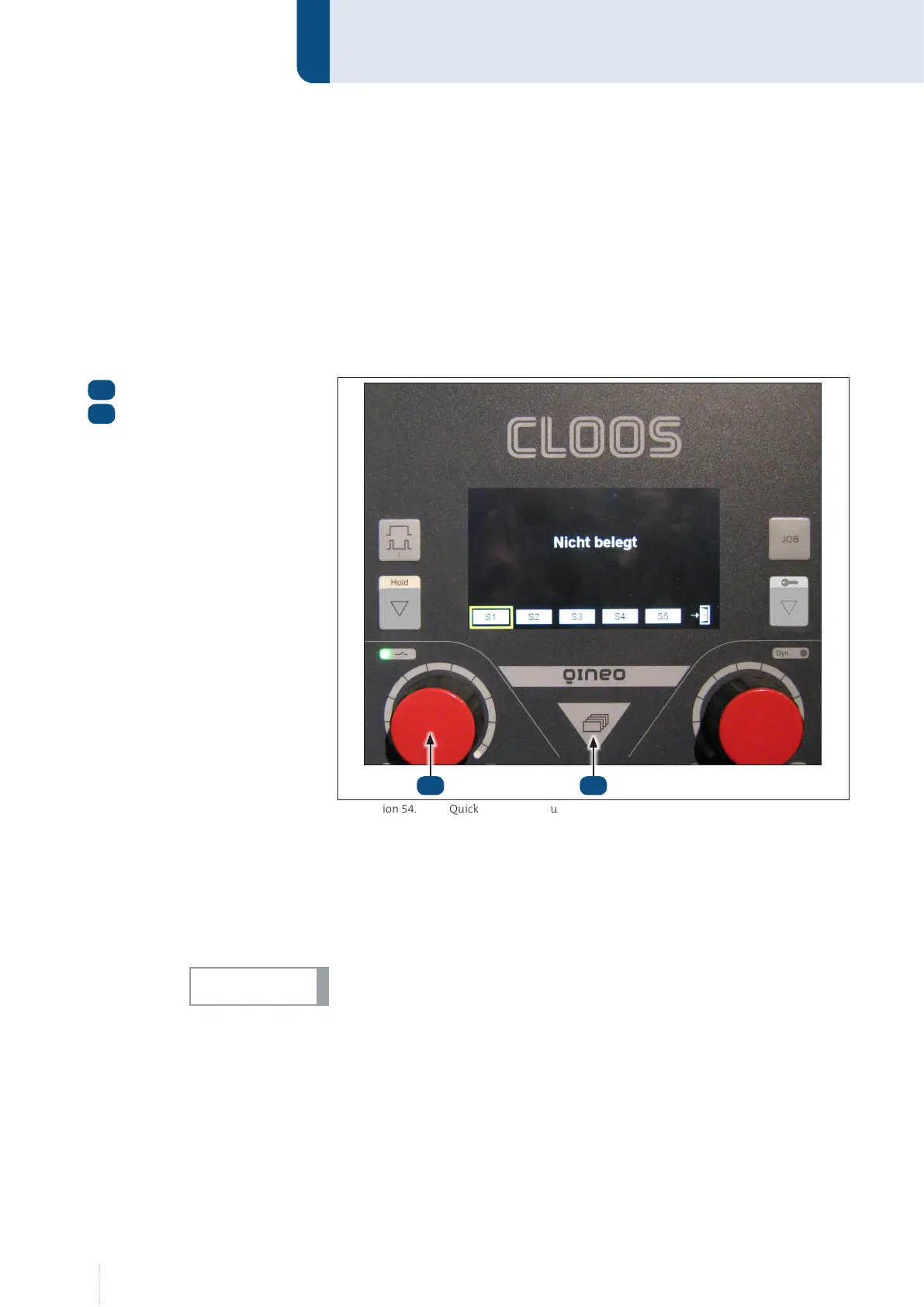
Five rapid storage spaces, S1 … S5, are available.
• Quick save
1. Press the left rotary knob while the start screen is displayed. To
open the start screen, press the menu button.
2. Turn the rotary knob to select a storage place.
3. Press the left rotary knob for approx. 2 seconds until the selected
field turns yellow and "STO" appears.
Parameters already saved in the field are replaced with new values.
• Quick load
1. Press the left rotary knob while the start screen is displayed. To
open the start screen, press the menu button.
2. Turn the rotary knob to select a storage place.
3. Press the left rotary knob to load the saved parameters.
Menu button
Rotary knob
1
2
Illustration 54. Quick memory menu
12
NOTICE!



 To Next Page