9
1. Structure and function
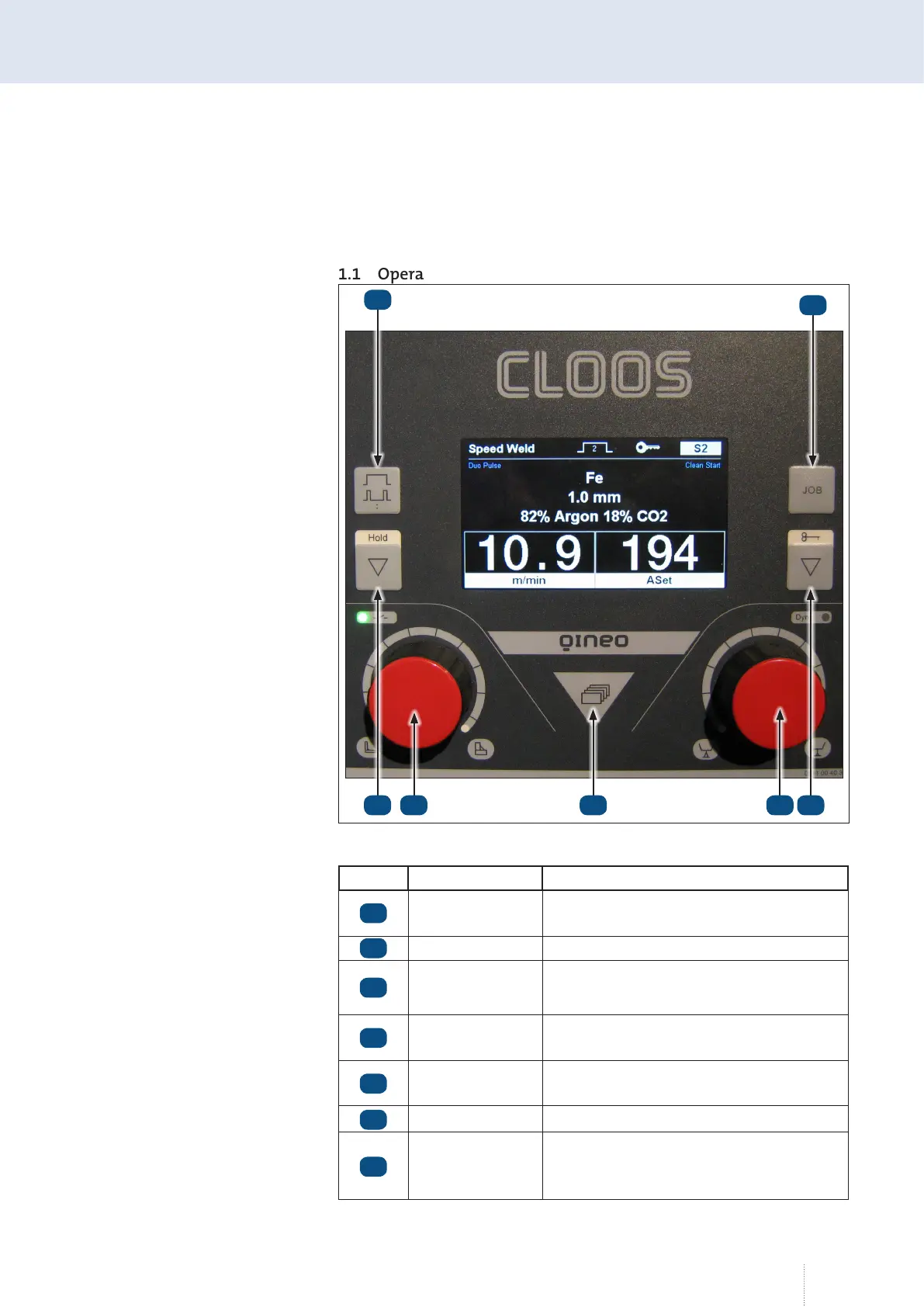
1.1 Operating panel
Item Designation Function
Selection key Op-
erating modes
2 cycles, 4 cycles, Super-4 cycles, Spot weld-
ing, External
Job key Load, save, delete job
Hold key
Actual value display: m/min, mm, V, kW
Display hold values
Rotary knob left
Quick save selection (Jobs), setting the
capacity
Menu button
Welding settings: Basic and secondary
parameters
Rotary knob right Fine adjustment, dynamics
Key button
Actual value display: A, ASet (power pre-
view), fine calibration or dynamic, VNomi-
nal (in Syn-Off mode), lock/unlock
1
2
3 4 5 6 7
Illustration 50. Master Plus Operating Panel
1
2
3
4
5
6
7



 To Next Page