32
MA_QN_MP
Configuration operating panel
3.4.2 For software version x.10 or higher
The compensation is set via an automated measurement.
Measurement is started at the operating panel via rotary knob. In the
operating modes 2-cycles, 4-cycles, Super-4-cycles and spot welding it is
also possible via torch button.
Proceed as follows in order to do the measurement:
1. Select and confirm the function "Release" using the rotary knob.
• The controller changes to the measurement mode. The menu item
"Start" will appear.
2. Press the torch head tightly on the workpiece so that the current tip
touches it.
The welding wire must not touch the workpiece.
3. Push the torch button or select the menu item "Start" at the operating
panel to start measurement.
• The measuring current is fed in.
Measurement is finished after approx. 1 second. The measured values are
automatically recorded.
The determined values can be re-adjusted manually if necessary.
3.5 Process monitoring
• Process control
The process control monitors the welding signal during the welding
process. If the welding signal is interrupted, the error message "Err.23
Arc failure process phase" will appear.
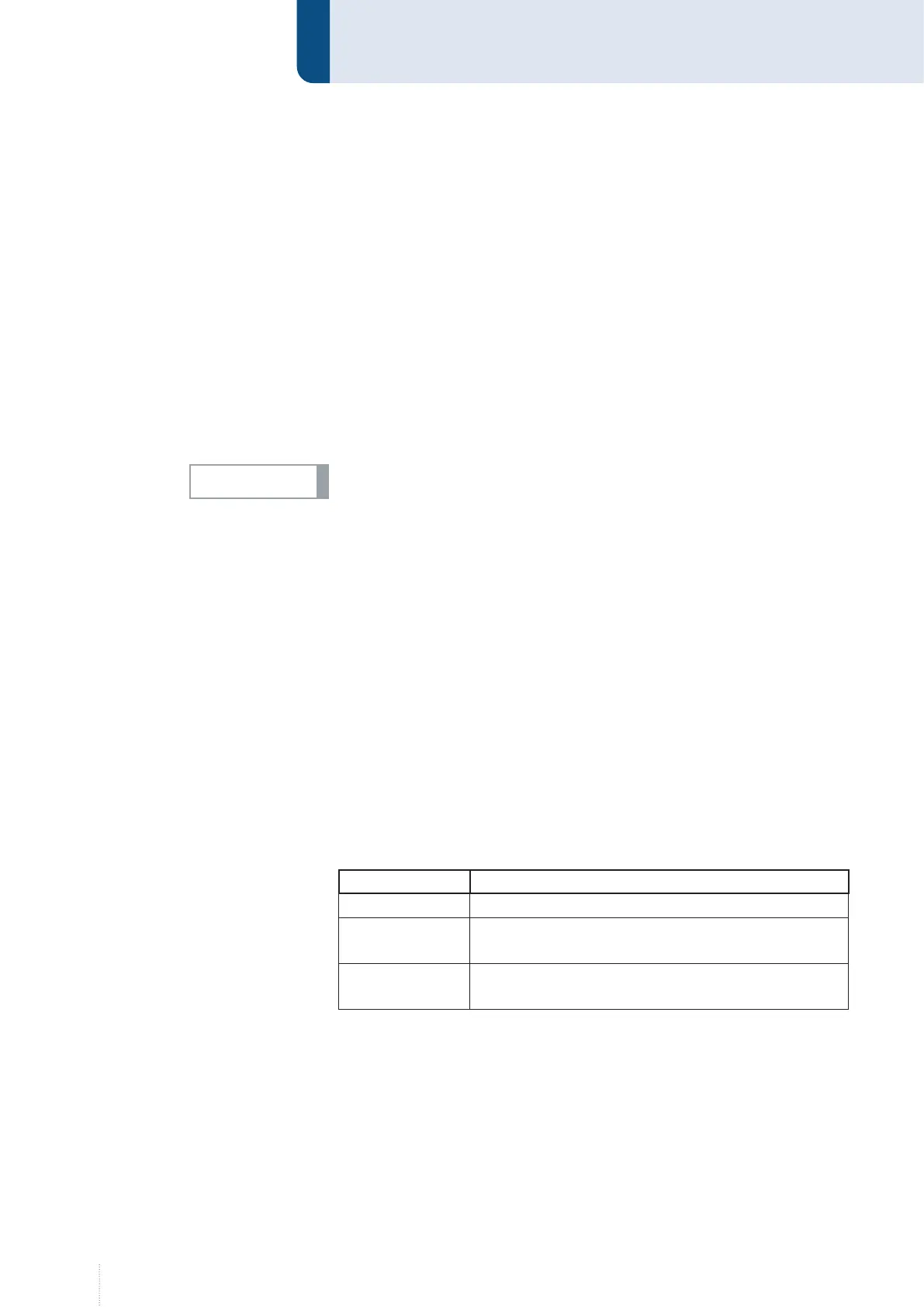
The monitoring is configured as follows:
Function Description
Off
Reset on Start
Reset of error message is effected at the next signal
"Welding start“.
Reset from ex-
ternal
Reset of error message is effected by an external
signal (OMI or bus system).
NOTICE!



 To Next Page