OPERATING MANUAL
800.749.2761 www.coachcomm.com
97
Using Fiber with Wireless Press Box (WPB1)
Use the following steps to set up and connect your press box system to your sideline system via stadium ber.
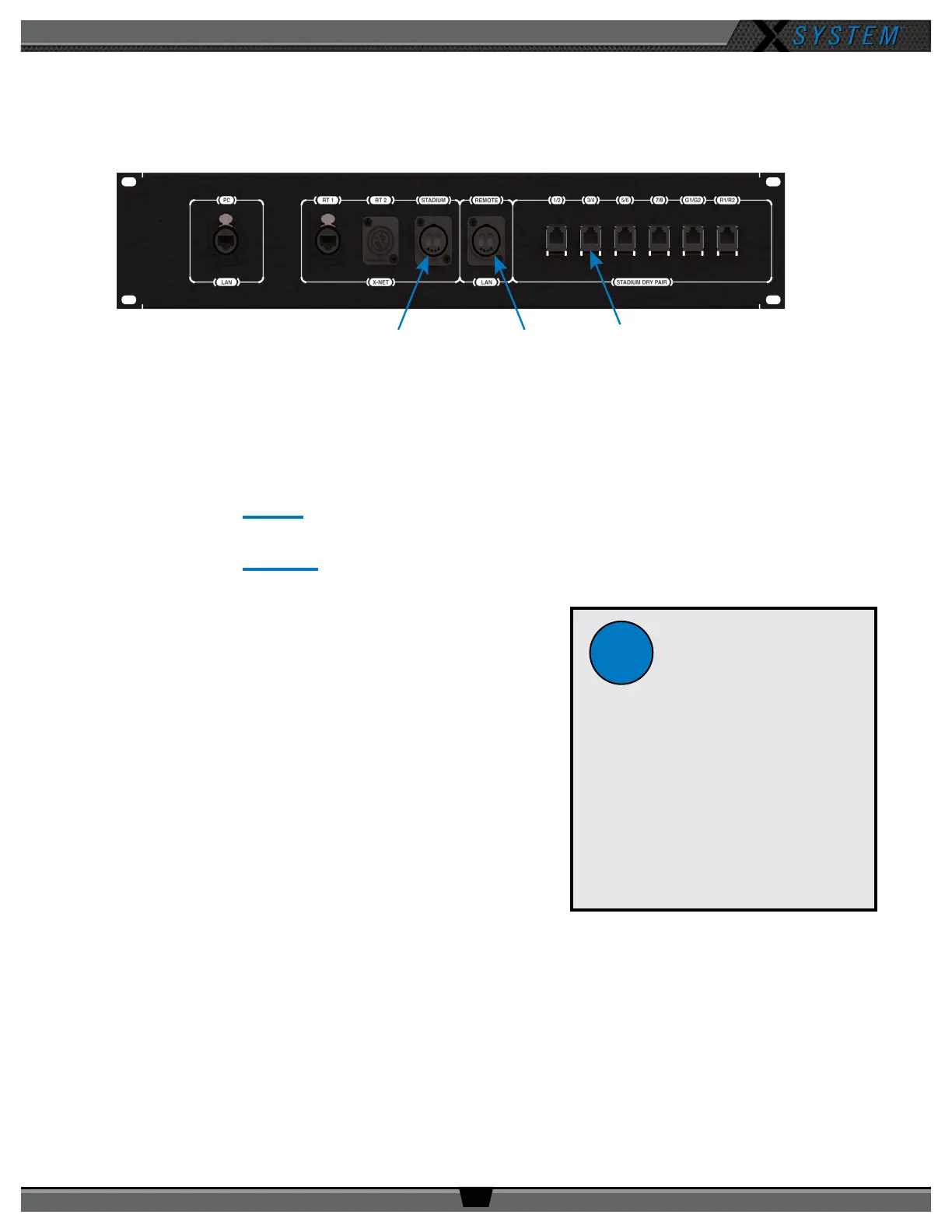
1. Make connections as shown below.
2. Connect AC power, then do the following:
A. Power on the wireless press box unit’s Uninterruptible Power Supply (UPS). This will provide necessary power
to Press Box Radio Transceivers (RTs) before they are congured.
B. Power on the sideline Control Units (CUs) if not already on. Select Home or Away and allow the CCF to load.
This will congure the Press Box RTs.
C. Power on the press box CUs. Select Home or Away and allow the CCF to load. Do not power these CUs on
before the sideline CUs. These CUs, in combination with dry pair stadium wiring, serve as a backup and will
be on standby.
D. Power on the press box Radio Packs (RPs). Verify that the
RPs’ log in and their active pairing is to the sideline CU.
Note: Press box RPs should be paired to both the secondary
(bottom) sideline CU and the primary (top) press box CU.
Tip: RPs with dual pairing can switch the active pairing
between Control Units with this shortcut: Hold down both
Function buttons for 5 seconds.
3. Connect to X-Ware.
A. Power on the press box tablet.
B. Launch the screen-sharing software to remotely access
the sideline PC.
C. Launch the sideline X-Ware (if not already running).
4. Test operation of the press box RPs.
5. CoachComm recommends also connecting, dry-pair testing, nulling, and audio testing your dry-pair RJ-14
connections so they’ll be on standby in the event an issue occurs with ber during the game.
6. You may also connect your wired BeltPacks to the Wired Interface Panel as an additional backup option in the
event that wireless communications are disrupted.
PC LAN:
Fiber for X-Ware
PC from Sideline
STADIUM:
Fiber for X-Net
from Sideline
STADIUM DRY PAIR:
Copper from Sideline
(RJ-14 Ports) for Backup
Wireless Press Box Unit Rear Panel
Fiber Workow
Reminders:
• Power on the sideline CUs rst,
then the press box CUs.
• The RPs’ active pairing should be
to the secondary (bottom) sideline
CU.
• X-Ware access will be a remote
connection to the sideline
system’s X-Ware.
!



 To Next Page