OPERATING MANUAL
800.749.2761 www.coachcomm.com
50
G. CU LAN Connection Indicator - Green illumination of this indicator conrms that the Control Unit and X-Ware are
connected and communicating. When not illuminated, an “X” will appear in the indicator meaning the Control Unit
is not connected to X-Ware.
H. Sideline Cart Power Status Indicator - Green illumination of this indicator conrms that the Sideline Cart is
operating on AC power. When illuminated red, your Sideline Cart is operating from battery power, and the indicator
will also display the Cart’s remaining battery percentage.
Note: X-Ware has no power status indicator for the Wireless Press Box Unit; therefore, this indicator
may be absent or may appear grayed out in a local Wireless Press Box conguration. See “Using
Dry Pair with Wireless Press Box (with Wired Backup)” on page 95 for more information about
this possible scenario.
I. “Away” Indicator - If your system is set as the “Away” team, a yellow Away indicator will display in the bottom
right-hand corner of the Home screen. If your system is set as the “Home” team, no icon will display.
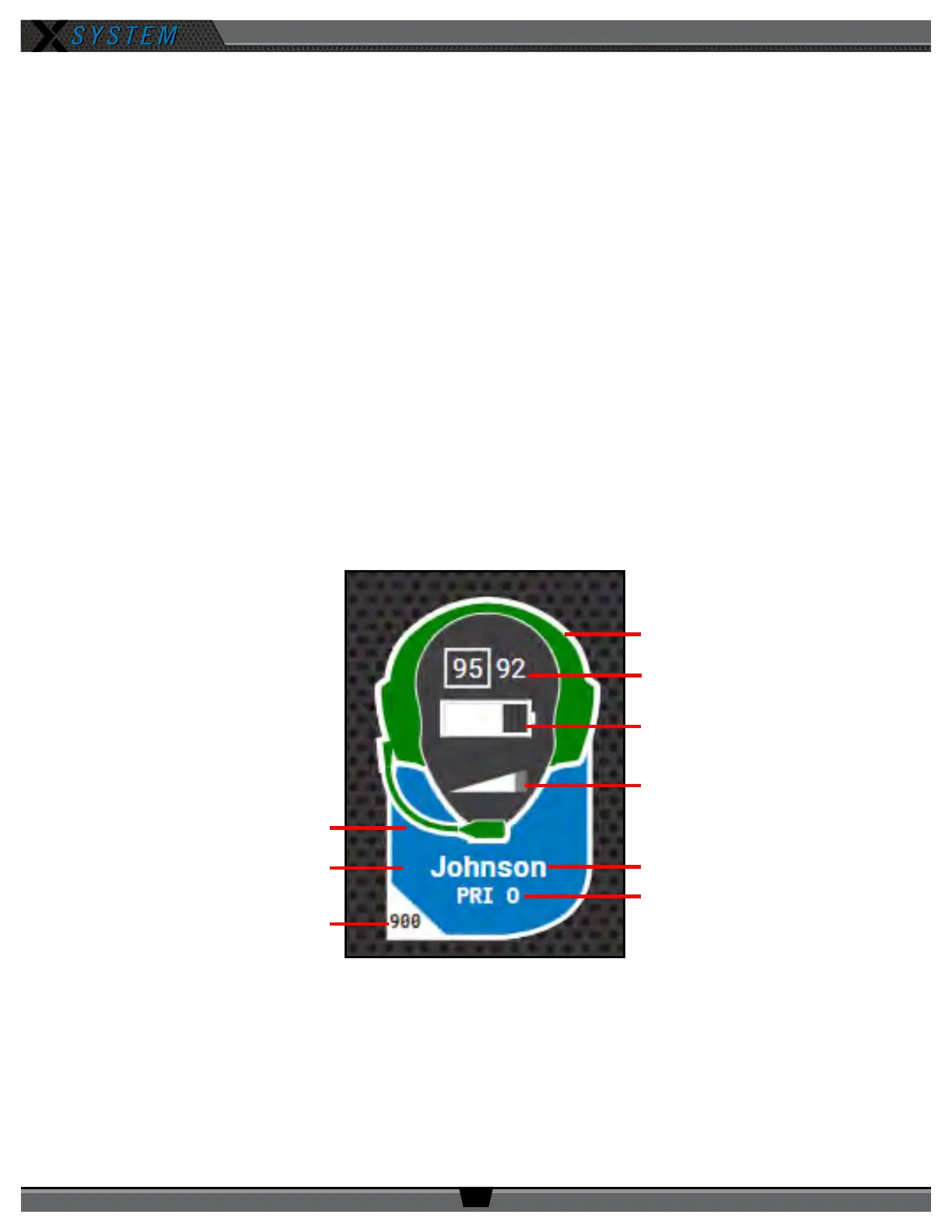
RP Icon
The RP Icon represents each individual Radio Pack on the Home Screen and RP Prole Screen. The icon shape can be
customized from the Prole Management tab in X-Ware’s advanced settings; see “Customizing RP Icon” on page 59 for
more information about that process. The icon’s headset illuminates green when talk is active. The entire icon will glow
red when the RP’s battery is low. The icon color can be customized via the Group Management tab in X-Ware’s advanced
settings; see “Customizing Prole Groups” on page 60.
Frequency
Active Conference
Prole or Group Color
Sideline or Press Box
Icon Flag
Talk Status
(headset green when
Talk active)
Battery Indicator
Link Quality
Volume Indicator
Prole Name
Figure 64: X-Ware RP Icon



 To Next Page