OPERATING MANUAL
800.749.2761 www.coachcomm.com
73
Installing and Updating X-Ware
Use the following steps to update the version of X-Ware on your sideline cart PC or to install an instance on a separate PC.
System Requirements
• Windows 7 or higher
• 4 GB system memory
• Intel Core2 Duo CPU @ 2.67 GHz or better
• 128-megabyte (MB) graphics card
• .NET version 4.5.2
Additional Recommendation
• XGA video screen; 1024 × 768 or greater resolution
Update Procedures
Important! Be sure to save a copy of your current conguration le before updating X-Ware.
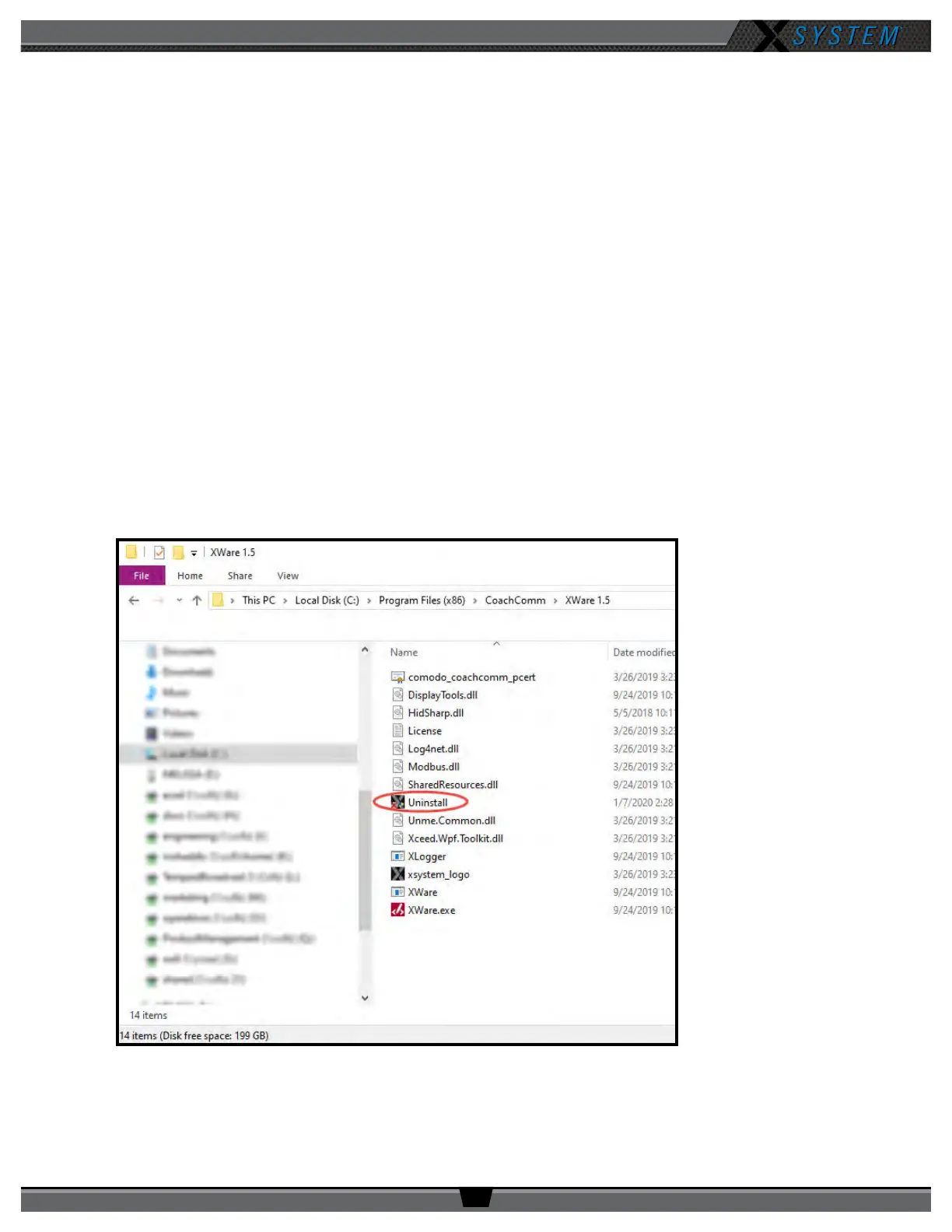
1. Locate X-Ware application les on PC at C:\Program Files (x86)\CoachComm\XWare #.#\.
2. Double-click the “Uninstall” application le to open the uninstall wizard.
Note: You may need to make an exception for the uninstaller program in your PC’s anti-virus or security
program for it to run.
Figure 100: X-Ware Uninstall Application File



 To Next Page