OPERATING MANUAL
800.749.2761 www.coachcomm.com
103
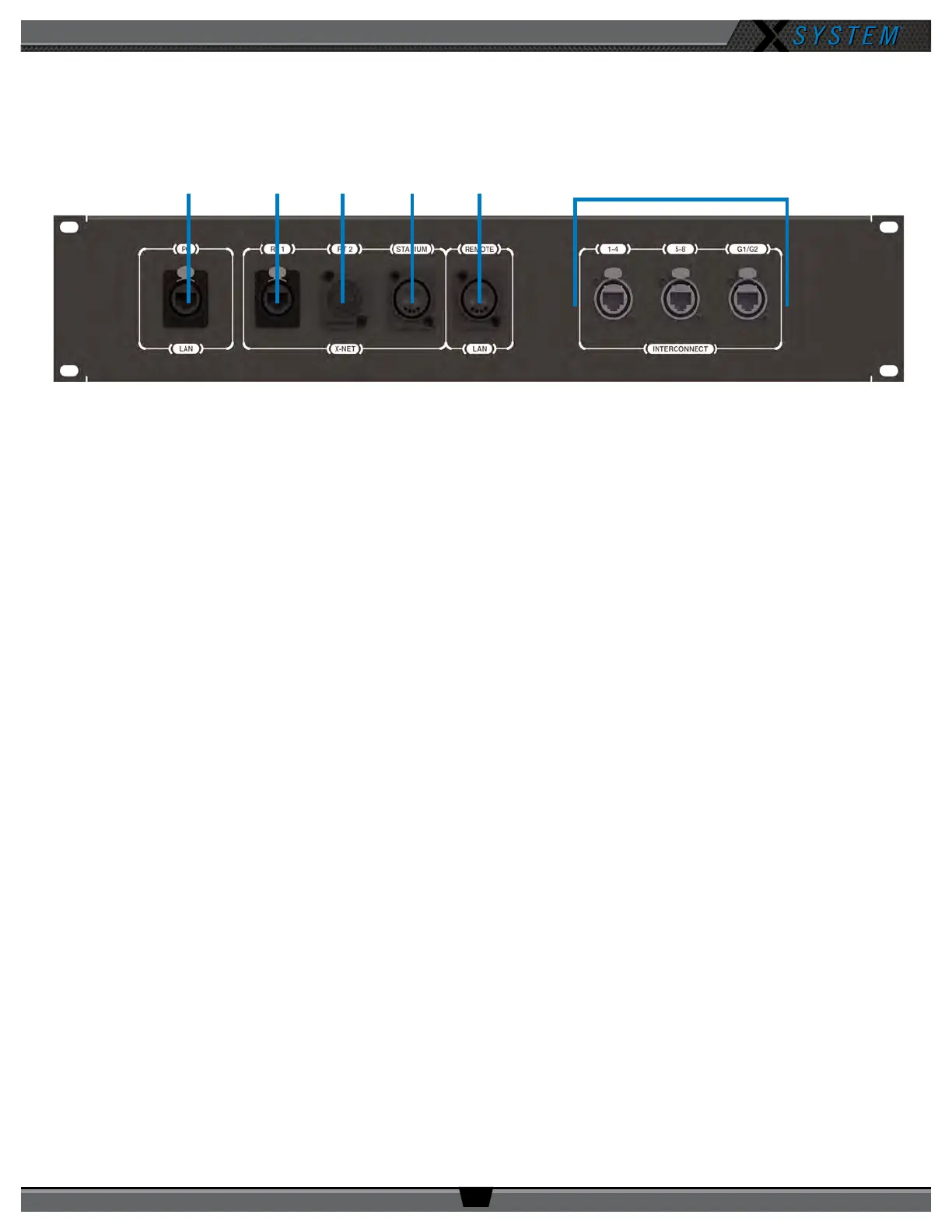
Wireless Press Box (WPB2) Rear Patch Panel
The Wireless Press Box Unit’s rear patch contains the X-Net connections for RTs, LAN connection, and Stadium Fiber and
Dry Pair ports. See the details below about each connection on the panel.
A. PC LAN: Alternate Cat 5e (or greater) connection for the Wireless Press Box Unit’s tablet. Disconnect the tablet
from its drawer connections and connect a longer cable to this port on the panel if you want to relocate the tablet
elsewhere in the press box.
B. RT 1: Cat 5e (or greater) connection for a third, spare RT.
C. RT 2: This connection is not currently used with X-System.
D. STADIUM: Duplex LC Neutrik OpticalCon Duo (Part # NO2-4FDW-A) connection for the stadium single mode ber
cable (provides ber X-Net connection from Wireless Press Box Unit to Sideline Cart)
E. REMOTE LAN: Duplex LC Neutrik OpticalCon Duo (Part # NO2-4FDW-A) connection for the stadium single mode
ber cable (provides ber LAN connection from Wireless Press Box Unit to Sideline Cart)
F. INTERCONNECT: Provides the interface between the Wired Interface Panel (WIP) and Wireless Press Box Unit’s
PS4001s via Cat-5e or greater cable
F
Figure 123: Wireless Press Box (WPB2) Rear Patch Panel



 To Next Page