OPERATING MANUAL
800.749.2761 www.coachcomm.com
68
Assigning Conferences to Dry Pair Connections (Wired Port)
You may assign a conference to each dry pair connection for your wired system in the press box. These dry pair
connections correspond to the ports on the rear of the CU, and to the thumbwheel settings on the WIMs, so wireless users
may access those conferences and communicate with users on wired beltpacks.
There are two ways to assign a conference to a dry pair: Assign the conference via X-Ware. (See 51 for details on that
process.) OR assign the conference via the Control Unit’s LCD menu, as detailed below.
1. Press the menu button on the front of the top (master) CU.
2. Use the CU’s navigation buttons to nd and select
System Conguration
>
Conferences
>
Assign to
Hardwire
.
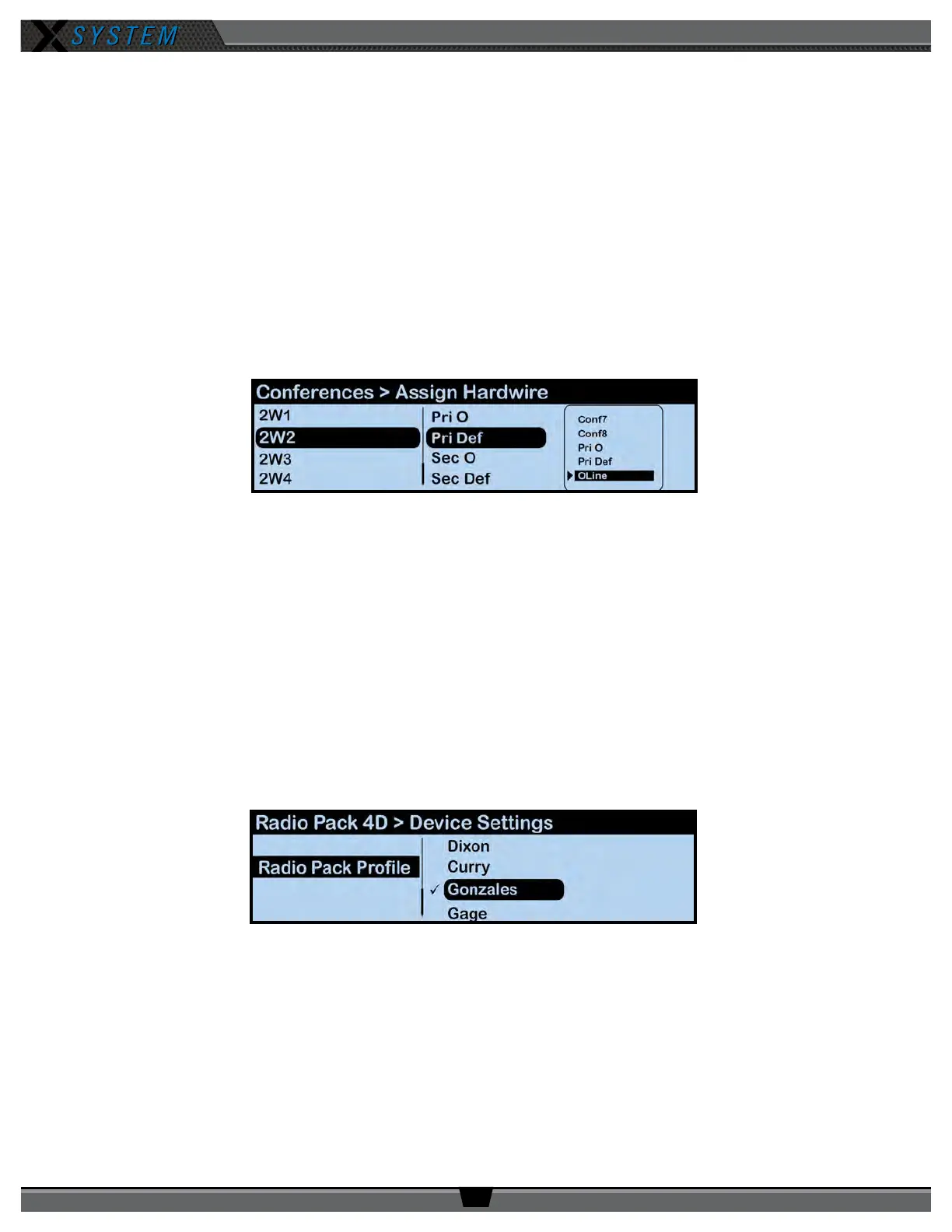
3. Select a Control Unit port from the list and choose a conference assignment for that port from the list that
appears.
4. Return to the CU Home screen and conrm the change via the Conferences view in X-Ware.
Assign Proles from the Control Unit
If needed, you may change an RP’s prole assignment from the Control Unit menu rather than from X-Ware. (For more
information about how to do this via X-Ware, see page 52:
1. Press the Packs button on the front of the top (master) CU.
2. Use the CU’s navigation buttons to navigate through the menu screens to
Radio Pack Settings
>
Sort By
_____
(where you choose the identier to sort by).
3. Select an RP from the list and navigate through the sub-menu that displays to
Device Settings > Radio
Pack Prole.
4. Select a prole from the list to assign to the selected RP. The RP will momentarily log out and lose
communication while the prole change takes effect.
Figure 95: Control Unit Menu - Conference Assignment
Figure 96: Control Unit Menu - RP Prole Assignment



 To Next Page