The web interface
98-145510-E Chapter 6: Setup and operation 6-11
6.1.6 Blocking zones
If possible, avoid any objects within the stay clear area shown in Mechanical “stay-clear”
area, EXPLORER 8100 on page vi. If it cannot be avoided, you must enter blocking zones
for the area where the object is located. When the antenna meets a blocking zone, the
display and the web interface show “Blocking zone” and the antenna attempts to find
another path to the satellite signal.
There are two types of blocking zone:
• Boom blocking zone: Prevents the boom from colliding with the blocking object.
• Dish blocking zone: Prevents the dish from colliding with the blocking object.
For both types, you must define an azimuth low limit and an azimuth high limit. A boom
blocking zone additionally needs a high elevation limit to be defined (the low elevation limit
will be set to 0). A dish blocking zone, on the other hand, additionally needs a low elevation
limit to be defined (the high elevation limit will be set to 100 degrees).
The blocking zone limits are found as follows:
1. Switch on the system and access the web interface. See To access the configuration
web interface on page 6-3.
2. Deploy the antenna and switch to Jog mode as soon as possible. See To line up or jog
the antenna on page 6-22.
3. For Ku antennas only: Jog Polarization to 0 Deg (so that the waveguide reaches down
as far as possible).
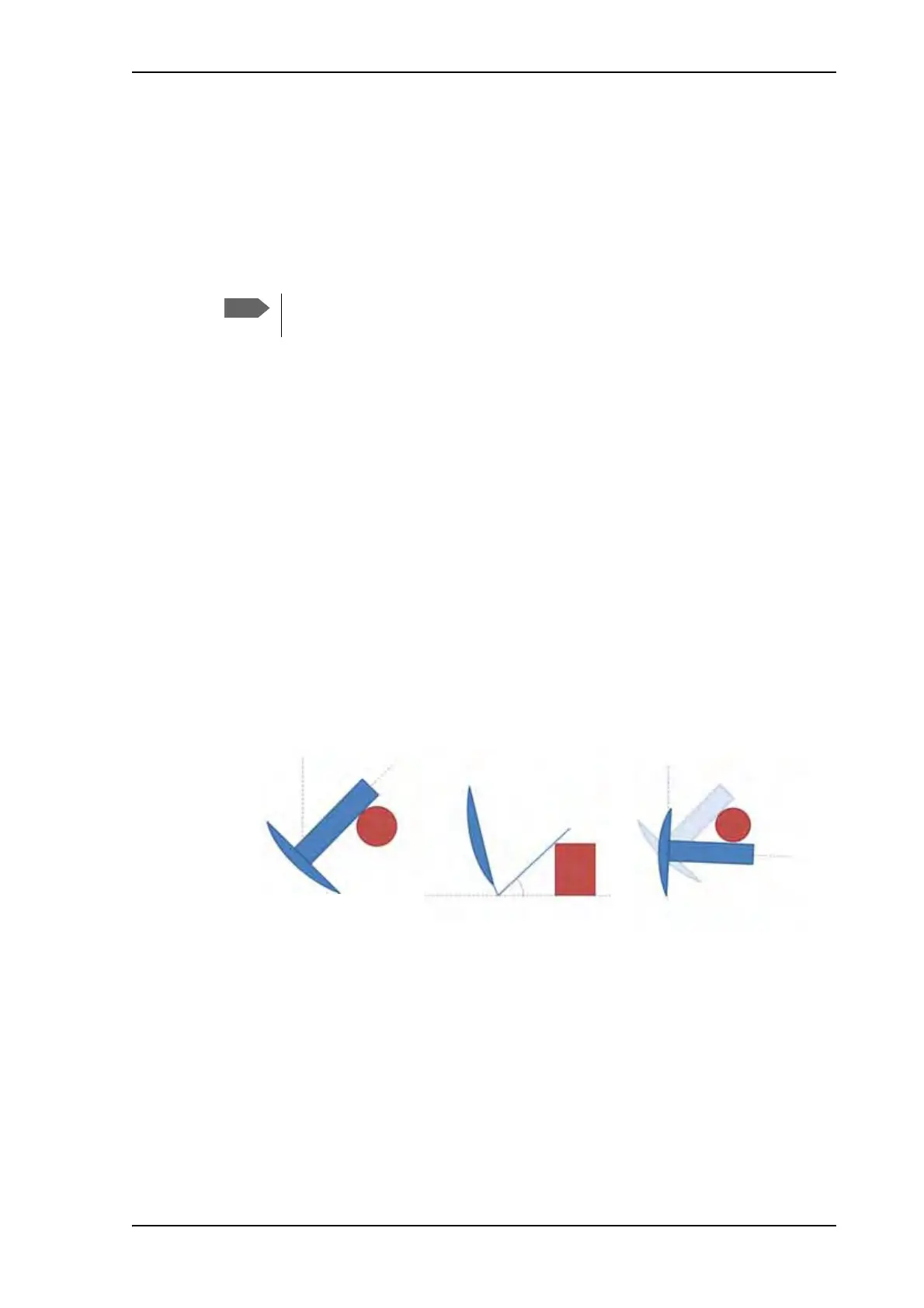
4. First define the boom blocking zones as follows (see Figure 6)
a. Boom blocking zone, azimuth low limit: Carefully jog the antenna clockwise
(increasing Azimuth) until the boom is as close as possible to the blocking object, and so
that the antenna can move freely in Elevation without touching the object.
The antenna should be placed on a plane surface relative to the ground, in order
for the elevation values to be precise during the Jog process.
Figure 6: Boom blocking zones, example with cylinder-shaped blocking object
0°
0°
92°
43°
44°
a. Azimuth low limit
(view from above)
b. Elevation high limit
(view from the side)
c. Azimuth high limit
(view from above)



 To Next Page