The web interface
98-145510-E Chapter 6: Setup and operation 6-20
2. Locate a flat area for parking the vehicle. Make sure there are no large magnetizable
objects (e.g. containers or trucks) close to the parking spot - it could affect the precision
of the system.
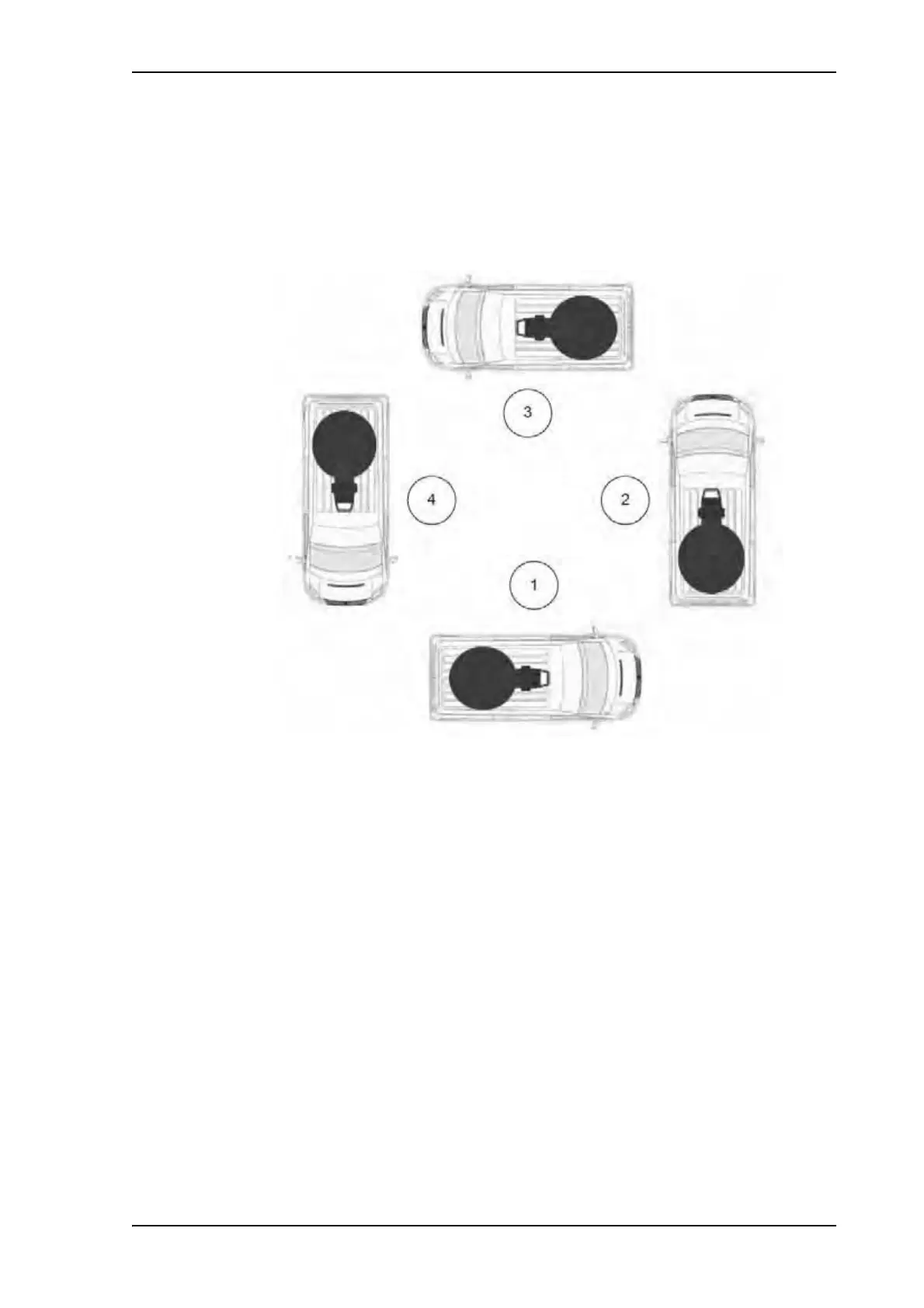
3. Find fix points for parking the vehicle in four directions with approximately 90 degrees
(± 10 degrees) between them. You can start in any direction, it does not necessarily have
to be North-East-South-West.
4. Park the vehicle in the first position.
5. Switch on the ACU. The ACU starts up and goes through an initialization procedure.
6. Wait until the Power LED and the Fail/Pass LED light steady green.
7. Connect a computer, start your browser and access the web interface.
8. Click SERVICE > Calibration and locate the section Compass calibration.
Figure 13: Compass calibration, vehicle positions



 To Next Page