This document contains proprietary information,
see proprietary statement on first page.
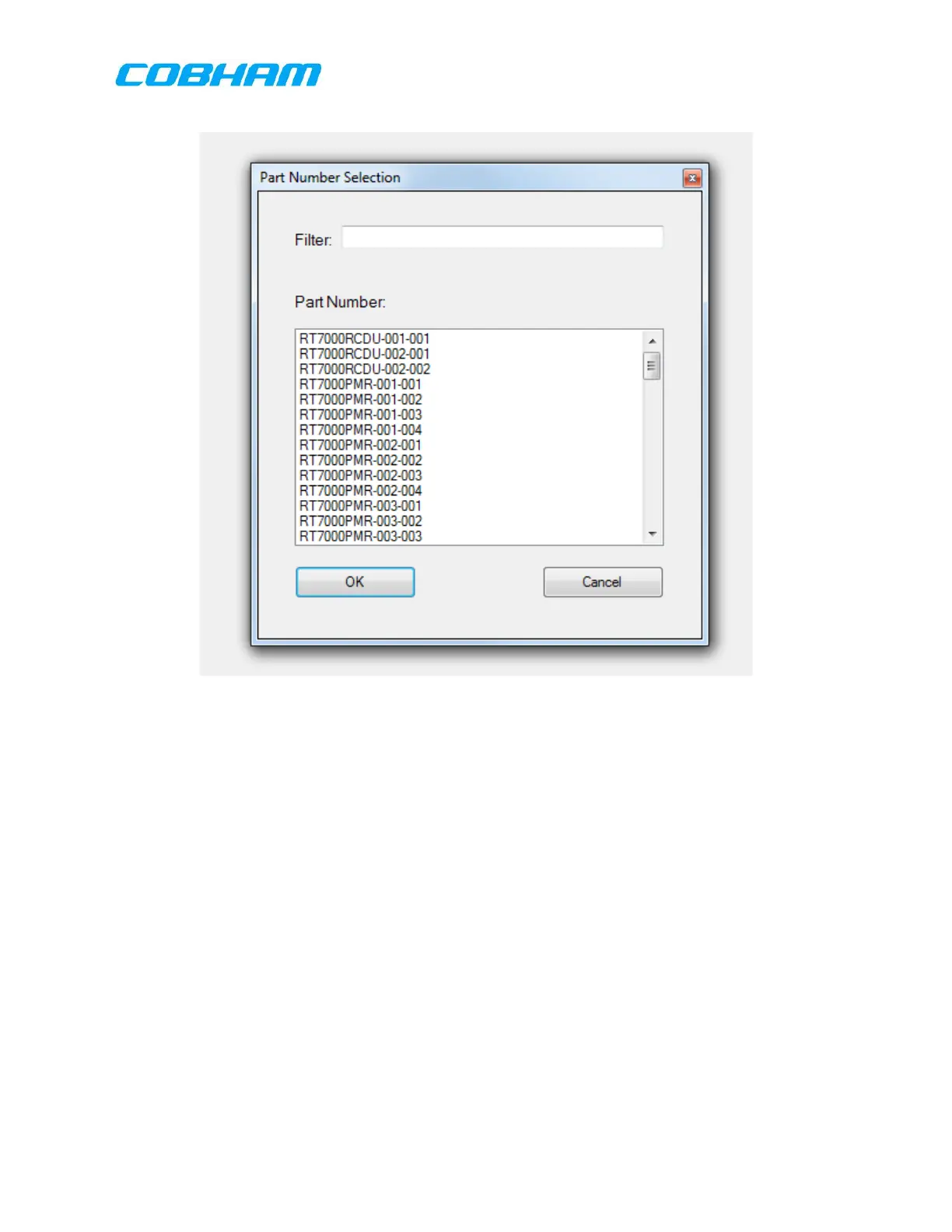
Figure 9-3: Part Number Selection Dialog Box
This dialog box allows the user to select the part number to be configured by
highlighting the appropriate part number and selecting “OK:. The usere may input a
value into the Filter box to limit the part numbers shown. E.G. entering “RCDU” in the
filter window will then cause the selection diaolog box to only show those part
numbers containing “RCDU”.
Save: Save the currently shown configuration file.
Save As: Save the currently shown configuration file with a unique name.
Load: Load an existing configuration file using the file browser.
About: This button will show the current build of the ICT and version
number.
(Configuration file should be saved before downloading to RT-7000 PMR )
9.4.1.1.2 Tools:
Selecting “Tools” in the top left of the screen brings up the options below:
These commodities, technology or software are controlled in accordance with the United States Export Administration Regulations, Export Classification
Control Number (ECCN) EAR99. When exporting, diversion contrary to U.S. law is prohibited.



 To Next Page