This document contains proprietary information,
see proprietary statement on first page.
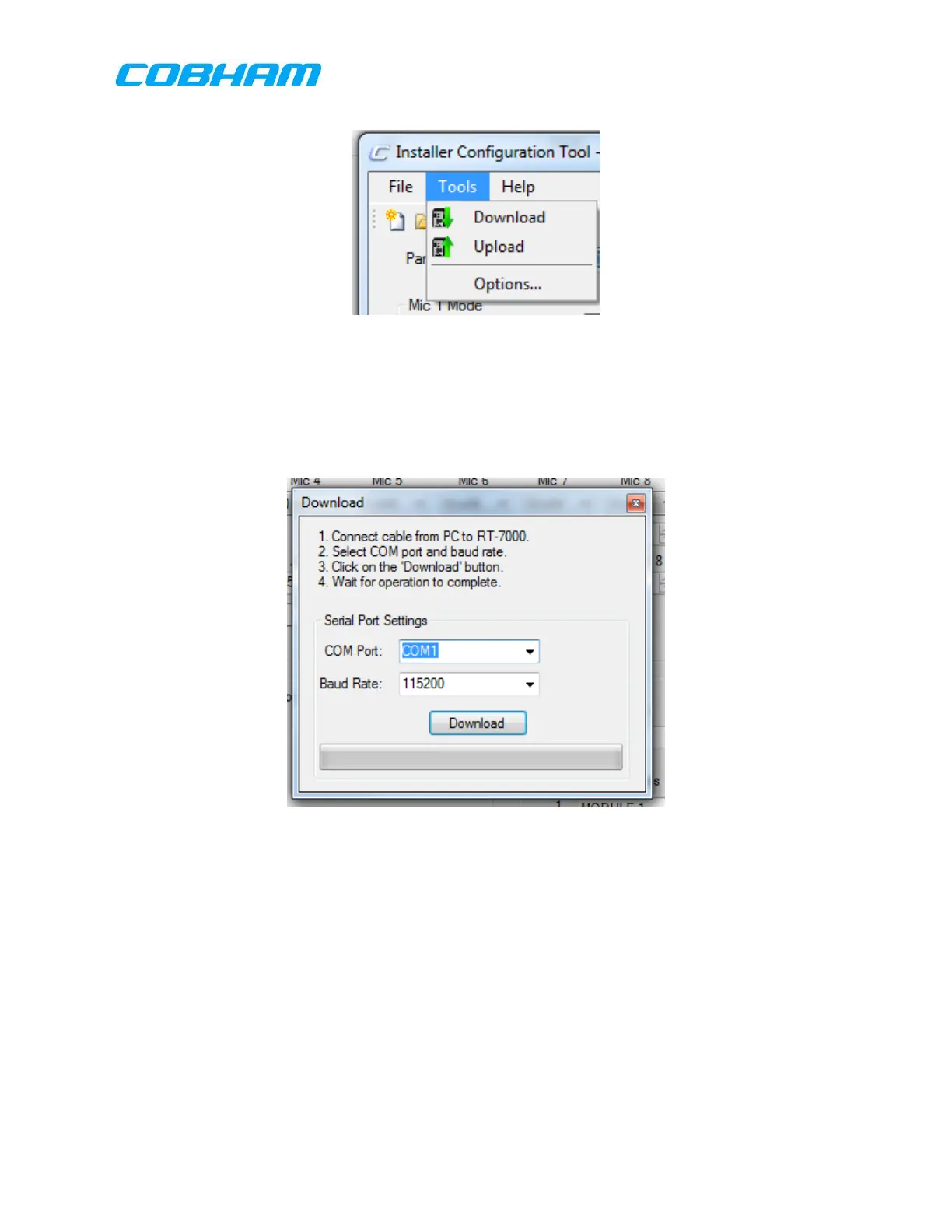
Figure 9-4: Tools Menu
9.4.1.1.3 Download:
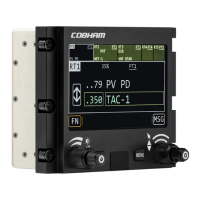
Selecting Download allows the user to transfer configuration data from the PC to the
unit to be configured.. This dialog box also allows the user to set the parameters of
the serial port used for the data transfer.
Figure 9-5: Download Configuration Dialog Box
(NOTE: The Download Text is opposite of the convention. Download indicates a
transfer to the RT-7000 PMR/RMR)
9.4.1.1.4 Upload:
Selecting the Upload Icon transfers configuration data from the RT-7000 PMR to the
PC.
These commodities, technology or software are controlled in accordance with the United States Export Administration Regulations, Export Classification
Control Number (ECCN) EAR99. When exporting, diversion contrary to U.S. law is prohibited.



 To Next Page