CB-MF-SOP-002
A/1
12
2.6 Pasting Bar Code on Test Tube
The S80's built-in bar code scanner automatically identifies the barcode attached to the test tube
of the urine sample being tested. S80 can identify the type of bar code: one dimensional code
including code39\Codabar\code128\UPC\EAN, etc. two dimensional code including QR Code\Data
Martix, etc.
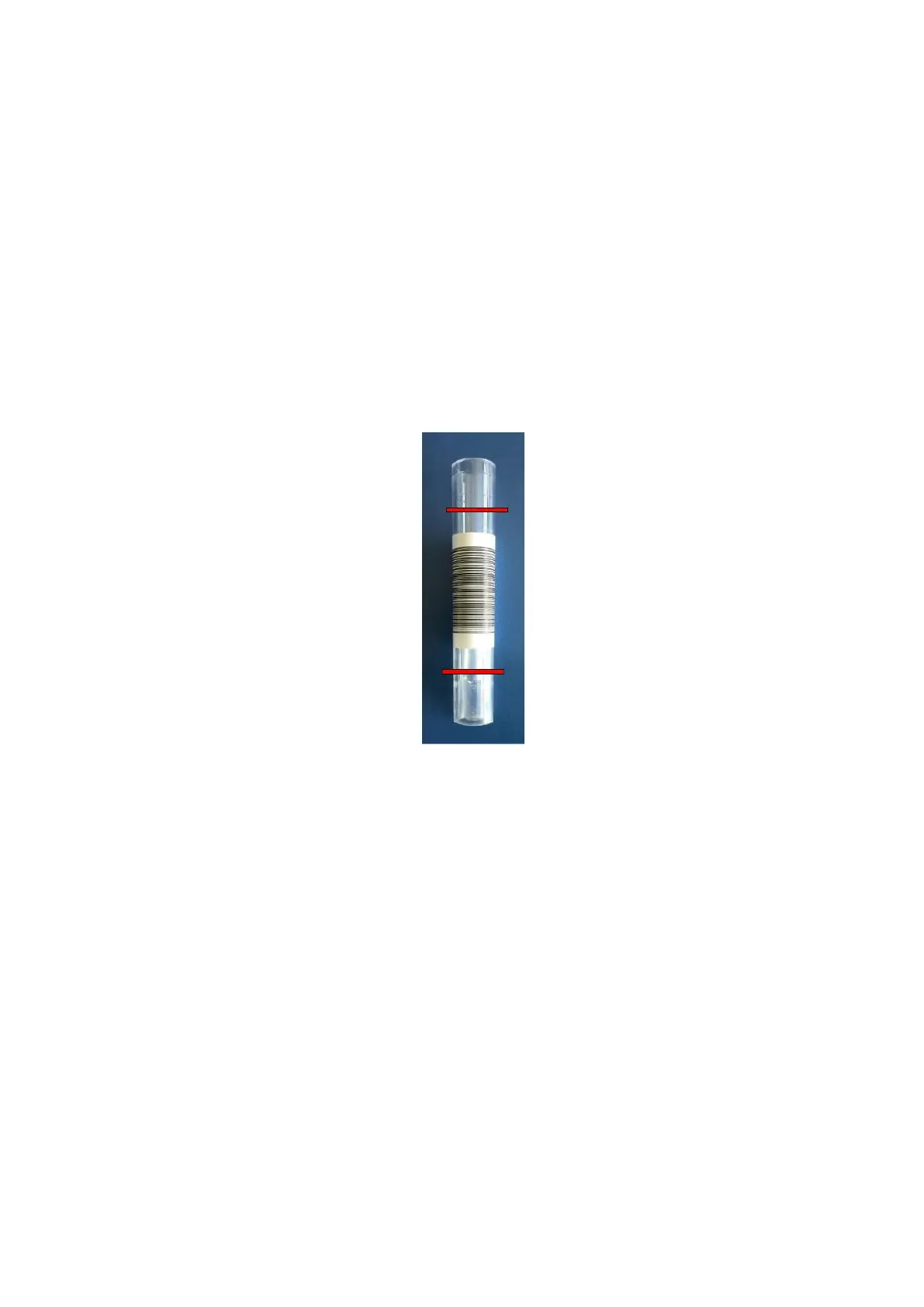
The barcode should be pasted in the middle of the test tube, as shown below, between two red
horizontal lines.
Note: if the pasting position of the barcode is beyond the red horizontal line, it may cause the
S80 built-in bar code scanner to be unable to identify properly. In addition, the bar-coded side must
be placed on the open side of the test tube rack, otherwise the S80 built-in bar code scanner will not
be recognized.
Figure 2-6
2.7 Boot Sequence
1. Turn on the power switch behind the S80.
2. Turn on the power switch of S80 matching computer.
3. Double-click the S80 software icon to start the program and wait for instrument initialization.
4. After the S80 initialization window is closed, sample detection can be conducted.
3 Menu System
3.1 Working
During normal inspection, the working page is shown in the following figure:


 To Next Page