CB-MF-SOP-002
A/1
14
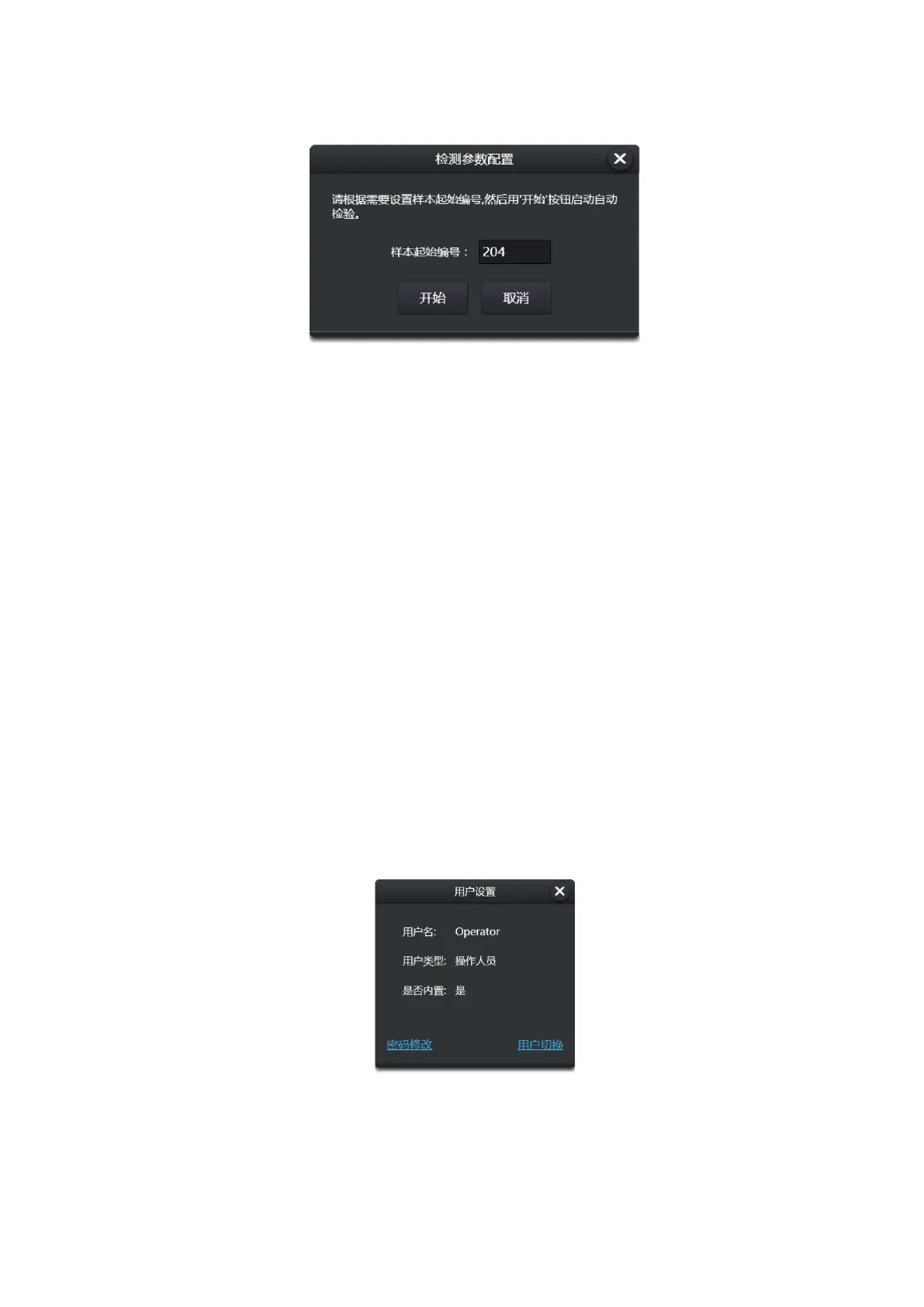
Figure 3-4
In the automatic detection process, the run menu has the option of "emergency".
Emergency: In the process of automatic inspection, if you encounter an emergency sample,
you can use the "emergency" function to insert the emergency sample into the test sequence. Before
the emergency starts, the test tube rack currently under examination should be completed. The
emergency sample, the test tube rack was used as the unit.
Upon completion of the emergency, the instrument will return to the automatic examination
mode and continue to examine the remaining samples.
3.1.2 Alarm
System failure states (both software and hardware) are indicated in different colors. [see top bar
icon: Figure 3-2, failure status]
Green indicates system normal, yellow indicates warning, red indicates error.
Click the status light to see the details when red and yellow appear.
3.1.3 User
Indicate the current user, namely the instrument operator, [see top bar icon: Figure 3-2-User],
click to view user information, change password and switch users.(User’s other related operations
can be seen in the top bar icon: Figure 3-2 Settings -> Maintenance sub-page)
Figure 3-5
After the sample is tested, it will be archived automatically. You can go to the archive page to
view it.


 To Next Page