CB-MF-SOP-002
A/1
24
5.2 Quality control Serum Management
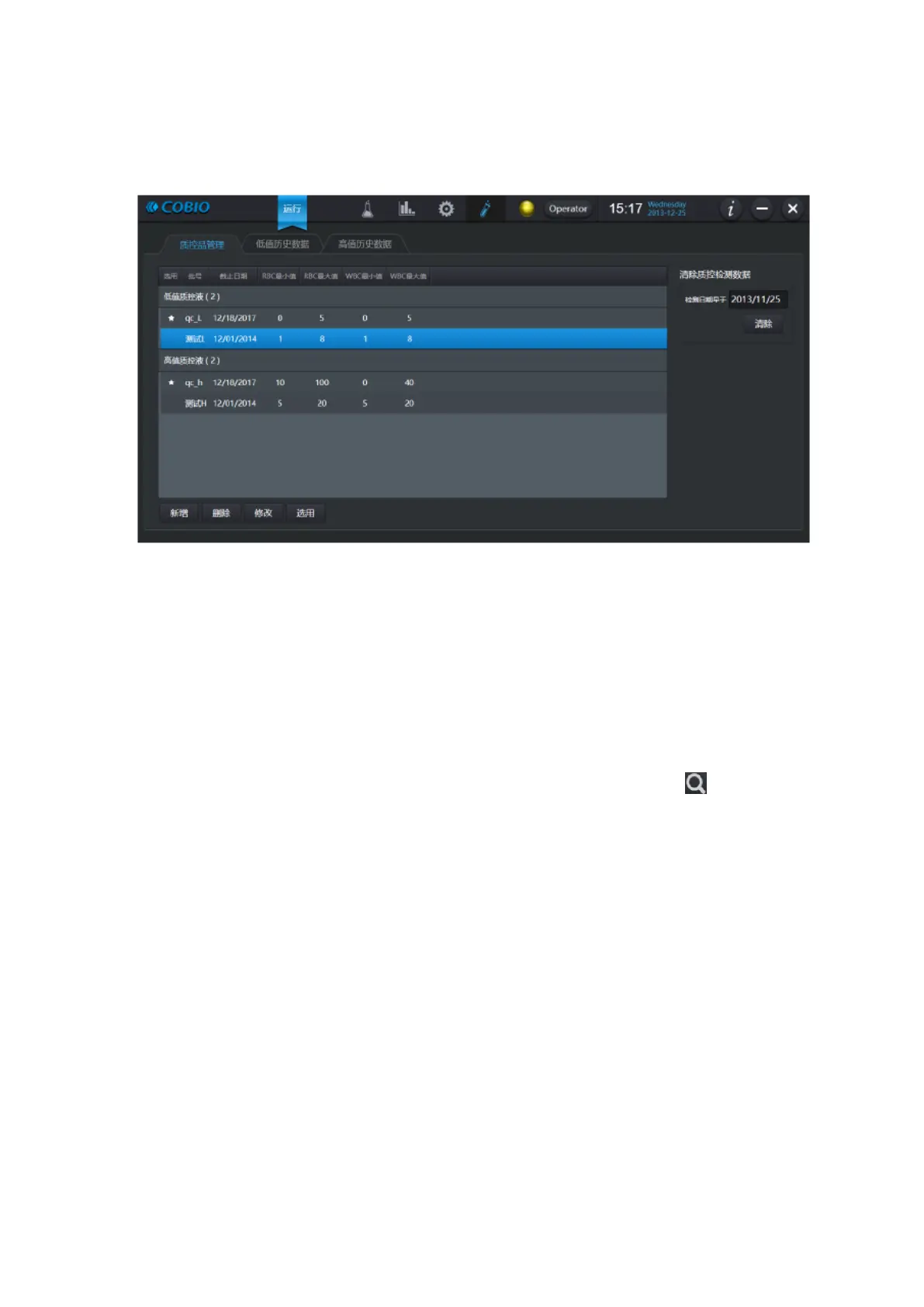
Figure 5-3
On the left is the quality control serum list, which lists all the quality control serums that can be
used. The quality control serum can be added through the [Add] button at the bottom, be deleted
through the [Delete] button and be modified a quality control parameter through the "modify" button.
Use the [Select] button at the bottom to select the quality control serum for the instrument.
On the right is the cleared quality control history data.
5.3 View History Data
Select the low (or high) value history data label, enter date range, and click [ ] button to view
the low (or high) value history data information, as shown in the figure below. If there are multiple
entries in the table, click on different entries to view the historical data of different quality control
serums.


 To Next Page