CB-MF-SOP-002
A/1
9
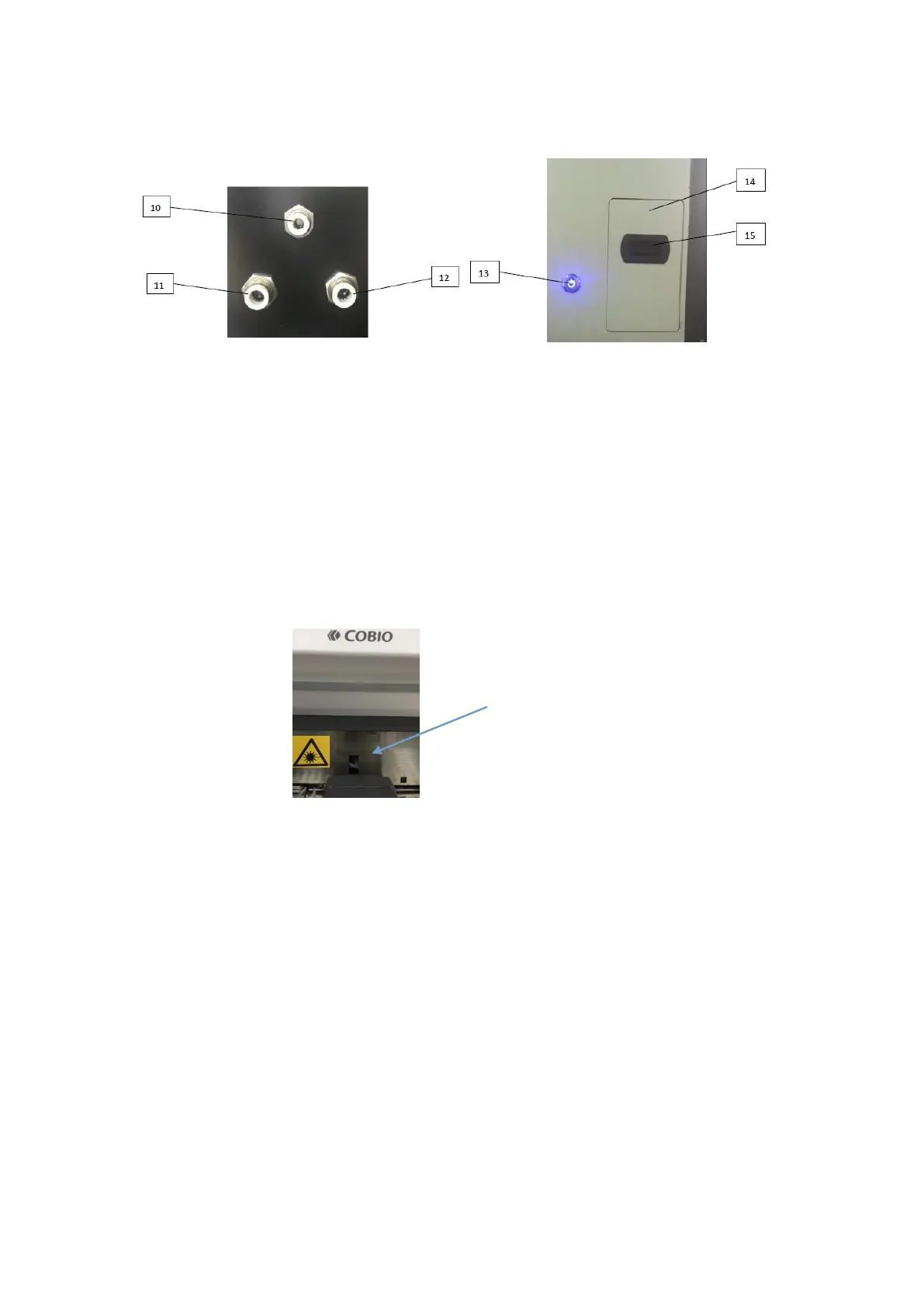
Figure 2-4 Figure 2-5
3. Instructions of the emergency stop button and the waste materials box, as shown below:
13——Stop button: Press the emergency stop button to stop all mechanical actions of the
instrument host in case of the instrument failure such as collision.
14——Waste materials box, is the collection device for waste counting chamber. Please clean
up the waste counting chamber when it is full or not used for a long time.
15——Handle of waste materials box: Hold the handle and gently pull outward to remove the
waste materials box.
16——Barcode scanning port: When scanning the bar code on the sample tube, LED light is
emitted. Don’t look directly into the light, which can cause damage to the eyes.
16 Scanning port
Figure 2-6
2.3 Installation
1. At least two persons are required to hold the bottom and place it smoothly on the
workbench.
2. Remove protective objects for safety during transportation and remove the M5x60 inner
hexagon cylinder head screw used for instrument fixation during transportation. It is
recommended that they be kept for use the next time the instrument is moved.
3. Take out the counting chamber former rail from the waste materials box and install it on the
position of injection sample where right side of the centrifuge.
4. Take out the counting chamber rear rail from the waste materials box and install it on the
position closed to microscope where left side of the centrifuge.
5. Install the counting chamber disk on the axle closed to the counting chamber former rail.
6. Put the counting chamber bar into the counting chamber rotating disk, and then cover the
feed disk and lock the butterfly bolt.


 To Next Page