CB-MF-SOP-002
A/1
16
⚫ It can hide or show some column of the sample list and composition list, see the top bar
icon: Figure 3-2 Settings - > Routine/show subpages.
The operation at the bottom of the sample list (except modification) can be applied to multiple
samples at one time by checking the circular selection box to the left of the list item: --》
The [confirm and transmit] at the bottom of the elements list transmits the information to LIS. A
tick mark in the sample list LIS indicates that the sample information has been transmitted to
LIS.(note: transmission is related to LIS system of a specific hospital, which needs to be realized
separately.)
From the thumbnail list on the right, you can see the original image and its information. See
Figure 3-9.
3.2.2 Sample Information Modifying
Compared with the manual microscopic examination, a few samples with differences can be
modified manually.
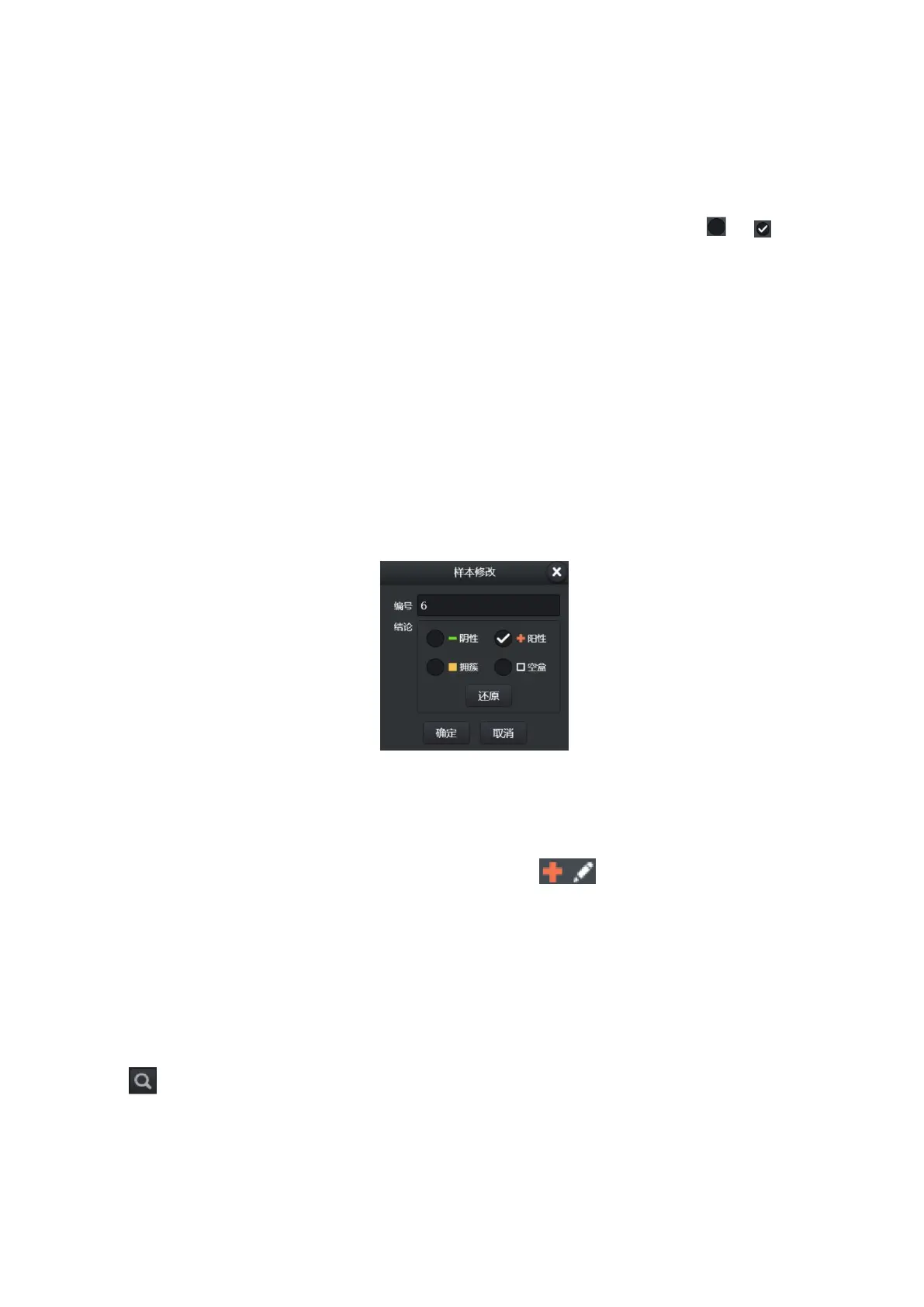
Click the "modify" button below the sample list to modify the information of the selected sample,
as shown below.
Figure 3-7
Press the [restore] button to restore to the initial test conclusion.(see section 3.2.1 for the
meaning of the conclusion)
After modification, there will be a modification mark (pencil) next to the conclusion, indicating
that some sample conclusions have been manually modified .
3.2.3 Sample Selection
A selection button at the top of the sample list can be used to screen samples that meet certain
criteria.
Negative, positive, mass, blank only filter the samples in the current sample list. Favorites and
lookups can change the list.
Lookup: Click this button to specify the selection criteria.


 To Next Page