CB-MF-SOP-002
A/1
7
involved. Please pay attention to the shipping mark on the box when opening the package. Cut off
the tape to keep the wooden box intact. It is suggested to keep wooden box, foam box, self-tapping
screw and fastening screw for internal fixation of instrument for future transportation.
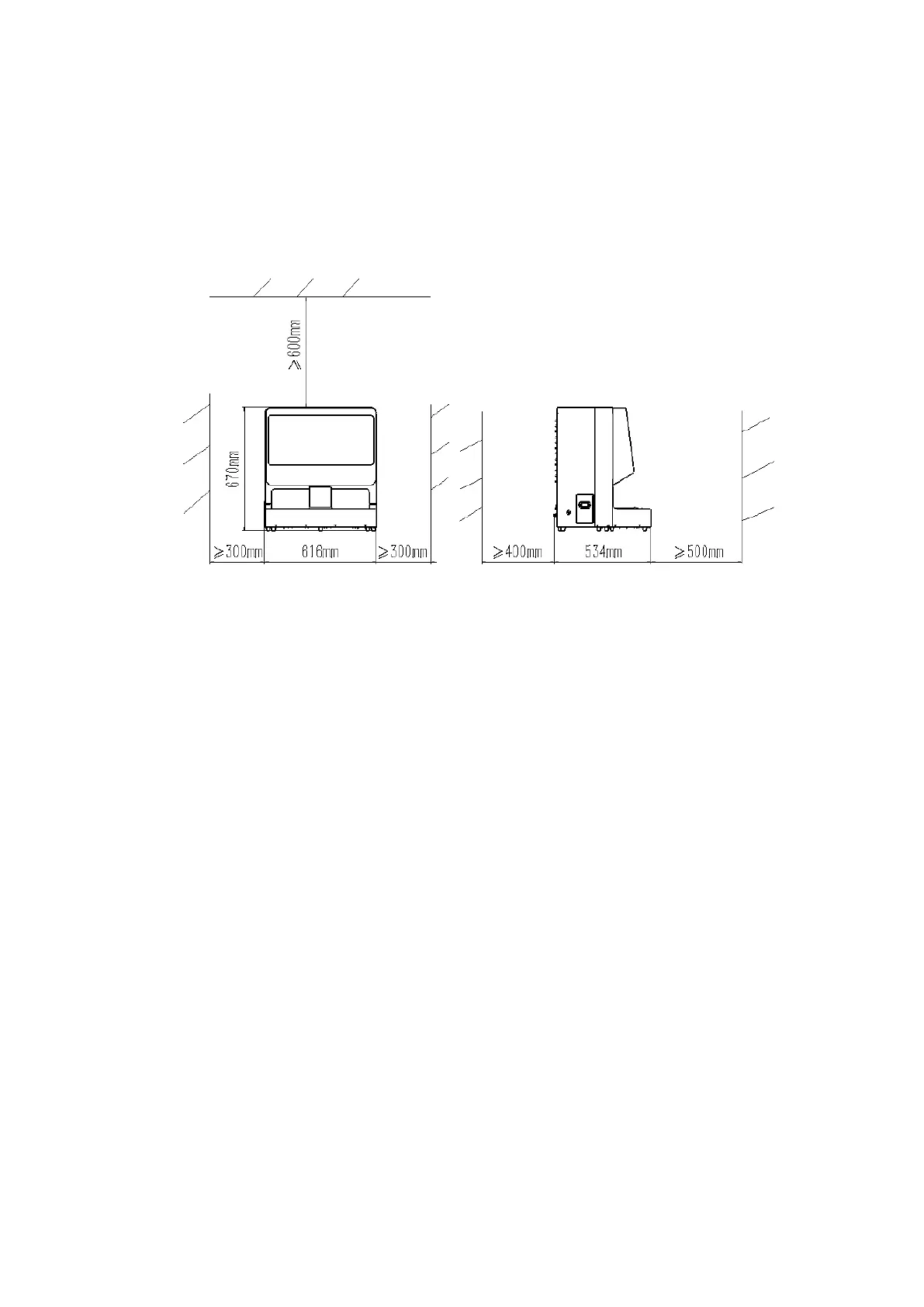
Instrument placement space: the minimum installation distance needed to be set aside from
walls or other devices is shown below.
Figure 2-1
Caution:
⚫ Because the backside of Instrument need to connect the pipe, wire, etc., also need to put
cleaning fluid barrel and liquid waste barrel, so it should be convenient for people to come in and
out when the instrument put.
Input and Output introductions
1. Introduction for interface panel, as shown below:
1——1394 camera exclusive interface, connect the computer host
2——USB control interface for the liquid waste, connect the liquid waste barrel
3——Function reserved interface, forbidden
4——VGA interface on the display screen of the instrument host, connected to the computer
host
5——RS232 control interface for the lower computer, connected to the computer host
6——USB control interface for cleaning fluid, connected to the cleaning fluid barrel
7——USB control interface for the touch screen, connected to the computer host
8——Power switch of the instrument host
9——The power interface of the instrument host, connected with the power supply of external
network
16——Connection bridge reserved interface, use when connected with dry chemical machine
17——Network camera professional interface, connected to computer host


 To Next Page