21
4.9.2 Users
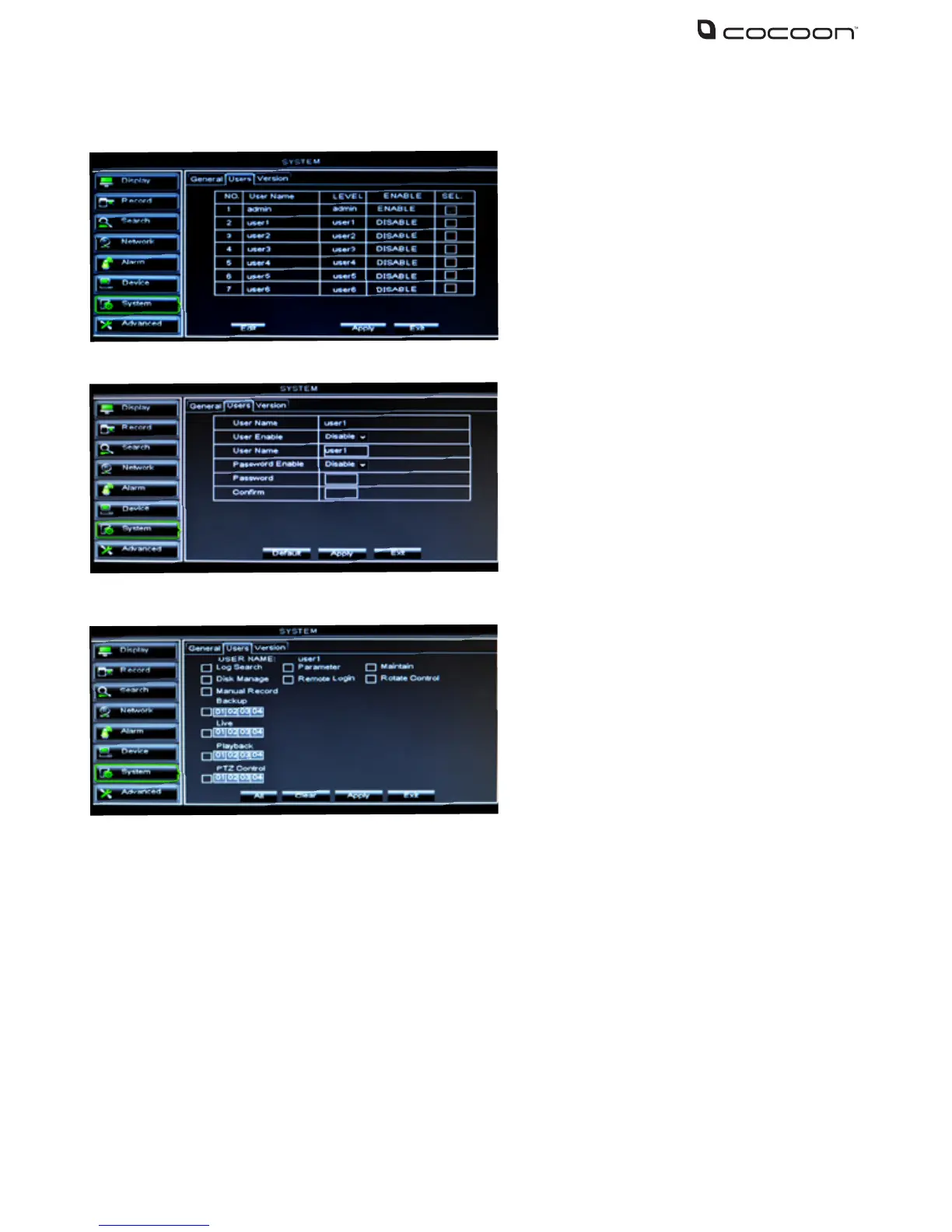
Log Search: allow user to check the entire system log
Parameter: allow user to set all parameters
Maintain: allow user to update version, recover device reboot and shut down
Disk Manage: allow user to manage and control the HDD
Remote Login: allow user to remotely login to the DVR unit to view security footage
Rotate Control: allow user to set rotate command
Manual record: allow user to manually start / stop record
Backup: Set the channels the user can backup
Live: Set the channels the user can live view
Playback: Set the channels the user can playback
PTZ control: Set PTZ access for the user
Note: If password is enabled, you will have to log in if you want to access main menu. User access
will depend on the settings from the Admin account.
1. The DVR unit supports up to seven users
with one Admin account
2. Select the account you wish to edit and
click Edit button
•Username:Enteramaximumofeight
characters
•Password:Enteramaximumof6numbers.
Only numbers supported
Admin is authorized to set common user’s
authority. Click the check box for the user
account you wish to customize and select
Permission to enter the interface as shown



 To Next Page