2
2 – DVR unit Installation
2.1 Installation Location
Before installing the security system, it is essential to plan where to locate the DVR unit.
Below are a few points to consider
• TheDVRunitshouldbelocatedinacentrallocationwitheasyaccesstocamerasand
installed cables
• Ifyouplantouseremoteviewingfeatures,theDVRunitshouldbelocatednearyour
modem / router or network point
• TheDVRunitshouldbeinstalledinasecurelocationtoavoidtampering
• DonotplaceheavyobjectsontopoftheDVRunit
• DonotblockventilationholesonthetopandsidesoftheDVRunitoruseinanenclosed
area which may cause overheating
• PlanoutwhereyouwouldliketoplaceyourcamerasandtestallconnectionsBEFORE
permanently installing cables and cameras
• Camerascanbeplacedcovertlysonoonecanseethemwhichissuitableforindoor
locations where you do not want to see them every day, however, placing cameras in
plain sight outdoors will act as a deterrent to would be intruders
2.2 DVR unit Connections
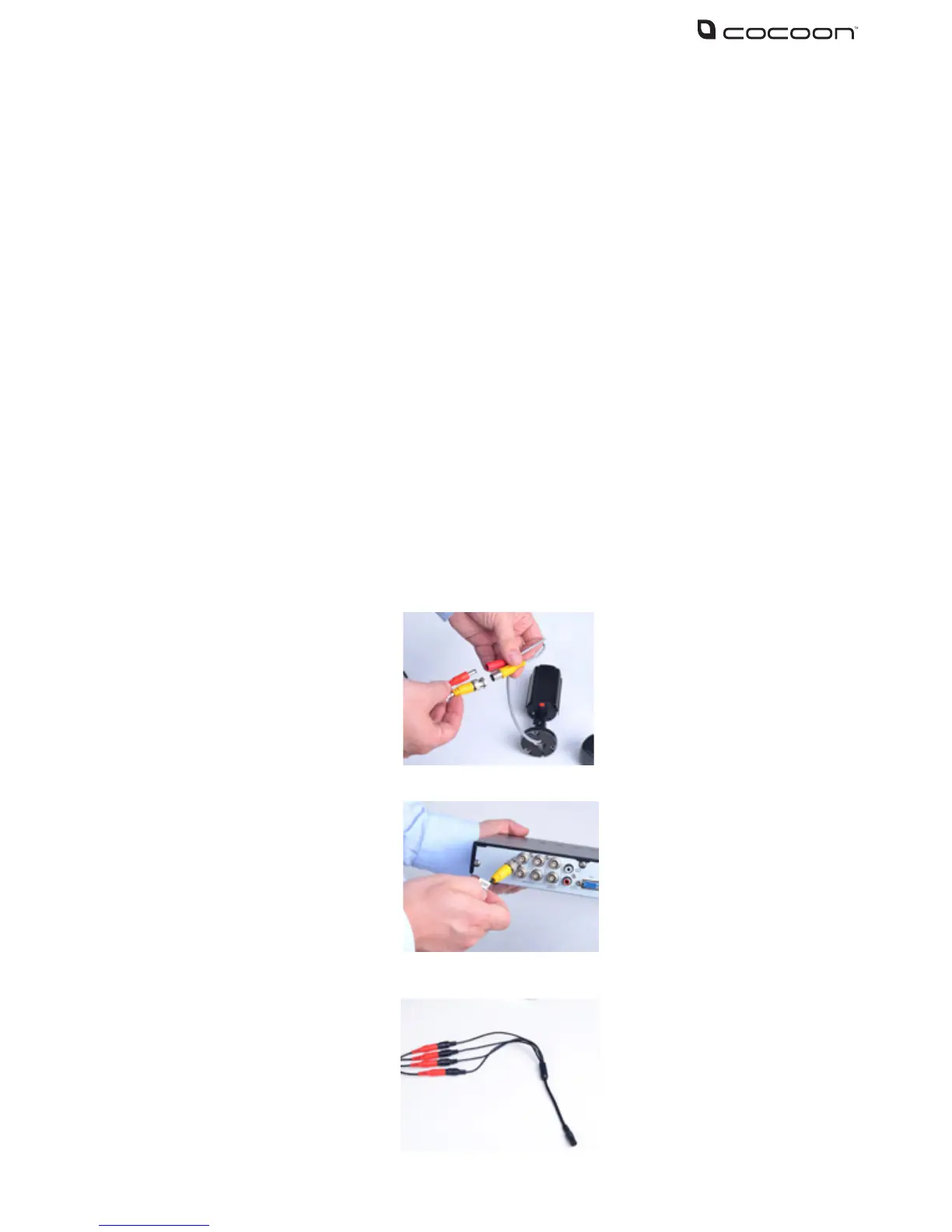
1. Connect each of the camera extension cables to the camera video and power connectors
2. Connect the other end of the extension cables to the video inputs labeled 1-4 on the back
of the DVR unit
3. Connect the 4-way power splitter to each of the extension cables (red)



 To Next Page