22
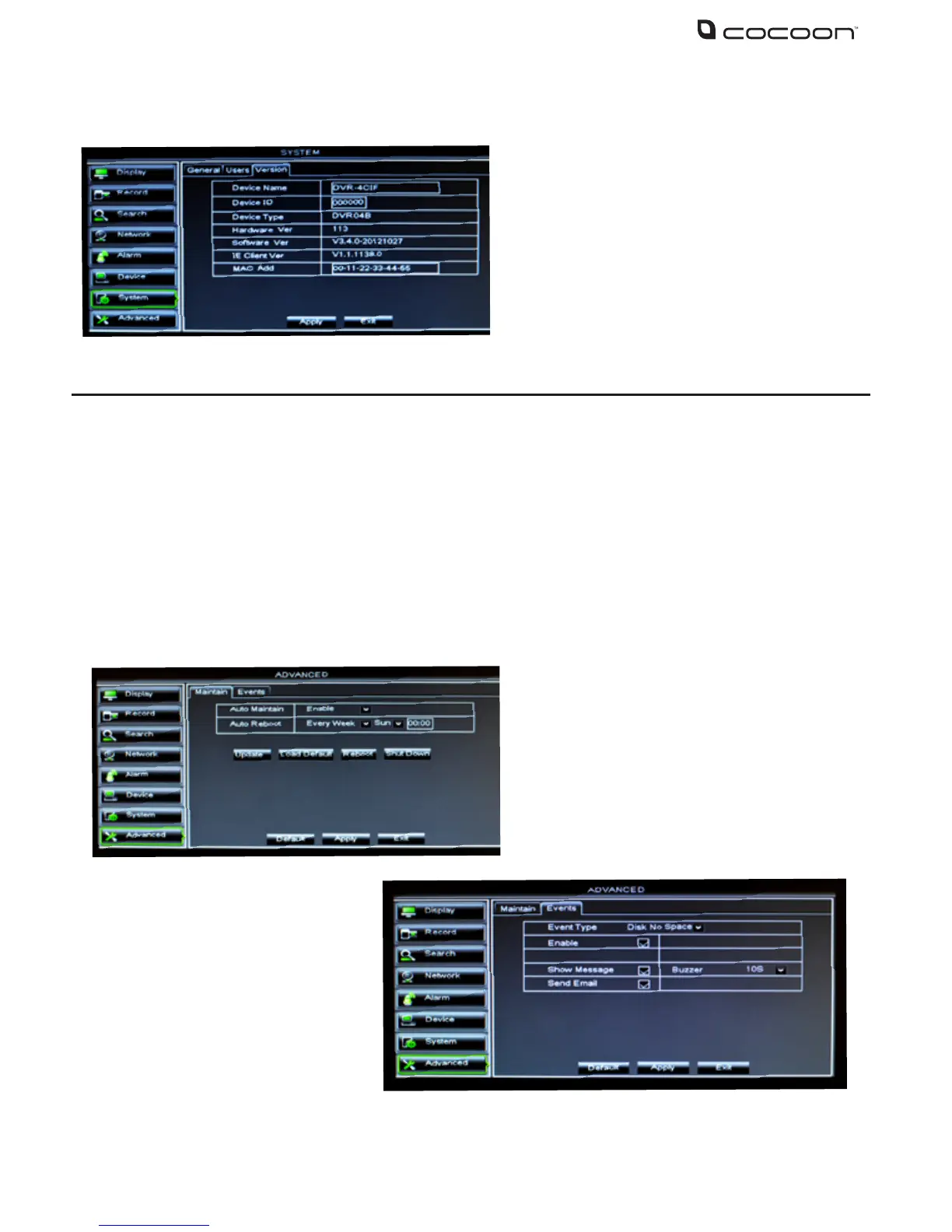
4.9.3 Version
4.10 Advanced
Click the Advanced button in the Main Menu to access the Advanced settings. Advanced settings
allow you to setup auto reboots, upgrade the rmware (if available) or shut down the system
4.10.1 Maintain
Like your PC, maintenance should be performed periodically to keep the DVR unit in peak condition. It
is strongly recommended that the DVR unit is rebooted at least once a month to clear the temporary
memory and cache
4.10.2 Events
This tab displays the system information
•DeviceName
•DeviceID
•DeviceType
•HardwareVersion
•SoftwareVersion
•IEclientversion
•MACAddress–NoteifmultipleDVRsare
on the network the MAC address should be
modied
Event Type: Event alerts can be set
for Disk - No Space, Disk Error
and Video Loss
Enable: Select to activate alarm
for event
Buzzer: Set the duration of the
buzzer when the selected event
is triggered (10s, 20s, 40s, 60s)
Show Message: Show message on the screen when event is triggered
Send Email: Send notication to the your email account (if activated and setup)



 To Next Page