26
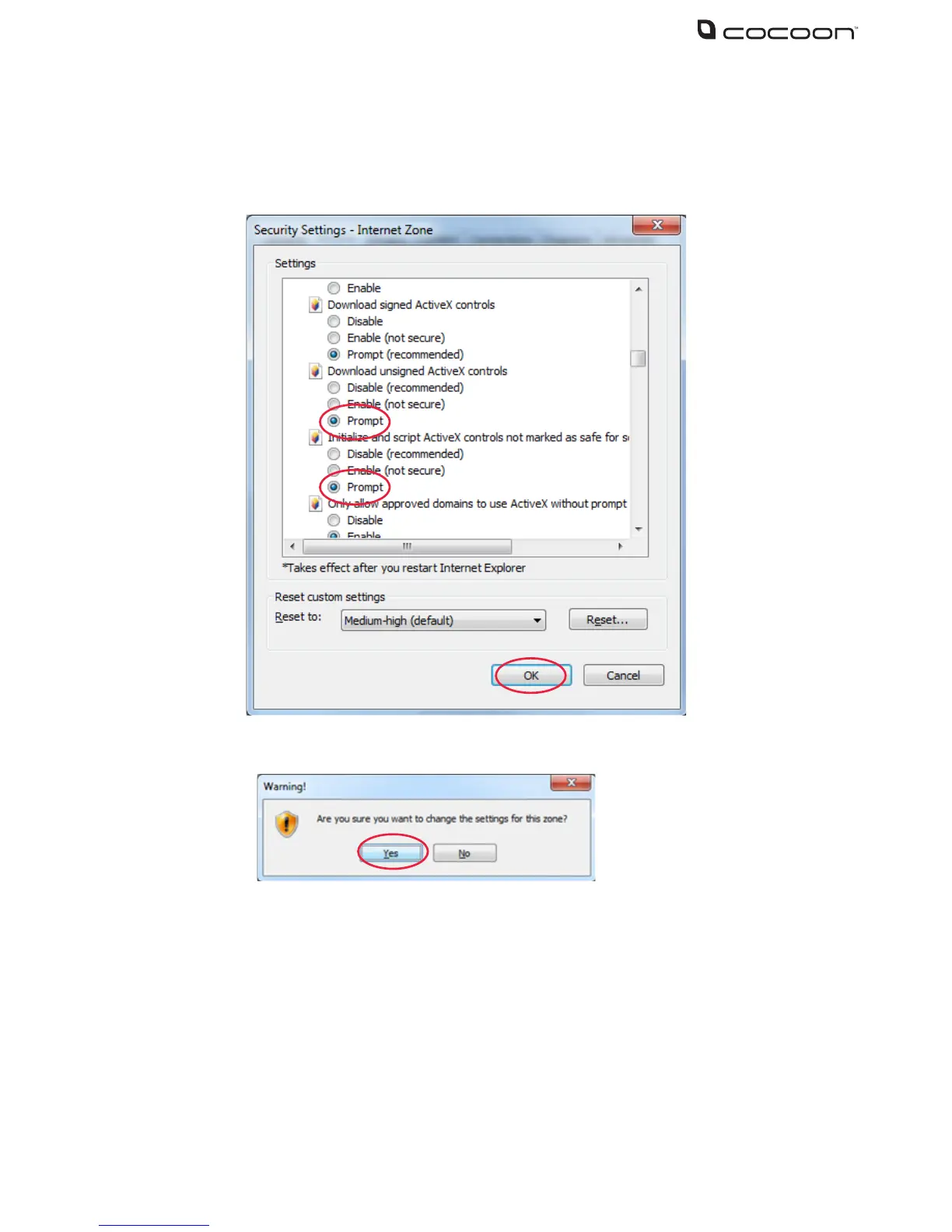
6. Scroll down to Download unsigned ActiveX controls and click Prompt
7. Under Initialize and scrift ActiveX controls not marked as safe for scripting, click Prompt
8. Click OK
9. When asked to conrm changes, click Yes
10. Enter your DVR unit’s IP address again and press enter
11. Click the ActiveX installation box and choose install. The software will automatically
download and install



 To Next Page