Code Blue
•
259 Hedcor Street
•
Holland, MI 49423 USA
•
800.205.7186
•
www.codeblue.com
GU-137-Hpage 36 of 67
IP1500 and IP2500 Series
Administrator Guide
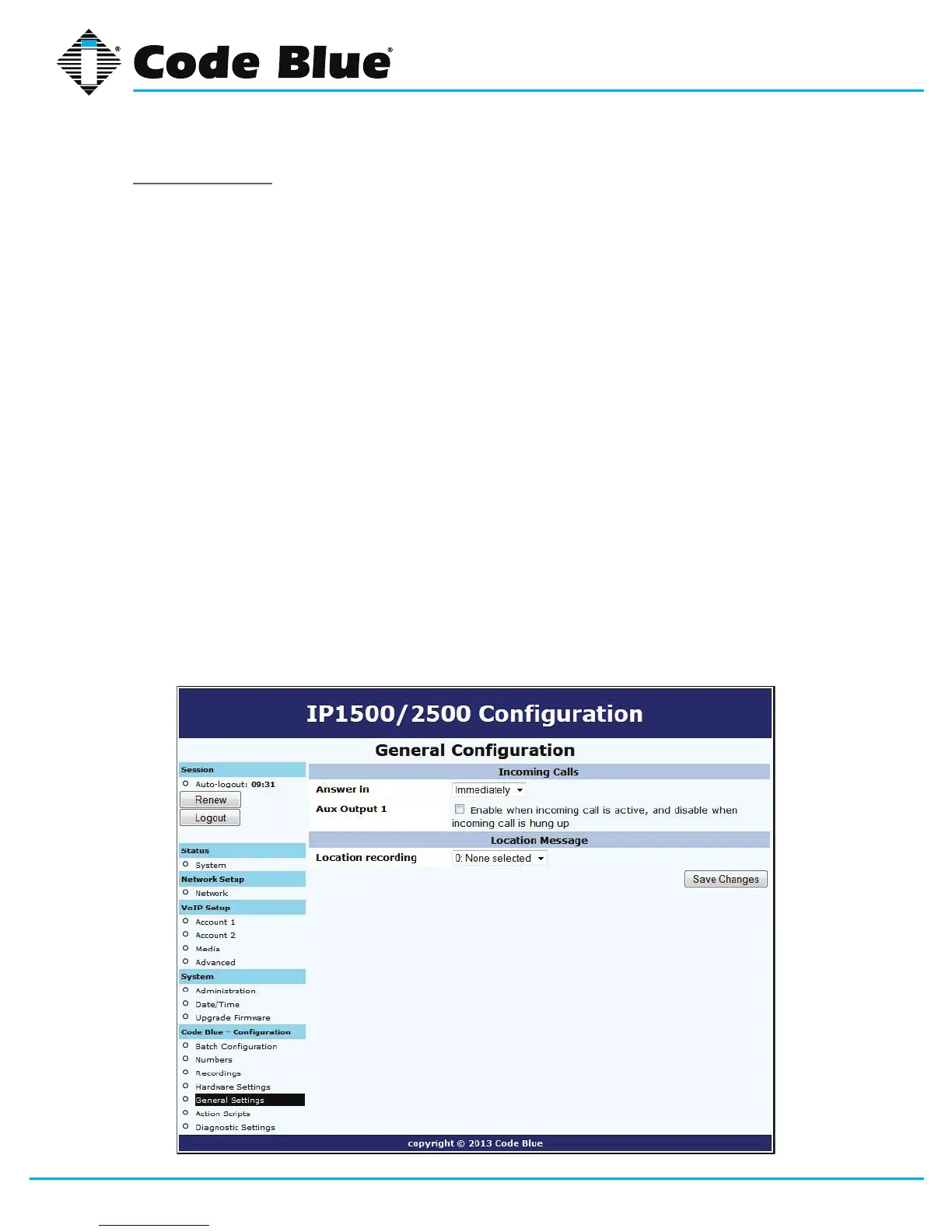
GeneralSettings
TheIP1500/2500speakerphonegeneralcongurationcanbeaccessedby:
1. Clicking on General Settings under Code Blue(seefarleft-handcolumn).
2. Inthissectionyoucanselecthowmanyringsthespeakerphonewillwaitbeforeanswering
an incoming call.
3. ClickthedownarrownexttoAnswerIntochangesettings.
4. The Aux Output 1checkbox,whenchecked,willenabletheAux Output 1 on incoming
call and is disabled when incoming call is terminated.
This feature was not intended to be used with Aux Outputsconguredwiththe
momentarily toggle (Hardware Settings Dialog) choice.
Thespeakerphonecanalsobeconguredwithastandardlocationmessage.
1. Click on the down arrownexttoLocation Recording to select this recording as the default
Location Message.
» Thelocationmessagemustbeuploadedbeforethischoicecanbemade.SeeRecording’s
dialog.
2. Onceyouhaveconguredtheoptionsonthispage,clickSave Changes.



 To Next Page