Code Blue
•
259 Hedcor Street
•
Holland, MI 49423 USA
•
800.205.7186
•
www.codeblue.com
GU-137-Hpage 37 of 67
IP1500 and IP2500 Series
Administrator Guide
ActionScriptConguration
ActionScriptsarebasedonHardwareSettingsmadeearlierinthesetupprocess.Forexample,if
yourspeakerphonehastwophysicalbuttonsandonlyonebuttonwasselectedinHardware Set-
tings “Interface” “Button Count”somescriptschoiceswillbemissing.
Scripting Requirements
TheActionScriptinthespeakerphonecanbeveryextensive,yetonlyifallthecorrectfeaturesare
enabled.Understandingalltheabilitiesofthephoneisrequired,onlythencantheusercongure
thespeakerphoneformaximumfunctionality.
Numbers
Loadphonenumbersforallofyourplannedcallsfromthisspeakerphone.
Recordings
Recordallmessageanduploadthemtothisspeakerphone.
Hardware Settings
EnsurethespeakerphonefeaturesarerepresentedintheHardwareSettingsportionoftheGUI.
Diagnostic Settings
Whenusingremotemonitoringservices,forexampleSNMPServerserviceorCodeBlue’sToolVox
Serverw/UPDapplication,thespeakerphonewillsendSNMPtrapsorusethe“ActionScripts”to
generatecallstoamonitoringserviceandplaypre-recordedmessagesasanoticationanissue
has been detected.
SCRIPTING BASIC CALL
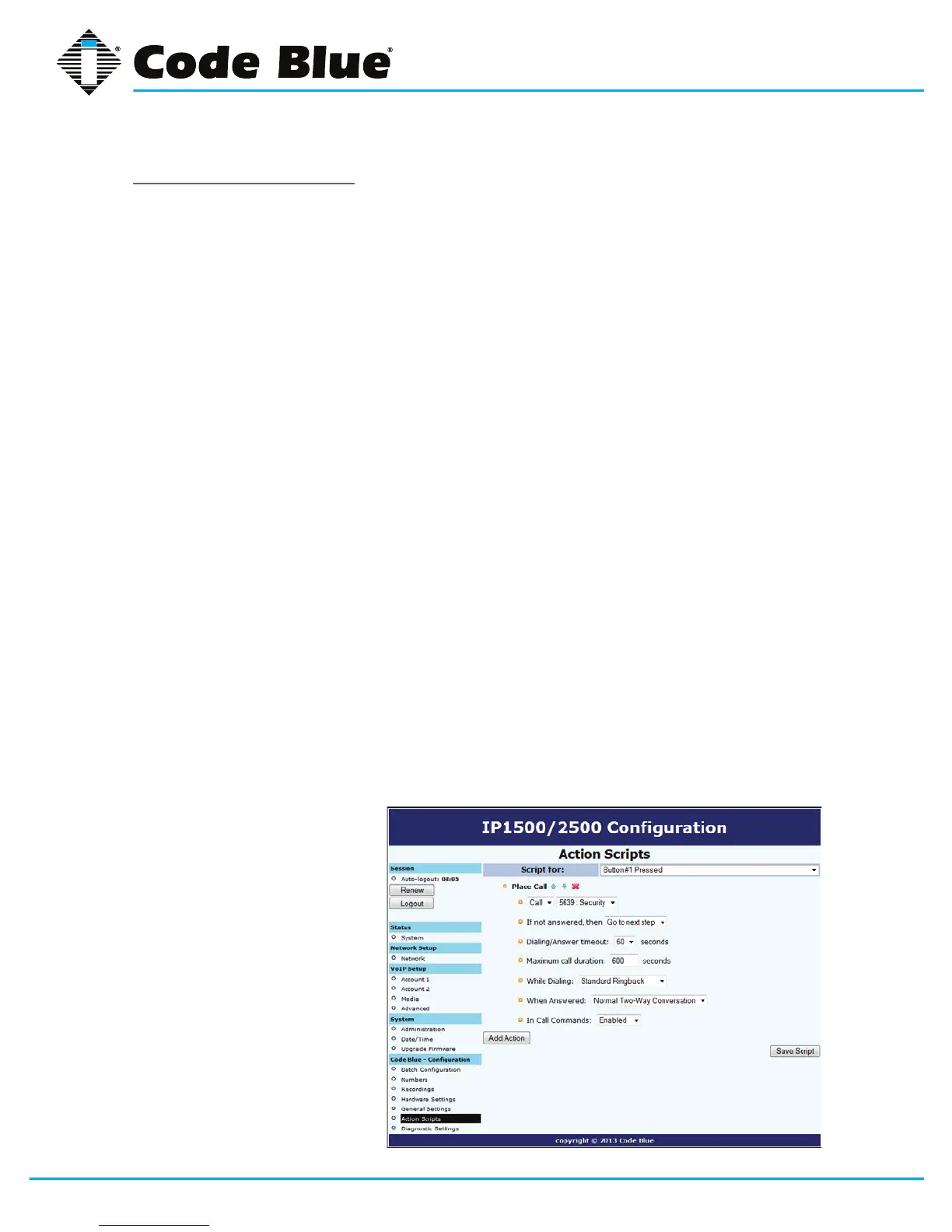
ThespeakerphonehasGUIinterfaceforbuildingscripts.Scriptingcanconsistofasingleactionor
combinationofactionsrelatedtoabuttonpressorAuxiliaryOutputTriggeralone.
• Click on Action Scripts under Code Blue(seefarleft-handcolumn)toprogramtheaction
scriptsyouwishtheunitto
performduringbuttonactiva-
tion or diagnostic condition.
• Toprogram,selectaButton
or Diagnostic condition from
theoptionlistbyclickingon
the down arrow across from
Scriptfor:Forthisexample
select Button #1 Pressed.
• Click on Add Action.
(Continued on next page)



 To Next Page