C001537_15_CR2_User_Manual 18
Save Settings
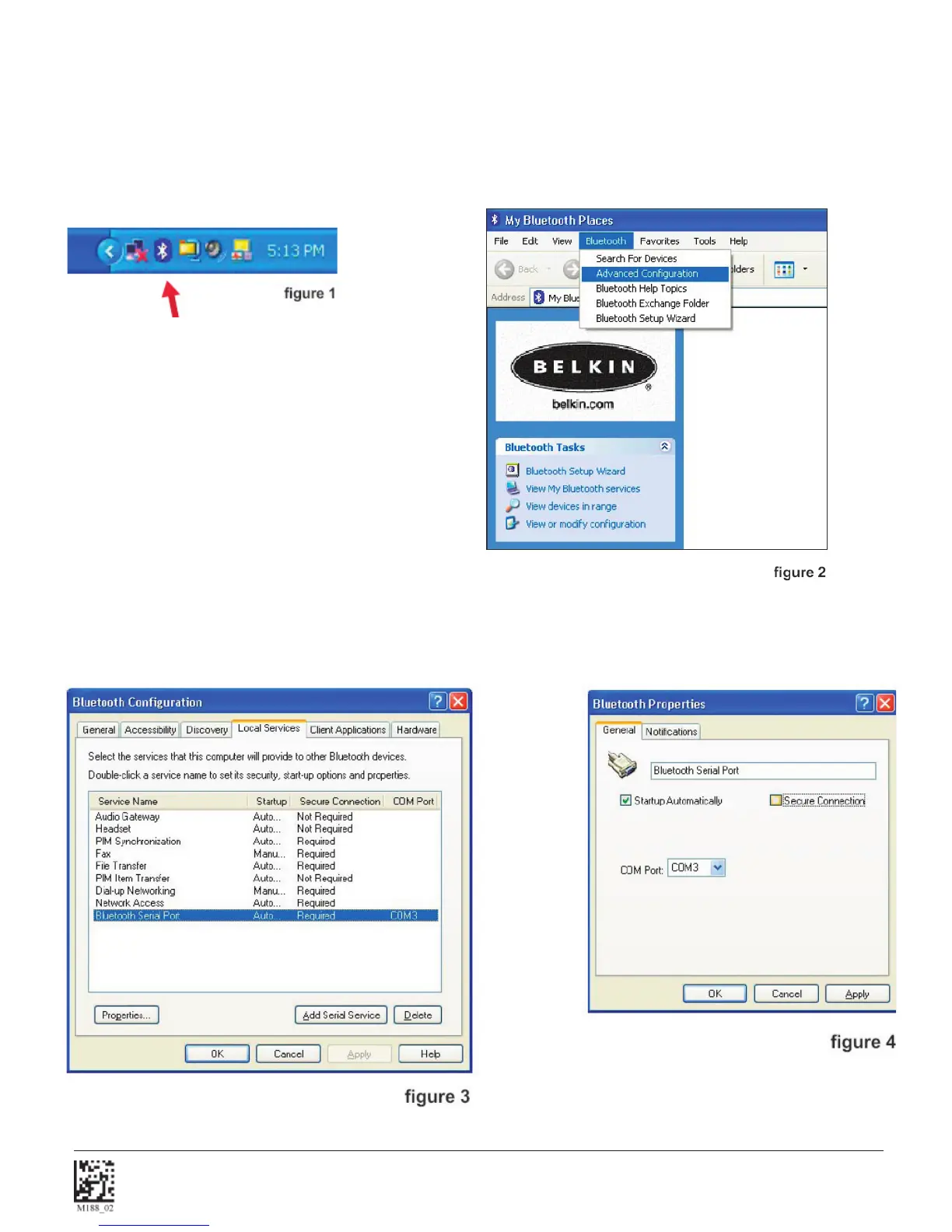
1.7.7 - Confi guration for Belkin Bluetooth Manager Software (Version 1.4.2.10)
In this version of the Belkin Bluetooth Manager software, you must disable the authentication feature to connect a CR2.
Follow the steps below:
1. Double click on the Bluetooth icon in the system tray. In the My Bluetooth Places Screen, select Advanced
Confi guration.
2. Select the Local Services tab and double click on the Bluetooth Serial Port. Inder the General tab unselect the
Secure Connection box. This disables the encryption feature and allows the CR2 to connect to the Bluetooth
adapter. Click Apply.


 To Next Page