C001537_15_CR2_User_Manual 41
Save Settings
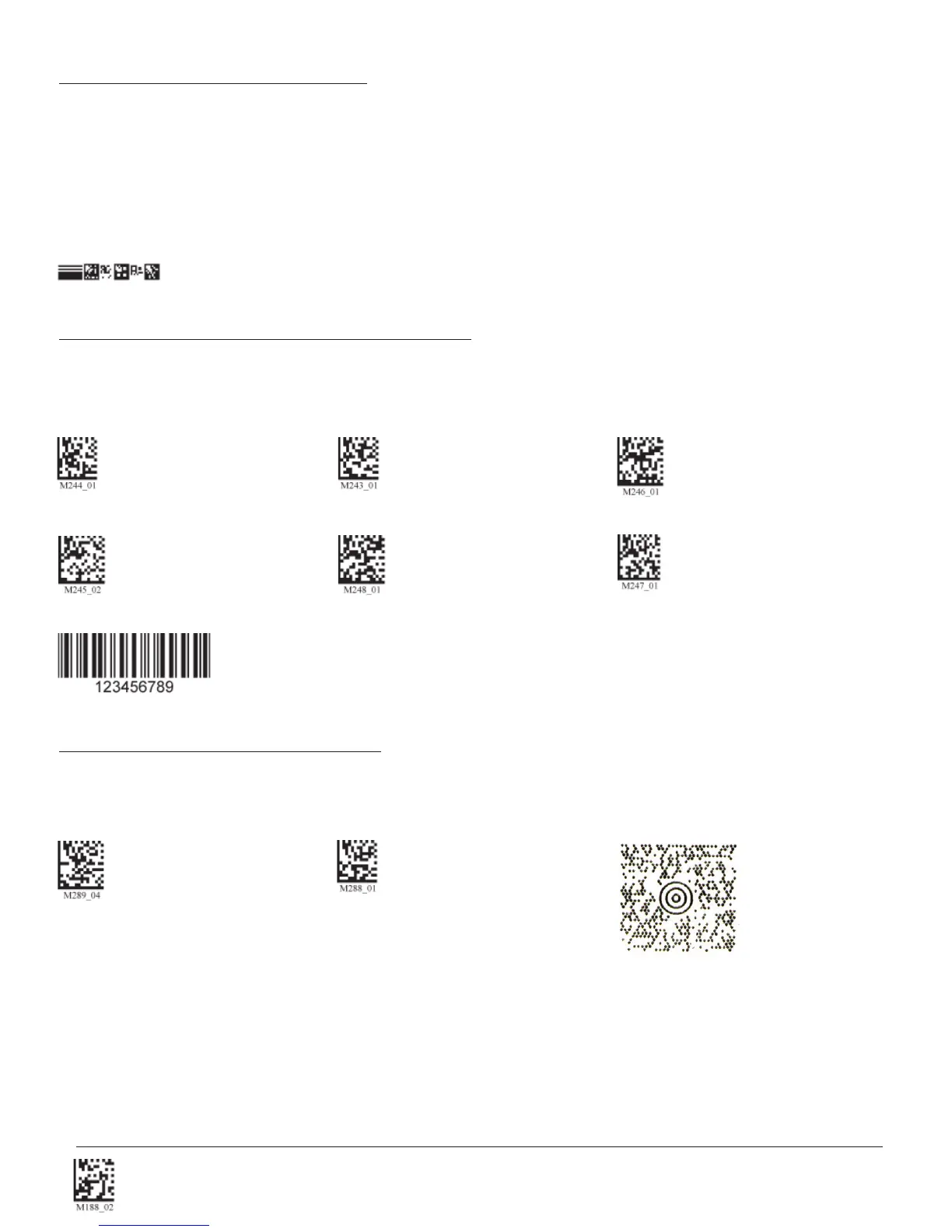
Scan the following codes to enable/disable Interleaved 2 of 5 symbology settings:
Int 2 of 5 On (Default) Int 2 of 5 Off Int 2 of 5 Two Digits On
Int 2 of 5 Two Digits Off Int 2 of 5 Four Digits On Int 2 of 5 Four Digits Off
Sample Int 2 of 5 Code
Scan the following codes to enable/disable Maxicode symbology settings:
Maxicode On Maxicode Off (Default) Sample Maxicode
3.12 - Maxicode Symbology
3.11 - Interleaved 2 of 5 Symbology
3.10 - GoCode Symbology
GoCode is a miniature, two-dimensional (2-D) symbol. Developed to fi t within a line of text, GoCode features a multi-
dimensional, adaptable matrix pattern that may be reproduced on virtually any surface. GoCode is a private symbology
and may be utilized by purchasing a runtime license through Code. GoCode has many signifi cant advantages over all
common linear barcodes and 2-D symbols. Please contact Code for more information on the benefi ts of utilizing a private
symbology.
Sample GoCode


 To Next Page