C001537_15_CR2_User_Manual 52
Save Settings
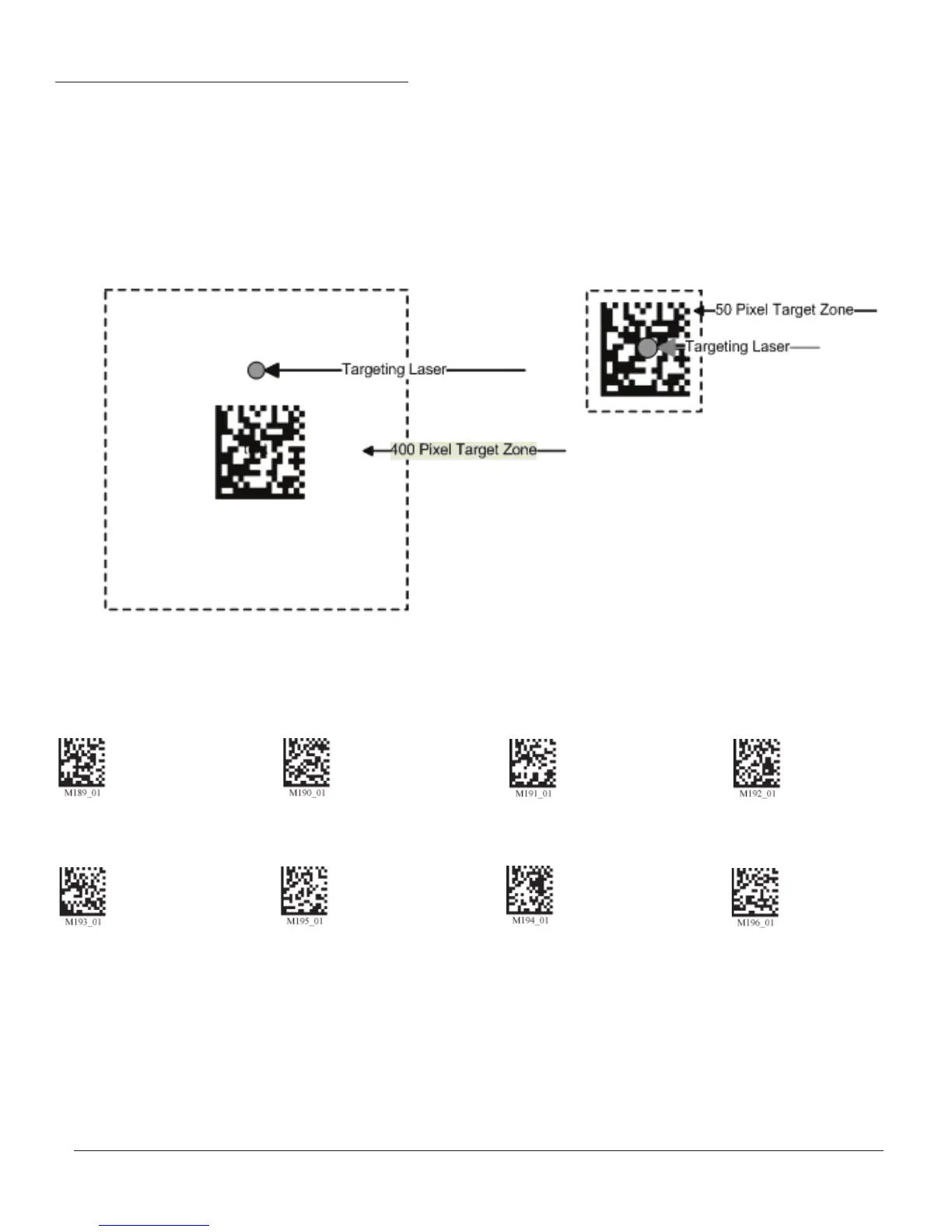
5.1 - Set Targeting Tolerances
50 Most Accurate 75 100 125
1600 (Default)
150 200 400
Least Accurate
The targeting tolerance is the zone around the laser which is eligible for decoding. The values of each of the following
codes are the percent tolerance based on the size of the barcode. As the targeting tolerance becomes smaller the target-
ing laser must be more centered in the symbol being read. Conversely, as the targeting tolerance gets larger there is less
precision needed with the targeting laser. If there is more than one decodable code in the fi eld of the, the symbol closest
to the targeting laser will be decoded.


 To Next Page