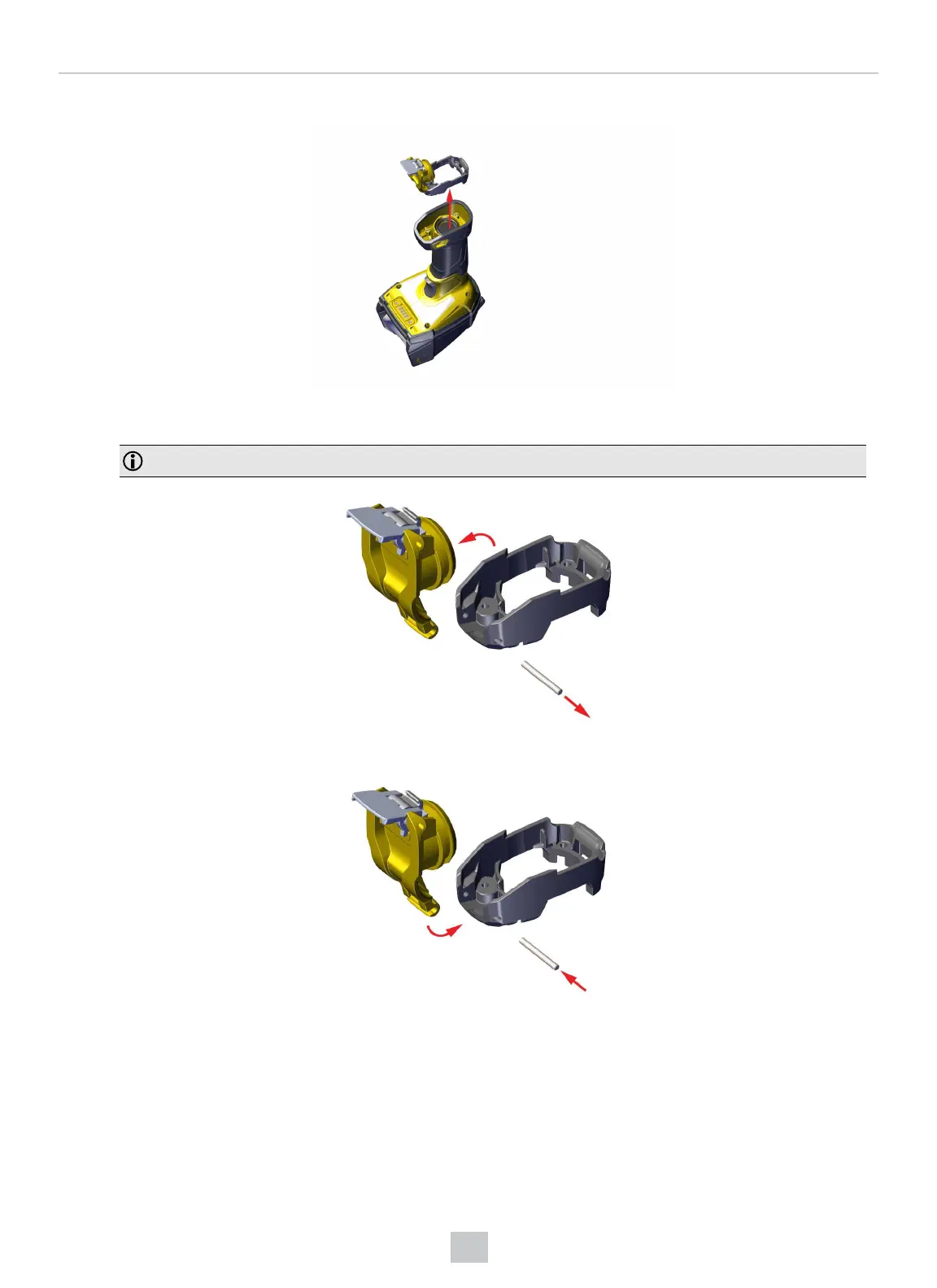
3. Remove the yellow latch and the gray base.
4. Remove the yellow latch from the gray base by opening it further until it snaps off the connector rod. Once the yellow
latch is removed, you can slide the rod out of the gray base.
Note: Make sure to keep the connector rod for use with the replacement parts.
5. Slide the rod into the replacement gray base. Snap the yellow latch onto the gray base.
53
Cleaning and Maintenance













 To Next Page