Using DataMan 8700 Wireless Reader
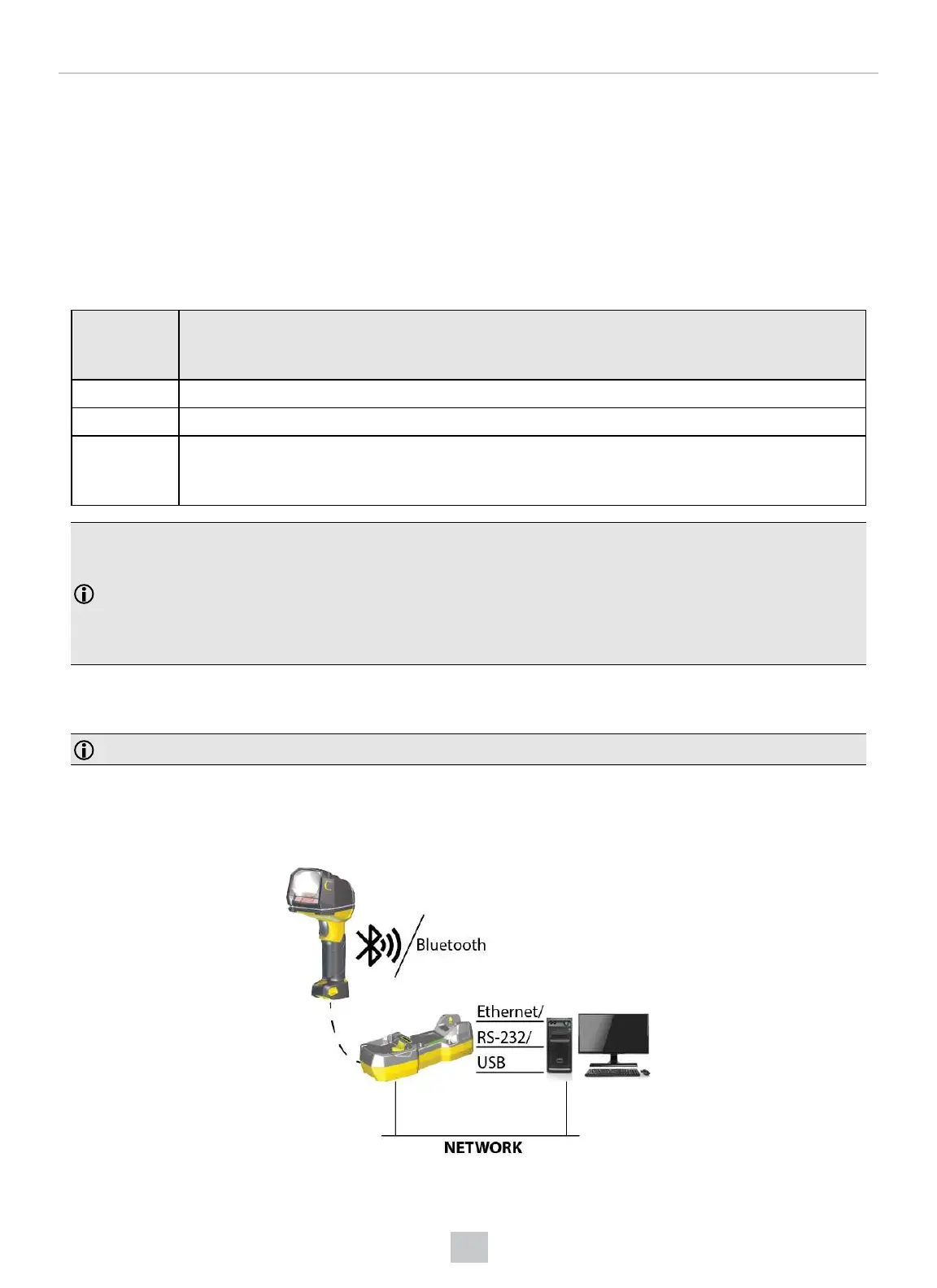
Wireless readers require a base station for communication, charging, or both:
l
DataMan 8700 Bluetooth readers transmit data to the intelligent base station and use it to charge batteries.
l
DataMan 8700 Wi-Fi and Bluetooth Direct Connect readers use a charging base station to charge batteries.
Intelligent Base Station Connection Options
The following table shows the connection options of the intelligent base station according to communication type:
Base Station
Connection
Type
How to Connect
RS-232 Connect to the cable plug of the base station.
USB Connect to the cable plug of the base station.
Ethernet Connect to the terminal program using the IP address of the reader. To find out the IP address, go to the
Connect backstage page in the DataMan Setup Tool and check the IPaddress of the reader in the
Address column.
Note:
When you connect the reader through USB, always use a power supply. When using a DM8700 DX with a USB cable
(DMC-HH-USBA-02 or DMC-HH-USBC-02) or base station, make sure to connect the USB connector to a USB hub
that stays enabled even if the PC or notebook goes to sleep.
When using other models including base station, connecting to a USB hub that is always enabled is not obligatory, but
strongly recommended.
Intelligent Base Station Routing Capabilities
The base station is visible as connected through either RS-232, USB, or Ethernet.
Note: You cannot configure the base station to act as a network client.
The base station transfers data to the reader with the following methods:
l
through the wireless interface
l
through the cradle USB, when the reader is placed on the base station
26
Connection Options













 To Next Page