l
Manual (default): Pressing the trigger button on the reader starts image acquisition. The reader continues to acquire
images until thare is a detectable and decoded image or until the release of the trigger button.
l
Presentation: When motion is detected in front of the reader, the reader turns on and scans for a symbol. When no
motion is detected, the LEDaimer and the lights turn off. The reader relies on an internal timing mechanism to acquire
images.
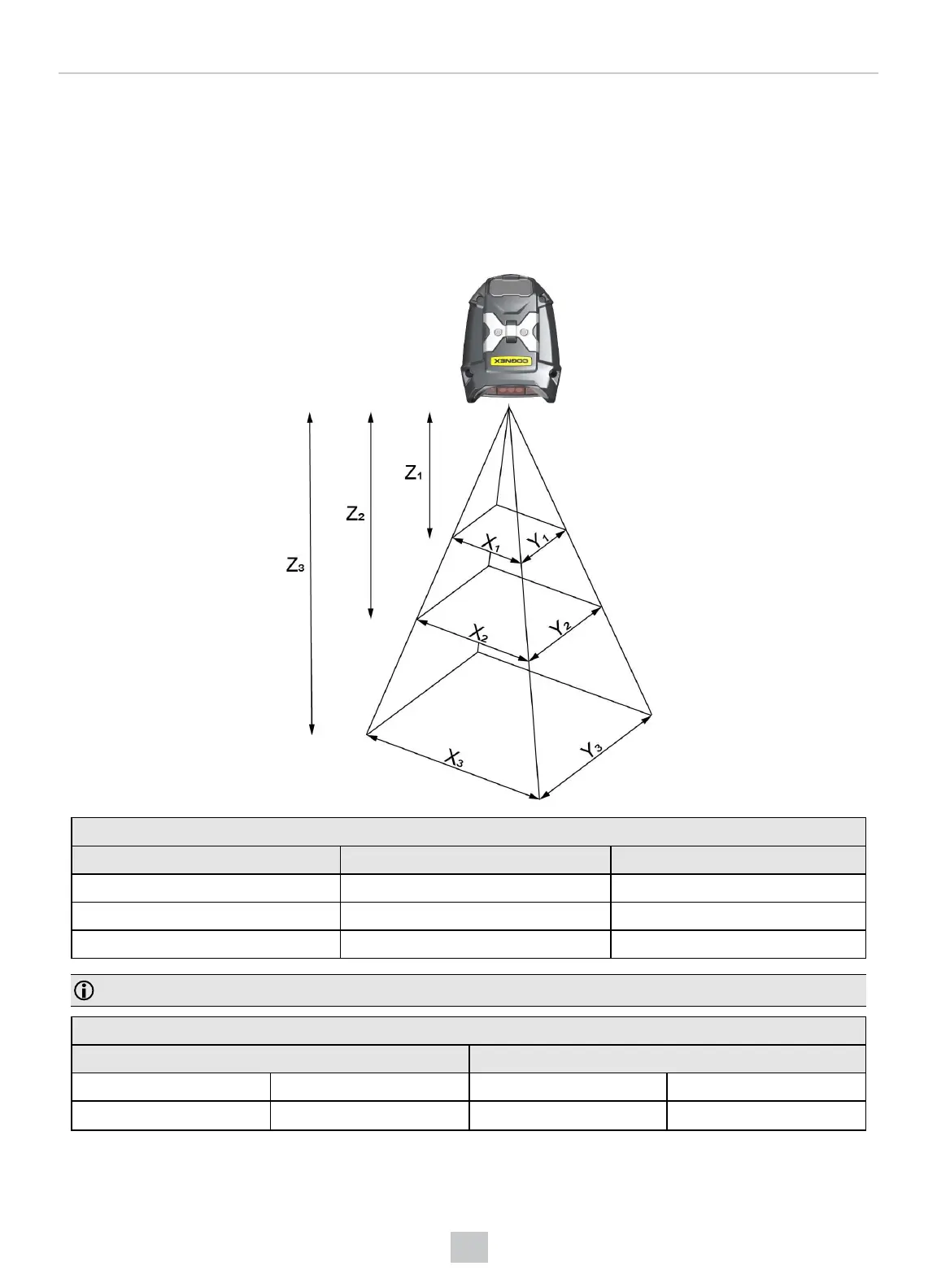
Field of View and Reading Distances
DM8700 DX Field of View Values
Working Distance Horizontal Values Vertical Values
Z
1
= 40 mm (1.5 in) X
1
= 63 mm (2.5 in) Y
1
= 47 mm (1.8 in)
Z
2
= 140 mm (5.5 in) X
2
= 126 mm (5 in) Y
2
= 95 mm (3.7 in)
Z
3
= 300 mm (11.8 in) X
3
= 228 mm (11.3 in) Y
3
= 171 mm (6.7 in)
Note: All values beginning with 0 denote the minimum distance where the Field of View is able to see the entire code.
DM8700 DX Depth of Field Values
Distances in mm / 1D min code Distances in mm / 2D min code
18-58 3 MIL 10-71 5 MIL
10-175 10 MIL 10-155 10 MIL
48
Reading Codes with the DataMan 8700













 To Next Page