Pairing Wireless Readers to Base Station Through Bluetooth
1. Place the Bluetoothreader in the base station.
2. A dialog appears on the OLED display of the reader asking if you want to pair the reader with the base station.
3. Confirm assignment by using the buttons under the OLED display.
Note: A new reader and a new base station pair each other automatically.
4. Lift your reader up from the base station and start reading codes.
Note:
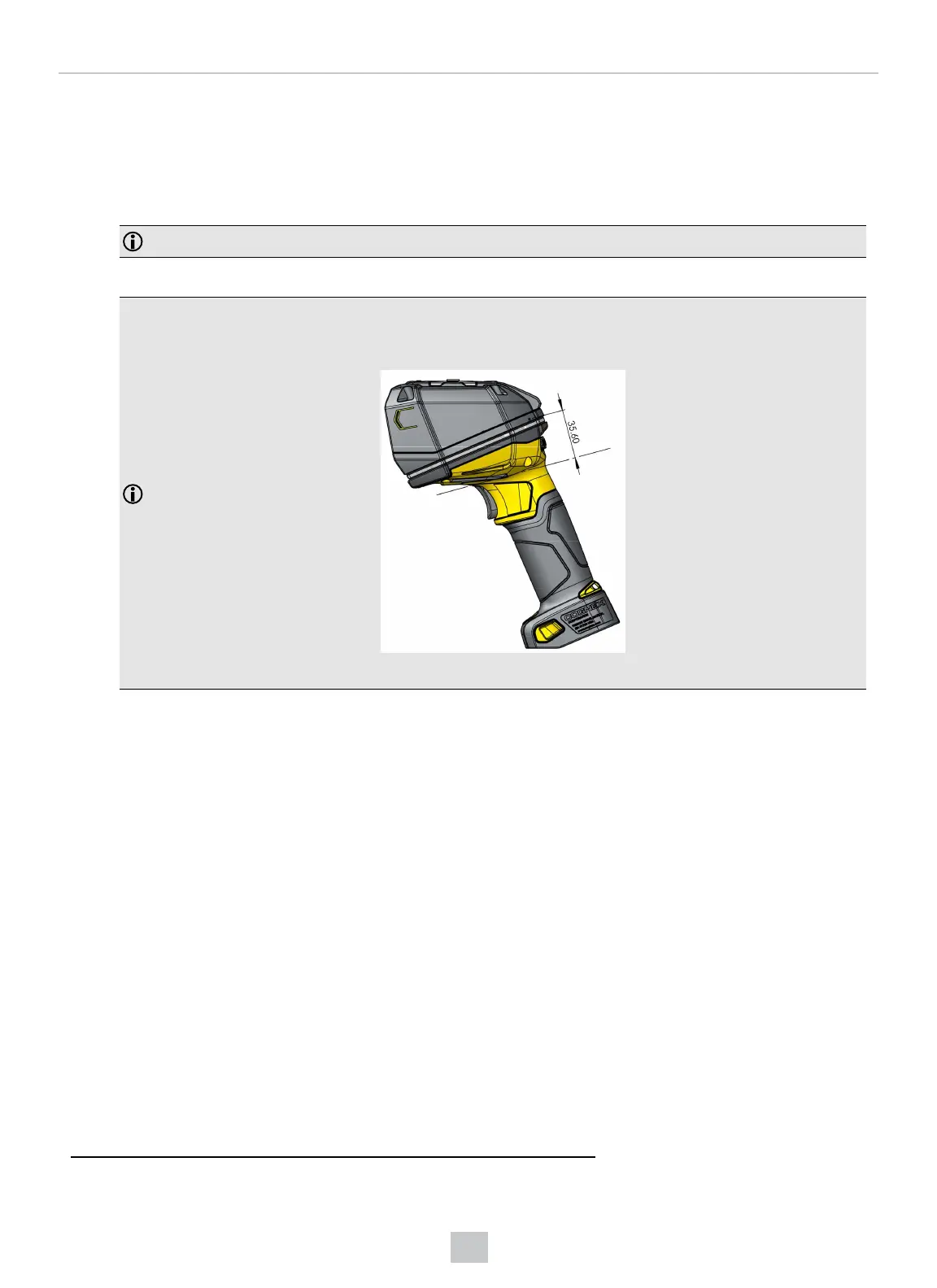
To comply with FCCRF exposure requirements, you have to maintain a minimum separation distance of 35 mm
between your hand and the integral antenna of the device during normal handling of the device.
For more information about RF exposure, visit the FCC website www.fcc.gov.
Consider the following aspects when using the DataMan 8700Bluetooth reader:
l
When the reader is on the base station, communication is established by means of cradle contacts. When the reader
is in the cradle, the wireless communication is still enabled.
l
Configure wireless communication settings by connecting to the base station. In order for the changed settings to be
synchronized between the DataMan 8700 wireless reader and the base station, place your reader in the base station
after your changes are saved. To assign a static IP address to the base station when communicating via Ethernet,
connect to the base station in the DataMan Setup Tool. The base station, however, auto-assigns the IP address
1
to
the reader when they become paired.
l
When you connect with the base station to a terminal program, your wireless reader sends decode results to the
terminal.
l
DMCC commands are sent to the reader through the base station.
1
Do not use the networks 192.168.37.0/24 and 192.168.148.0/24 for base stations.
34
Connection Options













 To Next Page