1
1 Introduction
In this Section…
1.1 In-Sight 1720 Series Wafer Reader Overview ................................ 1
1.2 In-Sight Support .............................................................................. 1
1.3 Initial Setup Checklist...................................................................... 2
1.1 In-Sight 1720 Series Wafer Reader Overview
The In-Sight
®
1720 series of high performance vision sensors are image formation wafer
readers for reading identification marks on silicon wafers. Featuring a vision processor,
advanced lighting and optics, with built-in networking support and serial communications, the
compact In-Sight 1720 series wafer readers can be utilized in virtually any back-end wafer
fab process.
The In-Sight 1720 series wafer readers include the following models:
• In-Sight 1722: Infrared LED lighting, 1024 x 768 image resolution and variable
working distance
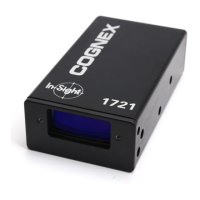
• In-Sight 1721: Red LED lighting, 1024 x 768 image resolution and variable working
distance
NOTE For information on the In-Sight 1700/1701 wafer reader installation and use, refer to the In-Sight
®
1700
Series Wafer Reader User Manual.
The In-Sight wafer reader is configured remotely over a network using either the In-Sight
software or a Microsoft
®
Internet Explorer
®
browser. This allows remote monitoring of the
wafer reader’s operation during runtime. The wafer reader may also be controlled remotely
from users’ custom application programs using In-Sight Native Mode commands to change
settings and retrieve read results.
1.2 In-Sight Support
The following resources are available to assist you in using the In-Sight 1720 series wafer
reader and graphical user interface:
• In-Sight
®
Explorer Help, an on-line HTML Help file provided on the In-Sight CD-ROM
(for In-Sight software).
• The In-Sight Online Support and Learning Center:
www.cognex.com/support/In-Sight.asp.
NOTE Only registered In-Sight users have access to the In-Sight Online Support and Learning Center website.



 To Next Page