Install the Wafer Reader
12
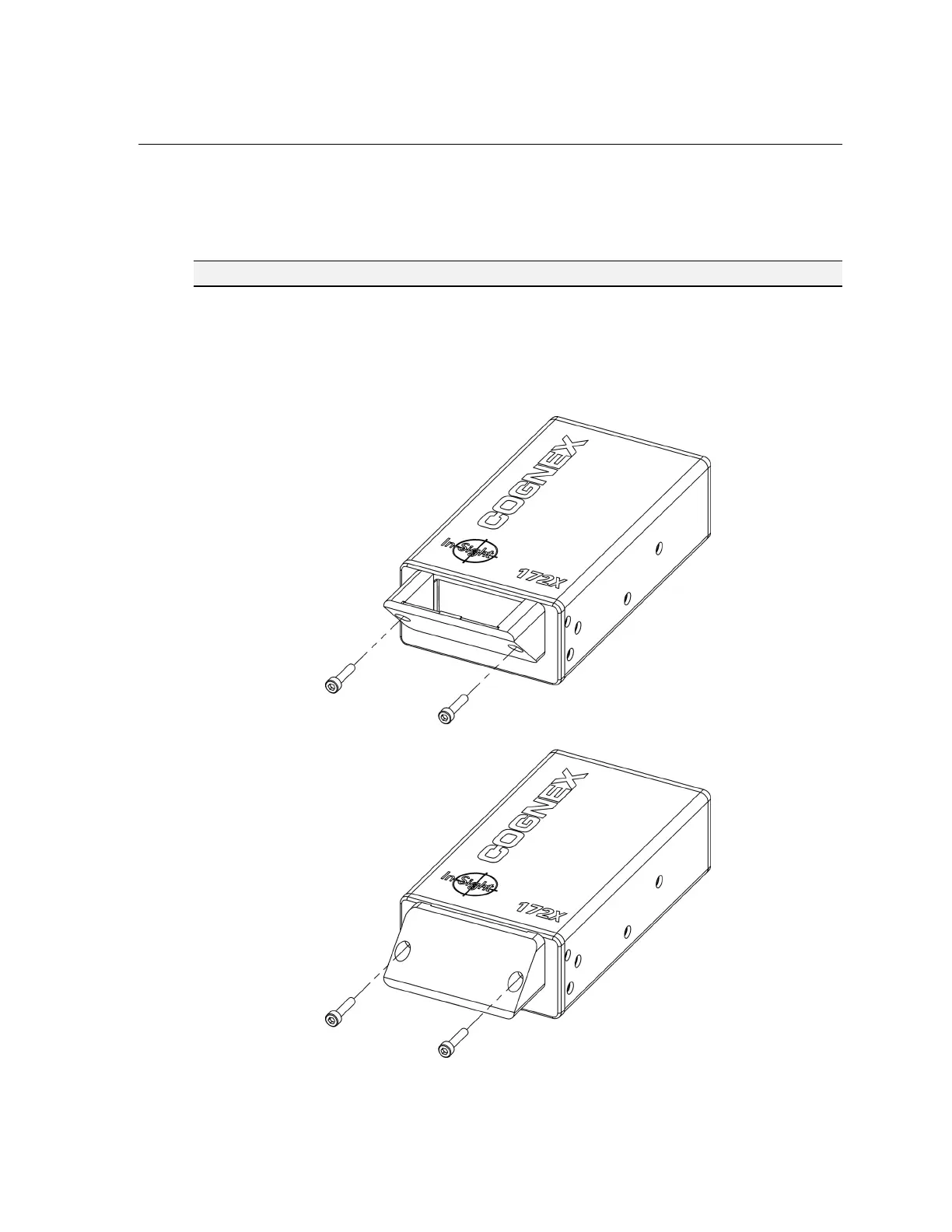
3.2 Attach the Mirror for Horizontal Operation (Optional)
The optional horizontal mirror attachment (P/N 800-5796) allows the wafer reader to be
installed in top or bottom-side reading applications where a low mounting profile is required.
NOTE For an increased working distance, mount the horizontal mirror in the recommended configuration.
To attach the mirror mount:
1. Align holes of the mirror attachment to holes on the front plate of the wafer reader.
2. Insert the two M3 X 14mm hex head screws (provided) through the mirror mount, into
the front plate.
3. Tighten screws with a 2.5mm Allen wrench.
Figure 3-1: Recommended Mirror Mounting Configuration
Figure 3-2: Optional Mirror Mounting Configuration



 To Next Page