Set Up the PC
6
Configurations Using Switches/Routers
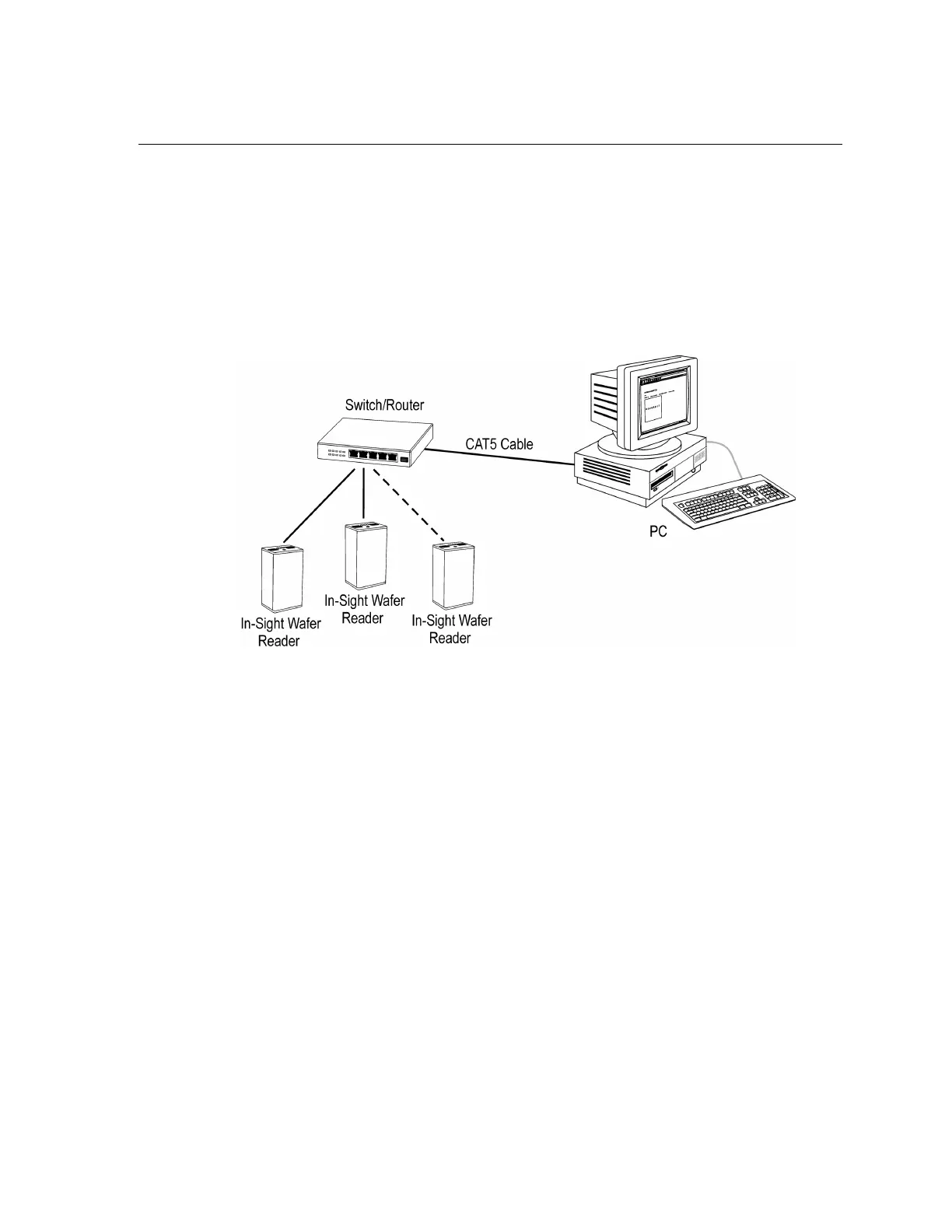
An In-Sight network may be extended to include multiple wafer readers by using an Ethernet
switch or network router. The only limit on the size of this type of network is the number of
routers or switches connected and the number of connections they provide.
To install multiple wafer readers on a standalone In-Sight network, use a switch/router
between the wafer readers and the remote host. Make all connections via standard, straight-
pinned CAT5 cables (Figure 2-2).
Figure 2-2: Standalone In-Sight Network with Ethernet Switch



 To Next Page